Phone Verification Loop You Can’t Escape? Here’s the Fix
You Verify Once—Then Get Asked Again
You enter your phone number, receive the code, type it in, and finally get access to the account.
Then a few hours later, it happens again.
You log in from the same browser profile, same account, same workflow, and suddenly the platform wants another code. Sometimes it asks for SMS verification every single login. Sometimes it triggers after switching proxies, changing devices, or running automation. In worse cases, you enter the code correctly and still get stuck in another verification loop immediately afterward.
At first, it feels random.
Then it becomes a serious problem because the workflow is no longer stable. Browser profiles stop working reliably, scheduled tasks fail, Android automations pause, and accounts become difficult to manage at scale.
This is one of the most frustrating issues in automation and multi-account management because once a platform starts distrusting your environment, it often keeps asking for verification again and again.
The good news is that this is usually not caused by the phone number itself. The real issue is normally the surrounding environment.
Why Platforms Keep Triggering Phone Verification
Most people assume repeated verification requests happen because the platform wants stronger security.
That is only part of the story.
In reality, repeated phone verification usually happens because something about the account environment keeps changing.
Platforms look at far more than just the phone number. They also track IP addresses, browser fingerprints, device IDs, cookies, timezone settings, login locations, session history, and account behavior.
If too many of those things change at once, the platform stops trusting the session.
Your IP keeps changing too much
One of the biggest causes of repeated phone verification is unstable proxies.
If an account logs in from one IP address today, another country tomorrow, and a completely different ASN next week, the platform sees that as suspicious.
This is especially common when using rotating datacenter proxies instead of stable residential or mobile proxies.
For sensitive accounts, unstable IP history almost always increases verification requests.
Browser fingerprints do not stay consistent
If you are using antidetect browsers, browser automation, or custom scripts, the browser fingerprint needs to stay stable.
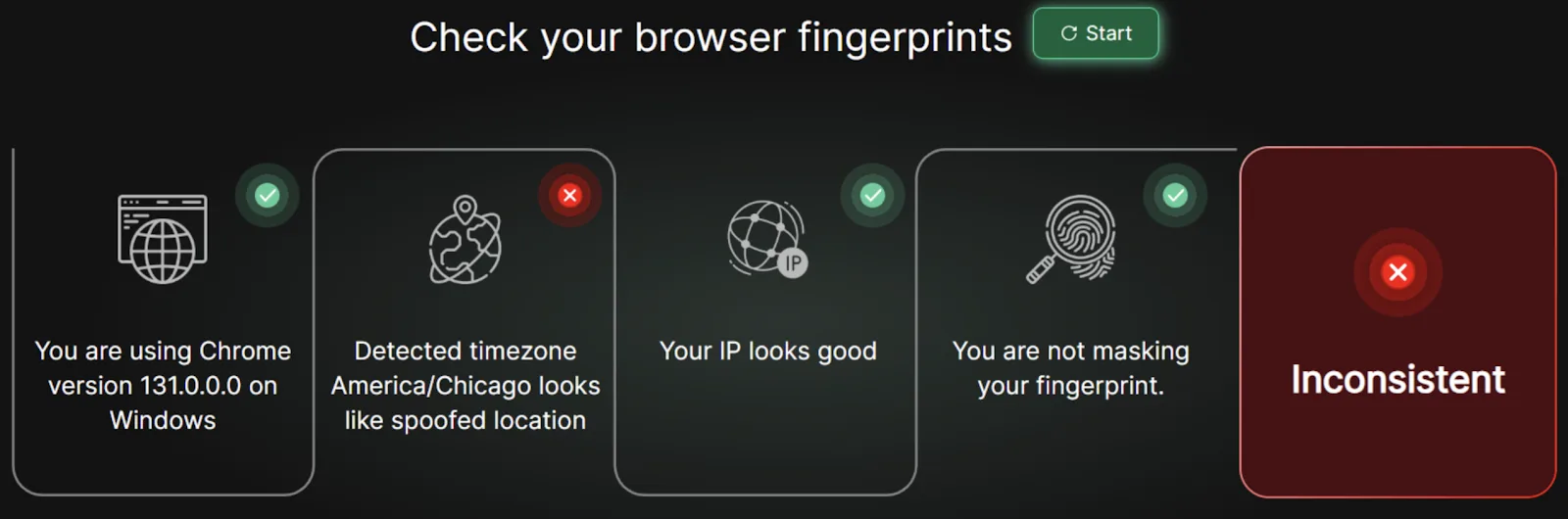
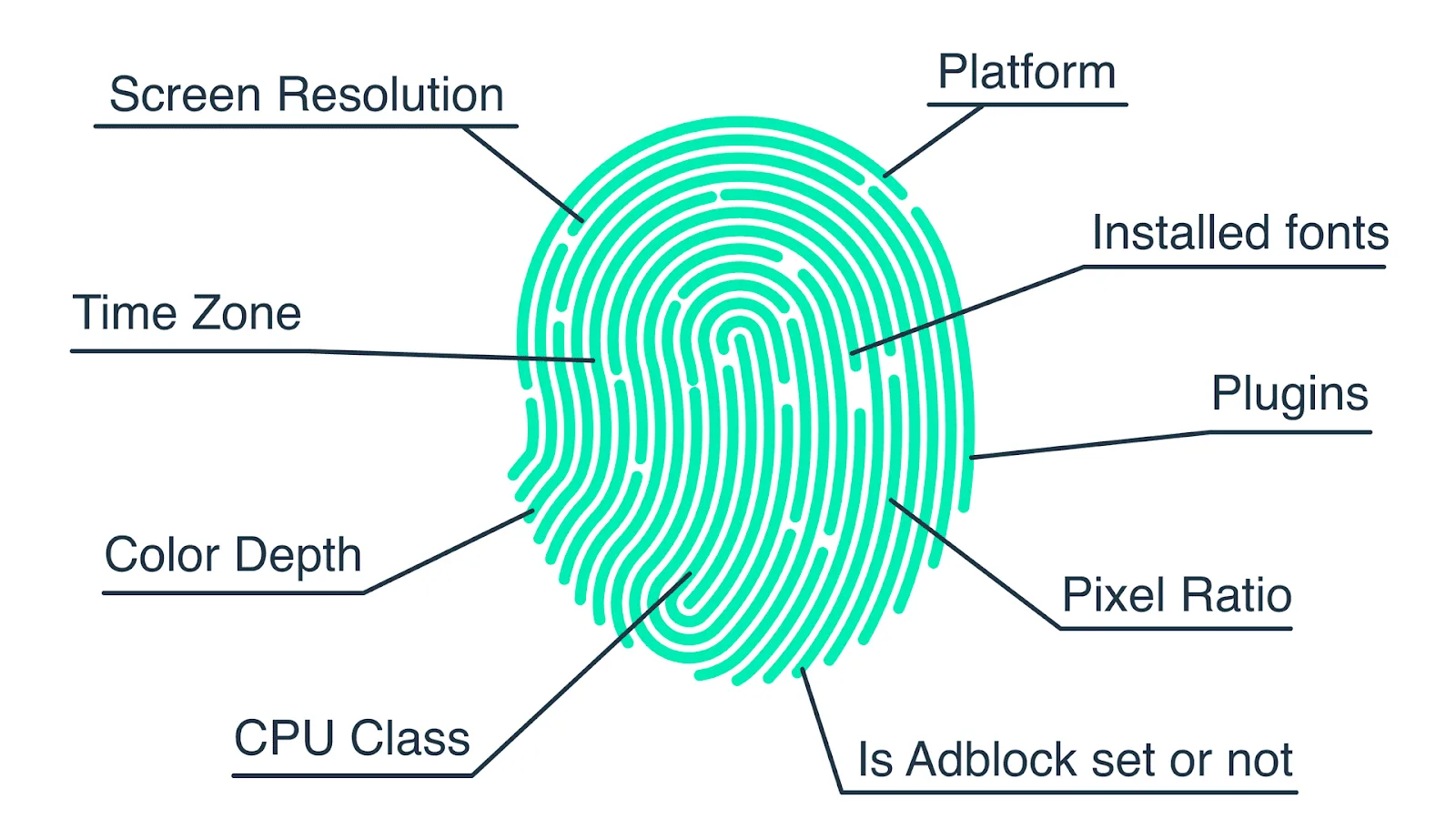
Things like screen resolution, user agent, timezone, fonts, WebRTC behavior, canvas fingerprinting, and cookie storage all matter.
A small mismatch can be enough to make the platform think the account is logging in from a completely different device.
This is especially common with tools built around Selenium, Playwright, and heavily customized browser profiles.
Cookies and sessions are being lost
If cookies are cleared, sessions expire too often, or local storage is not preserved correctly, the platform may think every login is a new device.
That means even if you are using the same account and same browser profile, the platform sees a fresh login every time.
Too many changes happen at once
Verification loops often happen when several things change together:
New proxy
New browser profile
New device
New timezone
Different login time
Different behavior pattern
One change alone may not matter. But several changes together often trigger verification.
The Hidden Cost of Endless Verification Requests
Phone verification loops are not just annoying.
They slow down workflows, interrupt schedules, and make automation difficult to scale.
If you are managing multiple accounts, every repeated verification request creates more manual work. Tasks fail because no one is available to enter the code. Browser profiles stop mid-workflow. Android automations pause. Accounts lose consistency.
Over time, repeated verification also increases the risk of stronger restrictions.
A platform that repeatedly sees suspicious logins may escalate from SMS codes to email verification, selfie checks, account reviews, or temporary restrictions.
That is why it is important to fix the root cause early instead of constantly entering new codes.
The Complete Fix: Rebuild Trust Around the Account
The solution is not to keep buying new phone numbers.
The real solution is to make the account environment look stable.
Use stable proxies
Sensitive accounts should use consistent residential or mobile proxies tied to the same region over time.
Avoid switching countries, proxy types, or IP ranges too frequently.
The more stable the IP history is, the less likely the platform is to trigger repeated verification.
Keep browser fingerprints consistent
Your browser profile should always use the same fingerprint settings.
That means keeping the same timezone, screen size, user agent, language, WebRTC behavior, and hardware profile.
If you are using antidetect browsers, avoid regenerating fingerprints too often.
Preserve cookies and sessions properly
Do not clear cookies unnecessarily.
Do not rebuild browser profiles from scratch every time.
The more session history the platform sees, the more it trusts the account.
Avoid making multiple changes at once
If you need to switch proxies, update browsers, or move an account to another profile, do it gradually.
Do not combine several changes together because that creates a much stronger suspicious signal.
Why Centralized Control Makes Verification Loops Easier to Prevent
Phone verification becomes much easier to manage when you can see which browser profiles, proxies, schedules, and devices are linked to each account.
If proxies are stored in one place, browser profiles in another, cookies somewhere else, and schedules in spreadsheets, it becomes difficult to know what changed when the verification loop started.
A centralized dashboard makes it easier to track which profile is tied to which account, which proxy is being used, and what changed recently.
This is one of the reasons Appilot becomes useful as automation grows.
Instead of having browser profiles, Android tasks, schedules, and account assignments spread across multiple systems, everything can stay organized from one dashboard.
That makes it much easier to maintain stable environments and reduce repeated verification requests.
How to Prevent Verification Loops in the Future
The best way to avoid repeated verification is to treat accounts like long-term assets.
Each account should have:
One stable browser profile
One stable proxy region
Consistent cookies and sessions
Predictable login times
Minimal unnecessary changes
The more stable the environment is, the less likely the platform is to keep asking for verification.
Most importantly, avoid panic changes after a verification request happens. Many people make the problem worse by switching browsers, changing proxies, clearing cookies, and creating even more suspicious signals.
Common Mistakes That Make This Worse
One of the biggest mistakes is rotating proxies too aggressively.
Another mistake is constantly generating new browser fingerprints.
There is also a tendency to clear cookies too often or rebuild browser profiles unnecessarily.
Without stability, the platform never has a reason to trust the account.
Conclusion: Verification Loops Are Usually a Trust Problem
If you keep getting stuck in repeated phone verification requests, the issue is usually not the phone number itself.
The problem is that the account environment keeps changing too much.
Once you stabilize the browser profile, proxy setup, cookies, sessions, and login behavior, the verification requests usually decrease significantly.
That is what allows accounts to stay stable long term instead of constantly getting stuck in endless login loops.