What Are Polyfills? (And How They Affect Fingerprints)
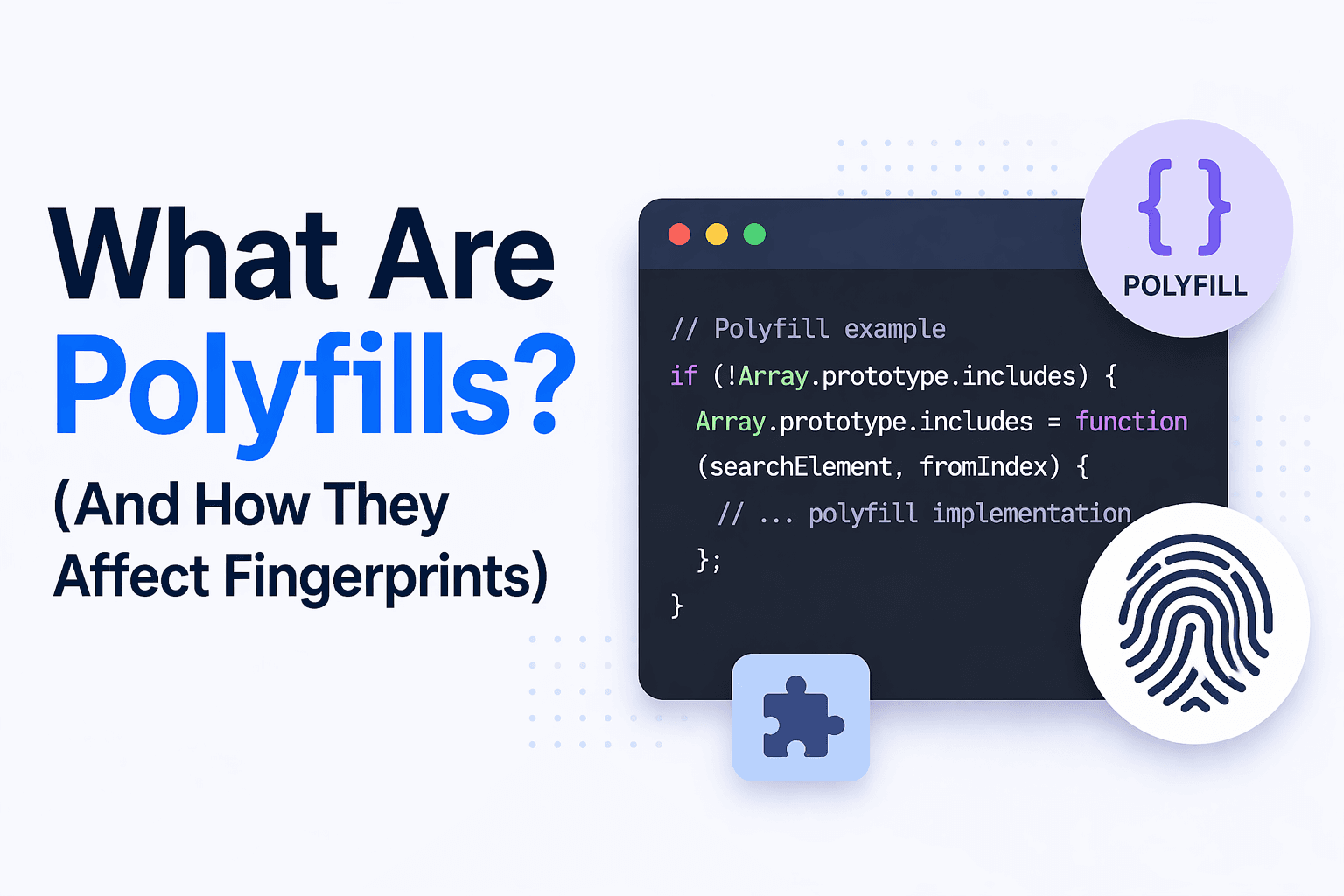
Modern web applications rely on a wide range of browser features, but not all browsers support every feature natively. To bridge this gap, developers use polyfills, which are scripts that replicate missing functionality in older or unsupported environments. While polyfills are useful for compatibility, they also influence how browsers behave, which can affect fingerprinting and detection systems.
Understanding polyfills is important because they modify how APIs appear and behave. This can introduce subtle differences that are detectable. This guide explains how polyfills work and their impact on browser fingerprints.
What Are Polyfills?
Polyfills are JavaScript implementations of browser features that are not natively supported, where they allow developers to use modern APIs while ensuring compatibility with older browsers. Instead of relying on built-in functionality, polyfills provide custom code that mimics the expected behavior of an API. This enables applications to function consistently across different environments, even when native support is missing.
The Core Idea Behind Polyfills
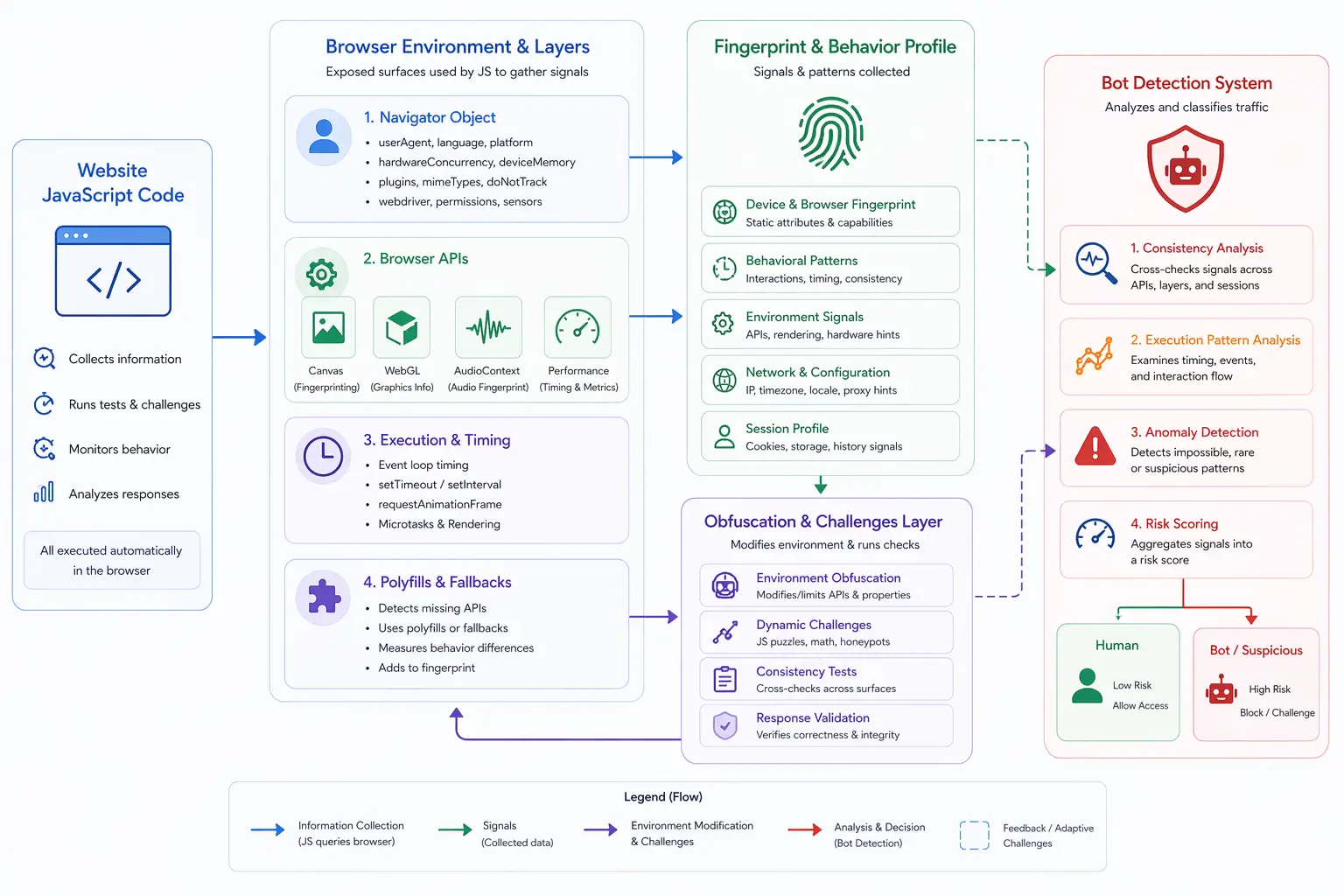
The core idea behind polyfills is compatibility through simulation, where missing features are recreated using JavaScript so that applications can run without modification. By detecting whether a feature exists and providing an alternative if it does not, polyfills ensure that code can execute in a wide range of browsers. This approach improves accessibility but also changes how the browser environment behaves.
How Polyfills Work
Polyfills work by checking if a specific API or feature is available in the browser and, if not, injecting a custom implementation that provides similar functionality, where this process often involves defining functions, objects, or methods that replicate the expected behavior. These implementations may not perfectly match native behavior, as they rely on JavaScript rather than underlying browser engines, which can lead to subtle differences in output or performance.
Why Polyfills Matter for Fingerprinting
Polyfills matter for fingerprinting because they alter how APIs behave, where fingerprinting systems rely on the assumption that browser features behave in consistent and predictable ways. When a polyfill is used, the output of an API may differ slightly from native implementations, creating unique patterns. These differences can be used as signals to identify or classify environments.
Polyfills and API Behavior Differences
Polyfills often introduce differences in how APIs respond, where timing, output precision, and edge-case handling may vary compared to native implementations. For example, a polyfilled API may execute more slowly or return slightly different values, and these differences can be measured by detection systems. While these variations may seem minor, they become significant when combined with other signals.
Polyfills and Browser Fingerprinting
Browser fingerprinting systems use polyfill-related differences as part of their analysis, where the presence of polyfills can indicate the type of browser, its version, or whether it has been modified. By analyzing which features are native and which are simulated, detection systems can build more detailed profiles. This adds another layer to fingerprinting beyond standard browser properties.
Polyfills and Bot Detection
Bot detection systems can use polyfills as indicators of non-standard environments, where automated setups may rely on polyfills to replicate missing functionality. If the behavior of these polyfills does not match native expectations, it can signal automation. Combined with other inconsistencies, this helps detection systems identify bots.
Limitations of Polyfills
Despite their usefulness, polyfills have limitations because they cannot fully replicate native browser behavior, where performance differences, incomplete feature coverage, and subtle inconsistencies can occur. Additionally, maintaining polyfills for complex APIs can be challenging, and they may not always keep up with evolving standards. These limitations make polyfills both useful and potentially detectable.
Polyfills vs Native Browser Features
Polyfills differ from native browser features in that native implementations are built into the browser engine and optimized for performance and accuracy, while polyfills rely on JavaScript and operate at a higher level. This difference affects execution speed, precision, and behavior, making it possible to distinguish between native and simulated features.
Polyfills vs Real-Device Environments
A key distinction in modern detection is the difference between simulated functionality and native behavior, where polyfills introduce simulated APIs that may not fully align with real device characteristics. Real-device environments operate on actual hardware and browser engines where APIs behave as intended without the need for simulation, and tools like Appilot follow this approach by running automation on real Android devices, ensuring that API behavior is consistent with native implementations. This reduces discrepancies that detection systems can identify.
When Polyfills Are Most Relevant
Polyfills are most relevant in scenarios where compatibility across different browsers is required, such as supporting older devices or ensuring consistent functionality across environments, where developers need to bridge gaps in feature support. Understanding their impact helps in balancing compatibility with detection considerations.
Frequently Asked Questions
Q: What is a polyfill?
It is a script that adds support for missing browser features.
Q: Why are polyfills used?
To ensure compatibility across different browsers.
Q: Do polyfills affect fingerprinting?
Yes, they can introduce detectable differences.
Q: Are polyfills identical to native APIs?
No, they simulate behavior and may differ slightly.
Q: Can polyfills be detected?
Yes, through differences in behavior and performance.
Q: How do real-device solutions compare?
Real-device solutions like Appilot use native APIs, reducing discrepancies caused by polyfills.
Key Takeaways
Polyfills are JavaScript-based implementations that replicate missing browser features to ensure compatibility across environments, but they introduce differences in API behavior that can affect fingerprinting and detection. While they are essential for modern web development, their limitations and inconsistencies can be used as signals by detection systems. Understanding how polyfills work is important for managing both compatibility and detectability.