Privacy-First Workflows: DuckDuckGo Browser + Appilot
DuckDuckGo Browser is built for users who want a cleaner and more private browsing experience without needing to spend time adjusting complex privacy settings. It blocks many trackers automatically, reduces hidden data collection, and helps keep browsing sessions more private from the start.
For people managing browser-based tasks every day, privacy is only one part of the challenge. The other part is the amount of repetitive work involved. Opening the same websites, checking the same dashboards, reviewing the same notifications, and repeating the same actions every day can quickly become time consuming.
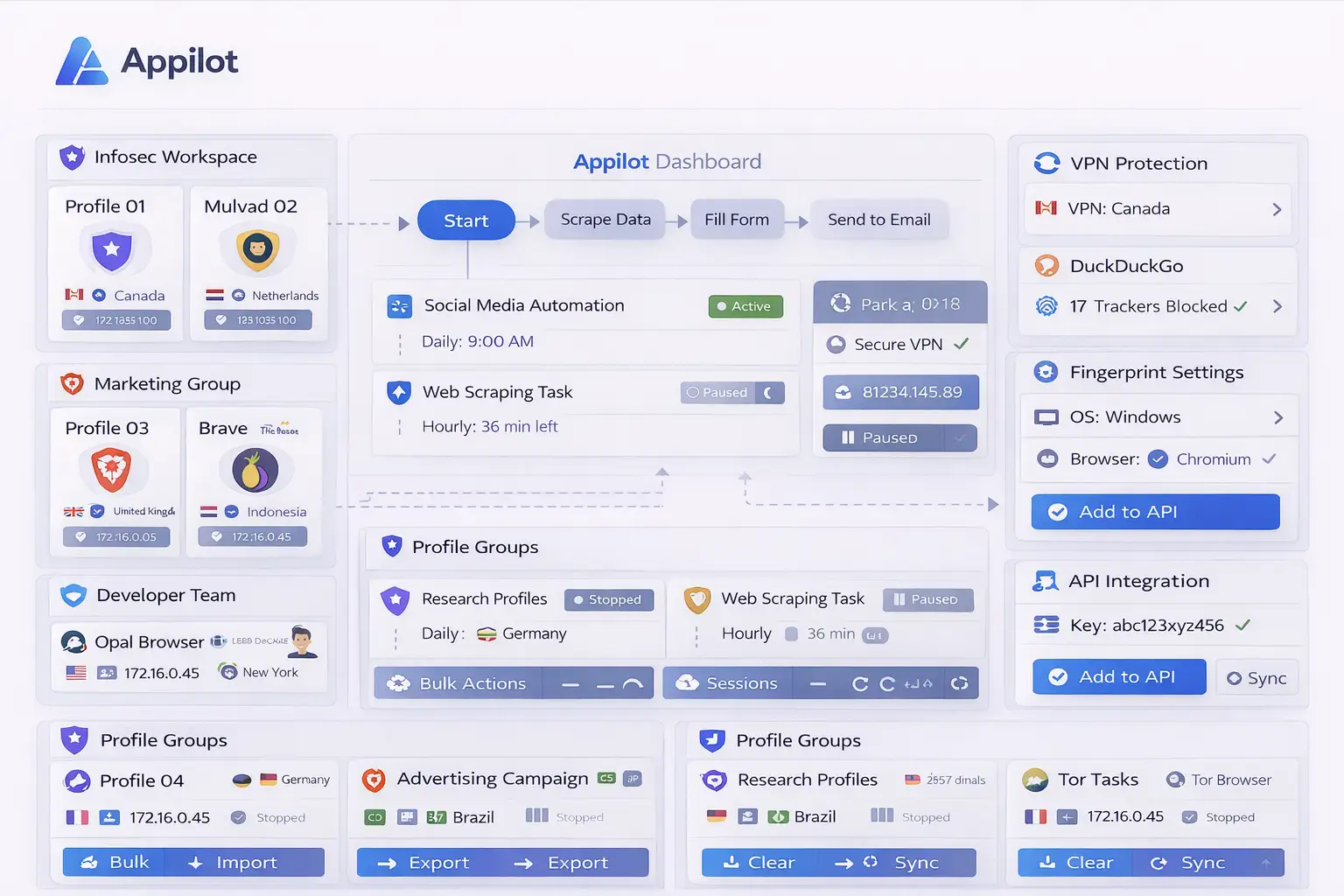
This is where Appilot becomes useful. DuckDuckGo Browser creates the privacy-focused browsing environment, while Appilot helps automate repetitive workflows, organize browser sessions, and reduce the amount of manual work needed every day.
Together, they create a more practical setup for users who want browser tasks to be both private and efficient.
Why Privacy-First Workflows Matter
Many browser workflows involve visiting the same pages repeatedly. A user may need to open dashboards, monitor websites, review notifications, check account activity, collect information, or compare pages several times each day.
Even when those tasks are simple, they can still consume a large amount of time when repeated consistently.
Privacy-first workflows help solve two problems at the same time. The first problem is reducing unnecessary tracking, browser exposure, and data collection. The second problem is reducing repetitive manual work.
For example, a researcher may need to review a group of websites every morning. A social media manager may need to check account notifications and campaign dashboards. An e-commerce seller may need to review store activity and supplier portals. A marketer may need to open campaign dashboards and traffic reports.
In each case, the workflow itself may be repetitive, but the browsing environment can still benefit from stronger privacy protections.
Why Combine DuckDuckGo Browser with Appilot?
DuckDuckGo Browser helps reduce tracking and create a cleaner browsing session, but it does not automate browser tasks on its own.
Users still need to open the browser, navigate between websites, review information, export reports, and close sessions afterward.
Appilot helps automate those repetitive actions.
For example, Appilot can launch DuckDuckGo Browser at a specific time, open a selected group of websites, review dashboards, collect information, and close the session afterward.
This means users do not need to repeat the same actions manually every day.
The result is a workflow that is more organized, more consistent, and easier to manage over time.
Common Privacy-First Browser Workflows
Research is one of the most common privacy-focused workflows. Researchers often visit the same websites repeatedly to monitor updates, compare information, or review content. DuckDuckGo Browser helps reduce tracking while Appilot helps automate those repeated browser actions.
Social media managers may also benefit from privacy-first workflows. They often need to review multiple dashboards, notifications, messages, and content feeds every day. Instead of repeating those actions manually, Appilot can help automate them inside DuckDuckGo Browser.
E-commerce sellers may use this setup for reviewing store dashboards, supplier portals, order updates, shipping pages, and product listings.
Affiliate marketers often work across campaign dashboards, landing pages, analytics tools, and advertising platforms. Appilot can automate repeated browser navigation while DuckDuckGo Browser helps keep the browsing session cleaner and less exposed to tracking.
Privacy-first workflows can also be useful for journalists, agencies, monitoring teams, crypto users, and anyone who wants browser sessions that feel more controlled and private.
Setting Up Your First Privacy-First Workflow
The easiest way to begin is with one simple workflow that you already repeat regularly.
For example, you may want to open DuckDuckGo Browser every morning, review a few websites, check account dashboards, monitor notifications, and close the browser afterward.
Once that workflow is stable, you can gradually add more websites, more account types, and more scheduled sessions.
Starting with a smaller workflow is usually better because it makes troubleshooting easier.
Once the process works correctly, it can be expanded into more advanced workflows for research, monitoring, e-commerce, campaign reviews, reporting, or account management.
Benefits of Privacy-First Browser Automation
One of the biggest benefits is reduced tracking. DuckDuckGo Browser helps block trackers, reduce background data collection, and create a cleaner browsing environment.
Another major benefit is consistency. Appilot allows browser tasks to happen in the same order every time.
This reduces the chance of forgetting steps, missing important pages, or repeating unnecessary work.
There is also a major time-saving advantage. Browser tasks that normally take several minutes every day can become automated workflows that run automatically.
This allows users to spend more time on analysis, decision-making, and higher-value work instead of repeating the same browser actions.
The combination is also useful for organization because workflows can be grouped by purpose and managed from one dashboard.
Best Practices for Privacy-First Workflows
The best approach is to keep workflows organized and simple.
Separate browser tasks by category so that research workflows stay separate from e-commerce tasks, social media checks, affiliate monitoring, or account reviews.
It is also important to avoid creating very large workflows too early because they are harder to troubleshoot.
You should review workflow logs regularly because websites may change layout, account sessions may expire, or browser behavior may change over time.
Keeping the browsing environment simple is also helpful because too many unnecessary browser changes can reduce the privacy advantages of DuckDuckGo Browser.
Starting with a few simple workflows before expanding into larger systems is usually the safest approach.
Common Problems and Troubleshooting
One common issue is that websites may behave differently inside privacy-focused browsers because of tracker blocking or script limitations.
Another issue is that login sessions may expire, which can cause automated workflows to stop working.
Sometimes users create workflows that are too large and difficult to manage. This makes it harder to understand which step caused the issue.
Workflows may also stop working if a website changes its layout or navigation flow.
Reviewing logs regularly and keeping workflows simple usually helps reduce these problems.
Frequently Asked Questions
Q1: Why use DuckDuckGo Browser for privacy-first workflows?
DuckDuckGo Browser helps reduce tracking, limit data collection, and create a cleaner browsing environment.
Q2: Can Appilot automate tasks inside DuckDuckGo Browser?
Yes. Appilot can automate browser launches, scheduled workflows, website checks, and repetitive browser tasks.
Q3: Is this setup useful for research and monitoring?
Yes. Research, monitoring, dashboard reviews, and repeated browser checks are common use cases.
Q4: Can websites behave differently in DuckDuckGo Browser?
Yes. Some websites may load differently because tracker blocking and privacy settings are enabled.
Q5: What happens if a workflow stops working?
You can review logs, check the website layout, refresh login sessions, and update the workflow if needed.
Conclusion
DuckDuckGo Browser helps create a more private browsing environment, while Appilot helps automate repetitive browser tasks and organize workflows.
Together, they create a more practical system for managing browser-based work without repeating the same manual actions every day.
This makes it easier to save time, stay organized, and keep browser sessions more private.