Puppeteer vs Playwright vs Selenium: Which Browser Automation Tool Wins?
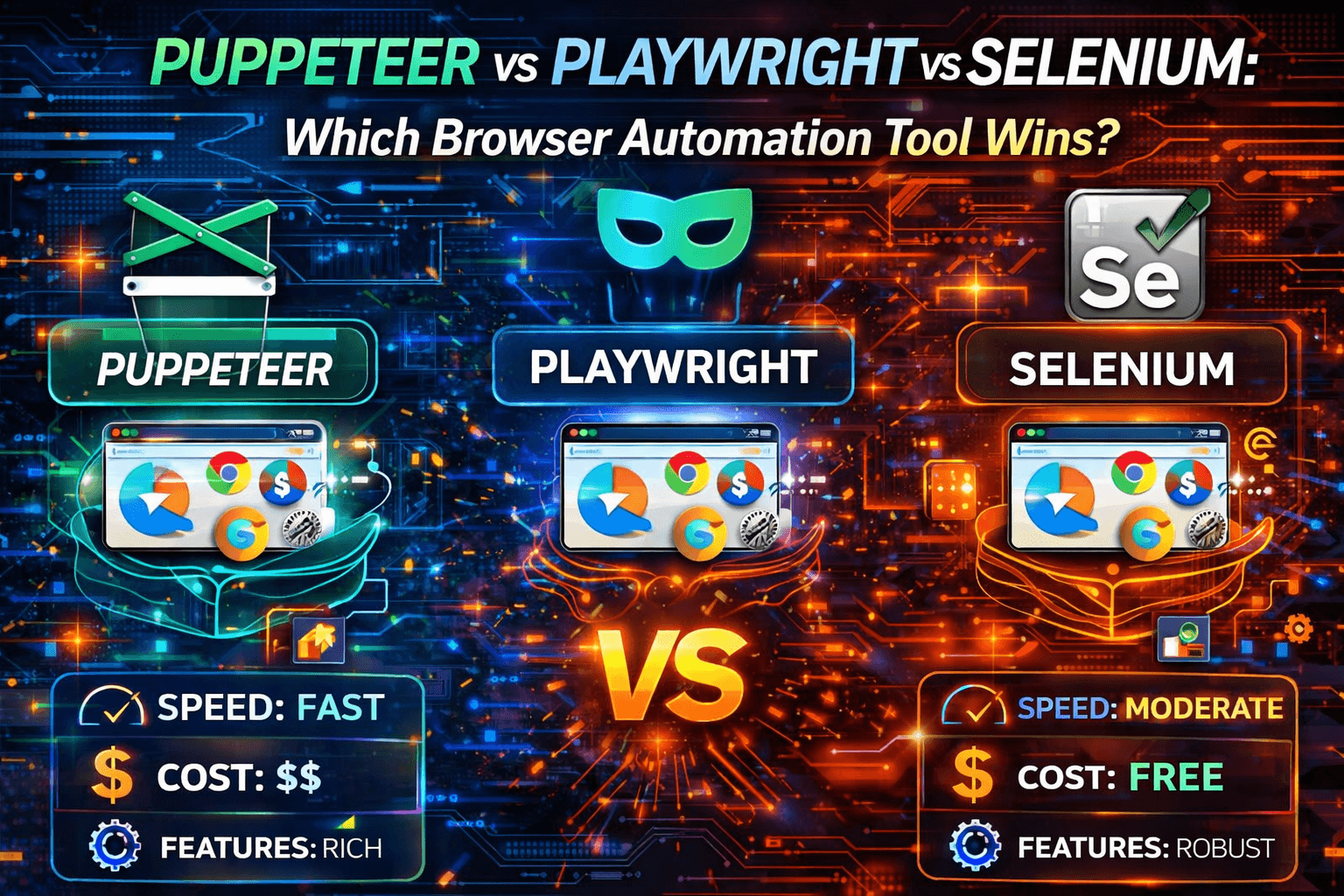
Browser automation tools are used for web testing, web scraping, form automation, CI/CD validation, and repetitive browser workflows.
Three tools dominate most discussions in this space: Puppeteer, Playwright, and Selenium.
All three automate browsers, but they differ in setup complexity, cross-browser support, reliability, ecosystem maturity, and enterprise suitability.
This guide provides a practical breakdown without unnecessary marketing noise.
Architecture Differences
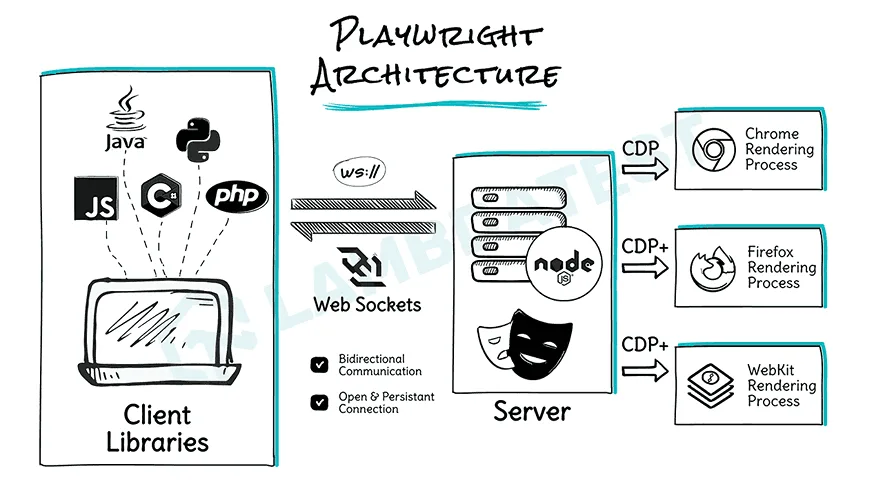
Puppeteer uses the Chrome DevTools Protocol and provides direct control of Chromium.
Playwright uses a unified automation layer with native cross-browser engines.
Selenium uses the WebDriver protocol, requires browser-specific drivers, and is often paired with Selenium Grid.
These architectural differences directly affect reliability and setup complexity.
What Is Puppeteer?
Overview
Puppeteer is a Node.js library that controls Chromium using the DevTools Protocol.
It is tightly integrated with entity["software","Google Chrome","Web browser"] and entity["software","Chromium","Open-source web browser project"].
Key Features
Puppeteer supports both headless and headed mode, provides a simple API, includes built-in screenshot and PDF generation, and has a lightweight setup process.
Advantages
One of Puppeteer’s biggest strengths is how easy it is to get started.
It requires minimal configuration, performs very well with Chrome, and is especially useful for small automation scripts.
Limitations
The biggest limitation is that Puppeteer is largely Chrome-focused.
It is not ideal for cross-browser testing and has a smaller ecosystem compared to Selenium.
Puppeteer is usually best for Chrome automation, simple scraping, and quick scripting tasks.
What Is Playwright?
Overview
Playwright is developed by entity["company","Microsoft","Technology company"] and is designed for modern web applications.
It supports Chromium, Mozilla Firefox, and WebKit, which is the engine behind Safari.
Key Features
Playwright provides native cross-browser support, automatic waiting for elements, a built-in test runner, and strong support for dynamic applications.
Advantages
Playwright is usually more reliable for modern JavaScript-heavy applications.
It provides cleaner syntax than Selenium, supports multiple browsers through one API, and is actively maintained.
Limitations
Playwright has a slightly steeper learning curve than Puppeteer.
Its ecosystem is newer and enterprise adoption is still growing.
Playwright is usually best for modern web testing and cross-browser automation.
What Is Selenium?
Overview
Selenium is one of the oldest and most widely adopted browser automation tools.
It works with Chrome, Firefox, Edge, Safari, and many programming languages.
It also often integrates with Selenium Grid for distributed testing.
Key Features
Selenium supports multiple programming languages such as Java, Python, C#, and JavaScript.
It relies on browser drivers, supports Grid-based distributed testing, and integrates deeply with enterprise CI/CD systems.
Advantages
Selenium has an extremely mature ecosystem, a large community, and broad enterprise adoption.
It is highly flexible because it supports many languages and environments.
Limitations
Selenium also comes with trade-offs.
It requires browser-driver management, involves more boilerplate code, can become flaky without careful setup, and has higher maintenance overhead.
Selenium is usually best for enterprise QA teams and long-term automation infrastructure.
Feature-by-Feature Breakdown
Ease of Use
Puppeteer is usually the easiest option.
Playwright is slightly more advanced.
Selenium requires more setup and technical understanding.
Setup & Infrastructure
Puppeteer does not require external drivers.
Playwright includes built-in browser management.
Selenium requires WebDrivers and may also require Selenium Grid.
Performance & Stability
Puppeteer is fast, but limited to Chrome-focused workflows.
Playwright is stable across browsers.
Selenium is stable as well, but tends to be heavier and slower.
Scalability
Puppeteer is lightweight, but still Chrome-focused.
Playwright scales well across browsers.
Selenium is usually the best option for very large distributed test environments.
Scenario-Based Recommendations
Scenario 1: Chrome-Only Automation
The best choice is Puppeteer.
It has the simplest setup, tight Chromium integration, and works very well for scraping and quick scripts.
Scenario 2: Cross-Browser Testing
The best choice is Playwright.
It supports Chromium, Firefox, and WebKit while handling dynamic applications more cleanly.
Scenario 3: Enterprise Automation Across Teams
The best choice is Selenium.
Its multi-language support, mature ecosystem, and Grid-based execution make it well suited for enterprise environments.
Scenario 4: Modern Web Apps & Dynamic SPAs
The best choice is Playwright.
Its automatic waiting and better handling of asynchronous user interfaces make it especially useful for dynamic applications.
Scenario 5: Long-Term Large QA Infrastructure
The best choice is Selenium.
It remains the industry standard for enterprise support and CI/CD integration.
Scenario 6: Mobile Automation Workflows
An alternative here is Appilot.
Appilot is useful when the workflow involves Android applications, real-device execution, or mobile-first automation.
Unlike Puppeteer, Playwright, and Selenium, Appilot focuses on Android automation rather than browser automation.
This makes it a better fit for mobile-device workflows where browser testing tools are not enough.
Final Verdict
There is no universal winner.
Puppeteer is fast and simple.
Playwright is modern and reliable.
Selenium is mature and enterprise-ready.
If you are starting from scratch today, Puppeteer is often the best choice for Chrome-only automation, Playwright is usually the best option for cross-browser projects, and Selenium is still the strongest choice for enterprise legacy stacks.
The right choice depends on browser requirements, team skillset, infrastructure scale, and long-term maintenance goals.
If your automation involves Android apps rather than websites, Appilot may fit better because it is built for real-device mobile automation instead of browser testing.
FAQs
Is Playwright better than Selenium?
For modern applications, often yes. For enterprise ecosystems, Selenium still dominates.
Can Puppeteer replace Selenium?
Only for Chrome-based projects.
Which tool is easiest for beginners?
Puppeteer is generally the easiest.
Is Selenium still relevant?
Yes, especially in large organisations.
Do all three support headless mode?
Yes, Puppeteer, Playwright, and Selenium all support headless execution.