Scheduling PhantomBuster Tasks with Appilot Integration
PhantomBuster is already a strong tool for scraping data, collecting leads, monitoring social media, extracting profile information, and automating repetitive web-based tasks. Many teams use it for LinkedIn scraping, Instagram monitoring, Twitter research, email collection, and lead generation.
The challenge is that once the data is collected, there is usually still another stage of work that needs to happen. Someone may need to review the information, organize it, launch browser sessions, send follow-ups, check websites, or trigger other workflows manually.
This is where Appilot becomes useful. PhantomBuster can handle the data collection side, while Appilot can help schedule and automate the next stage of the process. Instead of manually repeating tasks every day, you can build workflows where PhantomBuster runs on a schedule and Appilot automatically handles the follow-up actions.
Why Scheduling Matters
A large part of automation is not just collecting data, but collecting it at the right time and triggering the right actions afterward. If PhantomBuster only runs when someone remembers to launch it manually, the workflow becomes inconsistent.
Scheduling allows tasks to run automatically at the same time every day, every week, or at specific intervals. This is especially useful for teams that rely on fresh information.
For example, a sales team may want PhantomBuster to scrape new LinkedIn leads every morning before outreach begins. A social media team may want to collect Instagram engagement data every few hours. An e-commerce team may want to monitor competitor prices at the same time every day. A recruiting team may want to pull candidate profiles from LinkedIn once per week.
With Appilot integration, those scheduled tasks can automatically connect to the next stage of the workflow instead of stopping after the data is collected.
How Appilot Works with PhantomBuster Scheduling
PhantomBuster is good at handling the scraping or extraction part of the workflow, but Appilot helps manage what happens before and after that task runs.
For example, you can schedule PhantomBuster to run every morning at 8 AM and collect LinkedIn profiles for a certain industry. Once the data is available, Appilot can automatically launch browser sessions, organize leads into profile groups, open websites, trigger account workflows, or prepare outreach tasks.
This creates a more complete process because the workflow does not end when the scraping finishes. The collected information can immediately move into the next stage without needing manual work.
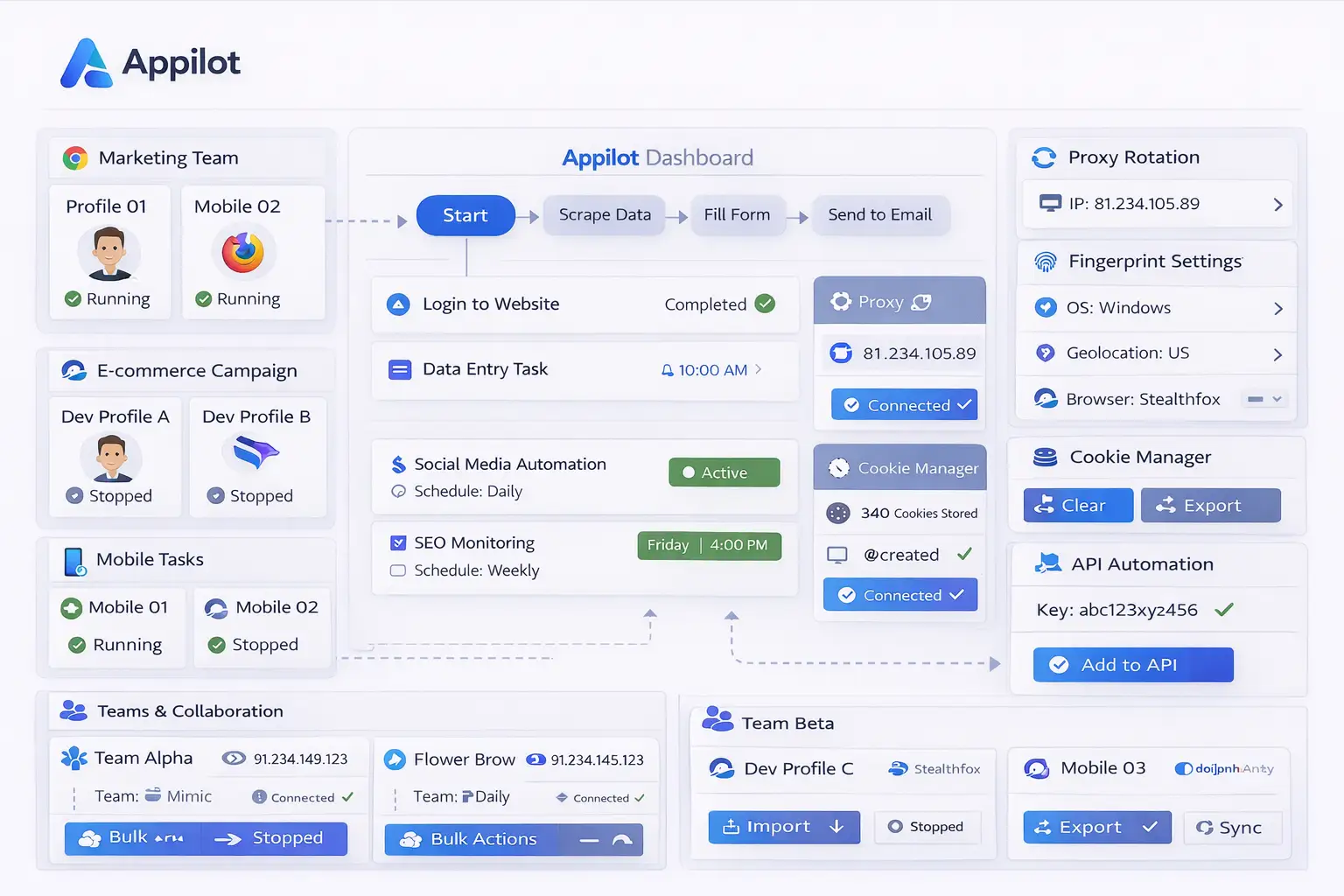
Appilot also helps organize workflows into groups. Instead of keeping all scheduled tasks mixed together, you can separate them into categories such as social media monitoring, lead generation, competitor research, affiliate marketing, e-commerce tracking, or recruiting.
This makes it easier to manage larger operations and track which workflows are connected to which tasks.
Common Scheduled PhantomBuster Workflows
One of the most common workflows is scheduled lead generation. PhantomBuster can scrape new LinkedIn leads every day, while Appilot can automatically prepare browser workflows for reviewing those leads, assigning them to account groups, or triggering outreach actions.
Social media teams often schedule PhantomBuster to collect engagement data, hashtags, followers, comments, or mentions on a regular basis. Appilot can then use that information to trigger browser sessions, review account activity, or organize content planning workflows.
E-commerce teams frequently schedule competitor monitoring tasks. PhantomBuster can collect product prices, marketplace listings, or product details every day, while Appilot can automate browser actions that review store dashboards, monitor inventory, or prepare reports.
Affiliate marketers often use scheduled workflows to monitor advertising campaigns, collect performance information, or scrape competitor data. Appilot can then automate browser sessions for reviewing ad accounts, checking landing pages, or preparing reports.
Recruiters can also benefit from scheduled tasks. PhantomBuster can scrape new candidate profiles every week, while Appilot can help organize those profiles, open relevant websites, or prepare follow-up actions.
Benefits of Scheduling PhantomBuster Tasks
The biggest advantage of scheduling is consistency. Tasks happen automatically without relying on someone to remember to launch them manually. This helps make workflows more reliable and keeps data collection more consistent.
Another major benefit is time savings. Teams no longer need to spend time launching PhantomBuster manually, downloading data, opening browser profiles, or organizing information. Appilot can help connect those actions together so the process becomes much more efficient.
Scheduling also makes scaling easier. A small operation with one or two tasks may still be manageable manually, but larger operations with many scraping tasks, browser sessions, and account workflows quickly become difficult to manage without automation.
Another important benefit is that Appilot gives you a central place to monitor scheduled tasks. You can see which tasks are active, which tasks completed successfully, and which workflows failed. This makes troubleshooting much easier.
Best Practices for Scheduled Workflows
The best approach is to start with a small number of scheduled tasks before building more complex workflows. Begin with one or two simple PhantomBuster tasks and connect them to basic Appilot workflows.
It is also important to avoid running too many tasks at the same time. If several scraping tasks, browser sessions, and account workflows all launch at once, it can become harder to manage system resources and troubleshoot issues.
You should also separate workflows into groups based on their purpose. Social media tasks should stay separate from e-commerce tasks, affiliate marketing tasks, lead generation workflows, and recruiting workflows.
Another good practice is reviewing task logs regularly. Even if workflows are mostly automated, there will still be times when websites change layout, login sessions expire, or data sources stop working. Monitoring logs helps catch these issues early.
It is also important to make sure that the next stage of the workflow is ready before increasing the amount of data collected. There is little value in scraping thousands of leads if the follow-up workflow cannot handle them properly.
Common Problems and Troubleshooting
One common issue is that PhantomBuster tasks complete successfully, but the follow-up workflow inside Appilot does not trigger correctly. This often happens because the browser profiles are not assigned properly or because the workflow timing needs adjustment.
Another issue is that websites change their structure, which can affect the PhantomBuster scraping process. If page layouts change, the scraping workflow may stop working until it is updated.
Users also sometimes create too many scheduled tasks at once. This can make it difficult to understand which task failed and why. It is usually better to keep workflows simple and increase complexity gradually.
Proxy problems can also affect scheduled workflows. If proxies stop working or become blocked, both scraping tasks and browser sessions may fail.
Frequently Asked Questions
Q1: Can PhantomBuster tasks run automatically every day?
Yes. PhantomBuster tasks can be scheduled to run daily, weekly, or at custom intervals depending on the workflow.
Q2: Can Appilot trigger follow-up actions after PhantomBuster finishes?
Yes. Appilot can help automate the next stage of the workflow after PhantomBuster completes a task.
Q3: Is this setup useful for lead generation?
Yes. Many sales teams use PhantomBuster to collect leads and Appilot to organize follow-up workflows and browser tasks.
Q4: Can scheduled tasks be grouped by category?
Yes. Appilot can help organize workflows into categories such as social media, recruiting, e-commerce, affiliate marketing, or lead generation.
Q5: What happens if a scheduled task fails?
Appilot can show logs and status information so you can review the problem and update the workflow if needed.
Conclusion
PhantomBuster is powerful for scraping data, collecting leads, and monitoring web activity, but the workflow often does not end when the data is collected. Appilot helps schedule those tasks, organize them, and automate what happens next.
Together, PhantomBuster and Appilot create a more complete system where data collection and follow-up workflows work together automatically.