How to Build Stable Automation Environments with Mobile Proxy Infrastructure
A few years ago, most automation problems looked simpler than they do today. If a workflow failed, teams usually blamed browser fingerprints, request timing, weak proxies, poor account quality, aggressive action limits, or a broken automation script. Scaling was often treated like a technical race where the goal was to run more accounts, execute faster actions, rotate more IPs, and push more volume through the system.
That approach worked for some teams for a while, especially when platforms looked mostly at isolated actions. But social media automation in 2026 is different. Platforms now evaluate the full environment around an account, not just the individual action being performed. They look at session continuity, device behavior, network reputation, traffic consistency, geographic stability, login history, app behavior, and long-term account patterns.
This is why many automation systems that appear technically correct still become unstable over time. The issue is not always the script, the proxy, or the account itself. In many cases, instability starts much deeper, at the environment level. If the automation setup does not behave like a real, consistent user environment, the workflow becomes harder to maintain as the account history grows.
For teams running Instagram automation, TikTok automation, LinkedIn outreach, Reddit workflows, Discord operations, Telegram activity, or multi-account social media growth systems, this shift matters a lot. The strongest automation setups are no longer built only around speed or scale. They are built around stable environments that behave consistently over time.
Why Modern Automation Environments Fail Even With Better Tools
One of the biggest frustrations for automation teams is that workflows can fail even after the tool stack improves. Browsers have become more advanced, automation frameworks are more flexible, device emulation is more sophisticated, and dashboards are easier to use. Yet many long-running automation setups still experience verification loops, session drops, account friction, and weaker reliability over time.
The reason is usually environmental inconsistency. A browser or automation script can appear normal on the surface, but the surrounding infrastructure may tell a different story. If an account logs in from one region today, another region tomorrow, a crowded datacenter IP range the next day, and a mismatched browser environment after that, the session starts to look less natural.
Modern platforms compare these signals together. They do not only ask whether the click, scroll, follow, message, post, or login action looks normal. They also evaluate whether the account environment makes sense across time. When network behavior, device behavior, session history, and location patterns do not align, the workflow becomes more fragile.
This is why some teams keep changing automation logic without fixing the real issue. They adjust delays, rewrite scripts, rotate proxies, change browser settings, or reduce action limits, but the account still faces instability because the environment itself is not coherent.
Why Infrastructure Quality Became Part of Automation Architecture
For a long time, proxies were treated like simple technical resources. Many teams judged them by pool size, pricing, rotation speed, and location coverage. The assumption was that proxies only existed to distribute requests and avoid repeated activity from the same network source.
That view is outdated for modern social media automation. Today, infrastructure quality directly affects how platforms interpret account sessions. Traffic reputation, IP behavior, network consistency, geographic continuity, and device-network alignment all influence whether a workflow looks stable.
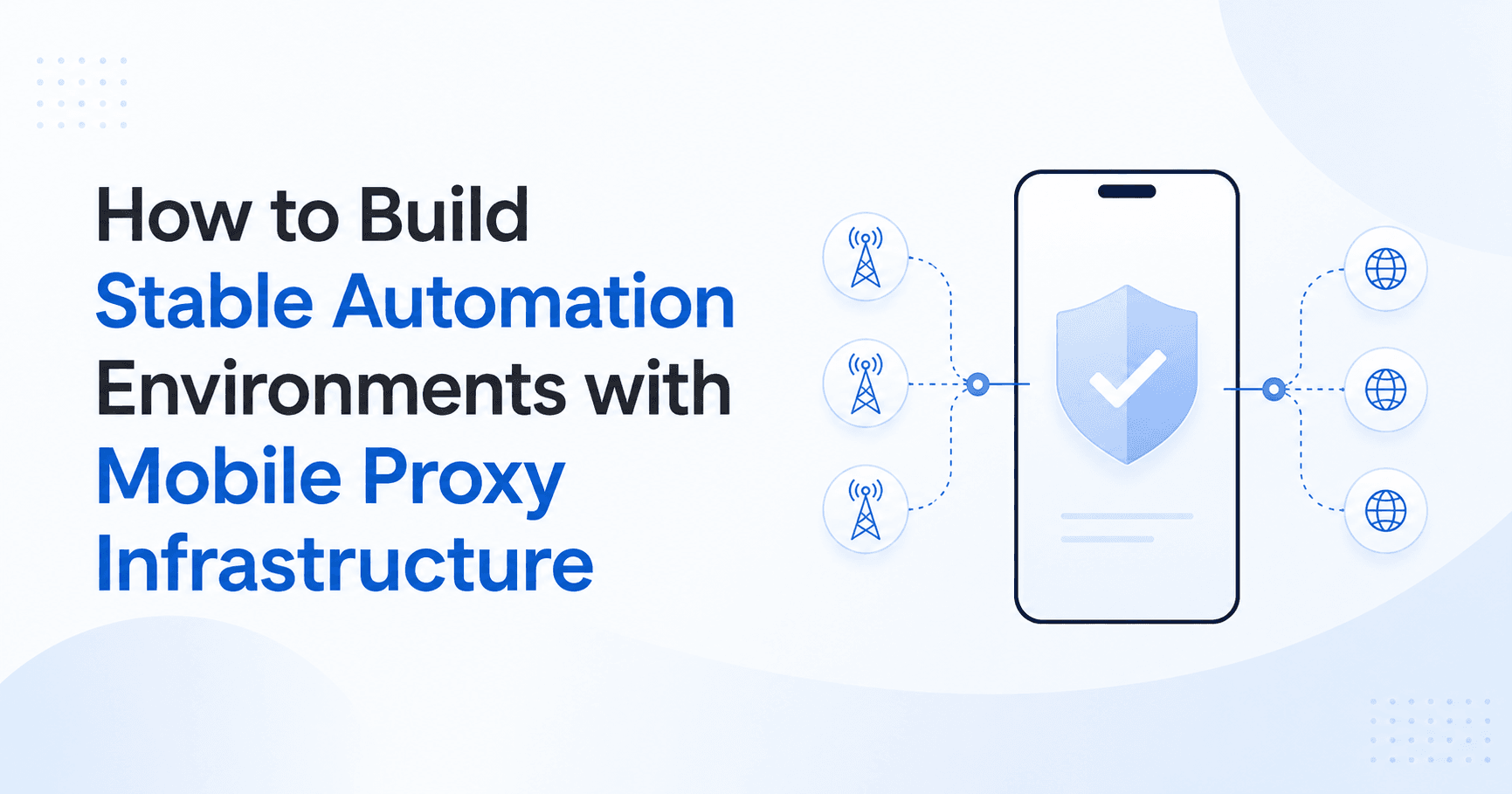
This is one reason mobile proxy infrastructure became more important. Mobile networks naturally behave closer to real user environments than many traditional datacenter setups. Real mobile users move between towers, reconnect through carrier networks, experience changing IP assignments, and maintain app sessions across mobile conditions. Platforms already expect some of this behavior from real mobile users.
However, mobile proxies alone are not enough. A strong automation system also needs the device layer to match the network layer. If the account appears to come from a mobile network but the automation behavior comes from a detached browser-only or server-only setup, the environment can still create contradictions.
This is where Appilot’s real-device automation approach becomes stronger. Instead of relying only on cloud scraping, browser sessions, or VPN-style masking, Appilot is designed around real Android devices, emulators, and mobile app workflows controlled through a web dashboard. That makes the automation environment more aligned with how social platforms are actually used on mobile devices.
Why Real-Device Automation Is Stronger Than Browser-Only Automation
Browser-based automation can be useful for scraping, lead generation, data extraction, or simple web workflows. Tools that operate through cloud browsers, headless sessions, or web automation scripts can help with certain tasks, especially when the workflow does not require real mobile app behavior.
But social media platforms are increasingly mobile-first. Instagram, TikTok, Snapchat, Threads, Telegram, and many other platforms are built around app sessions, mobile device behavior, push-based flows, touch interactions, and real user patterns inside mobile environments. When automation happens only through browser sessions or cloud scraping tools, it may not fully reflect how users naturally interact with these platforms.
Real-device automation gives teams a more realistic operating layer. Actions happen through actual mobile environments, app interfaces, device sessions, and mobile workflows. This helps reduce the gap between the automation environment and the normal user environment.
Appilot is built around this idea. It allows teams to manage mobile-based automation workflows from a central dashboard while still keeping the execution layer closer to real devices and mobile app behavior. For multi-account operations, this matters because each account needs more than a script. It needs a consistent environment that can support long-term activity without creating unnecessary contradictions.
Why Session Continuity Matters More Than Aggressive Scaling
In older automation strategies, teams often focused on volume first. More accounts, more proxies, faster actions, heavier concurrency, and bigger campaigns were seen as the path to growth. That approach is much harder to sustain today because platforms are better at evaluating long-term behavior.
Session continuity now matters more than raw activity volume. If an account builds a consistent history from the same type of device, region, network behavior, and app environment, the workflow is usually easier to maintain. If the same account constantly changes infrastructure patterns, login conditions, automation environments, or geographic signals, it becomes more likely to face verification pressure and instability.
This is especially important for workflows that run continuously for days or weeks. Social media growth systems, outreach campaigns, engagement workflows, content scheduling, account warming, and multi-account management all depend on consistency. A workflow may look fine during the first few hours but degrade later if the environment keeps changing in ways that do not feel natural.
Real-device automation helps because it gives teams a stronger foundation for persistent sessions. Instead of rebuilding browser environments repeatedly or depending entirely on VPN-based setups, teams can operate through mobile environments that better match the platforms they are targeting.
Why VPN-Based Automation Often Creates Weak Environments
VPN-based automation can look useful at first because it changes the apparent location or IP address of a session. But changing an IP address is not the same as creating a stable automation environment. In many cases, VPN-based workflows create more inconsistency than they solve.
A VPN can mask traffic, but it does not make the account behave like a real mobile user. It does not automatically create realistic device behavior, natural app interaction, session continuity, or long-term account stability. If multiple accounts run through shared VPN ranges, inconsistent locations, mismatched device fingerprints, or unstable network paths, platforms may still see a weak environment.
For social media bots and multi-account growth systems, this is a major limitation. Accounts need more than a changed IP. They need stable device sessions, realistic app workflows, controlled activity patterns, and infrastructure that supports continuity over time.
Appilot’s real-device automation model is stronger because it focuses on the actual workflow environment. Instead of treating automation as a VPN problem, Appilot treats it as an environment problem. The goal is not just to route traffic differently. The goal is to create a mobile-first setup where accounts can operate through more realistic device-based workflows.
Why Mobile Proxy Infrastructure Still Matters
Real-device automation and mobile proxy infrastructure work best when they support each other. A real device gives the workflow a stronger execution layer, while good mobile infrastructure helps keep network behavior more aligned with mobile platform expectations.
The purpose of mobile proxy infrastructure is not simply to bypass systems. The real value is reducing contradictions between account behavior, network behavior, session location, and device environment. When these layers align better, automation workflows usually become more stable.
For example, if a team is managing multiple Instagram accounts, each account should ideally operate with consistent network behavior, realistic device activity, and stable session history. If one account jumps between unrelated locations, device types, and traffic patterns, it becomes harder to maintain trust. But when the environment is structured carefully, the workflow becomes easier to manage over the long term.
This is where Appilot can fit into a broader automation architecture. It gives teams a dashboard for managing real-device and mobile workflow automation, while the infrastructure layer can be designed around stable network routing, mobile proxies, account separation, and consistent operating conditions.
Why Smaller Stable Systems Often Beat Larger Unstable Systems
Many teams assume that scale is the main advantage in automation. But in modern social media workflows, unstable scale often creates more problems than results. A smaller system with realistic devices, consistent sessions, and controlled activity can outperform a larger setup built on fragile browser sessions, weak proxies, and aggressive automation patterns.
This is because platforms increasingly evaluate quality of behavior, not just quantity of actions. If an automation setup creates too many contradictions, the system becomes harder to operate. Accounts may need more verification, sessions may break more often, workflows may require constant manual recovery, and campaigns may become less predictable.
A stable system is easier to optimize. Teams can understand what is working, identify real performance issues, and grow gradually without breaking the environment. This is especially important for businesses managing outreach, lead generation, creator engagement, social media growth, or client accounts.
Appilot is useful in these cases because it is not limited to one narrow automation method. It can support mobile app workflows, real-device operations, multi-account management, and remote execution from a centralized interface. That makes it better suited for teams that care about stability, control, and long-term workflow reliability.
How Appilot Helps Build More Stable Automation Workflows
Appilot is designed for teams that need mobile-first automation instead of simple browser-only scripts. It allows users to control Android devices, emulators, and multi-device workflows remotely through a web dashboard. This makes it easier to manage real app behavior, real-device sessions, and multi-account operations from one place.
For social media automation, this matters because many growth workflows happen inside mobile apps. Instagram DMs, TikTok engagement, mobile account management, app-based actions, content workflows, and multi-account operations often need an environment that behaves closer to a real user device.
Appilot helps by making the device layer more manageable. Teams do not need to manually operate each phone all day, and they do not need to rely only on cloud scraping tools or VPN-based automation. Instead, they can build workflows around controlled mobile environments that are easier to monitor, scale, and maintain.
This gives Appilot an advantage for teams that want stronger workflow architecture. It is not just about automating actions. It is about creating a more stable environment where automation, devices, accounts, and infrastructure can work together more naturally.
Final Thoughts
Stable automation in 2026 is no longer just about better scripts, faster proxies, or more accounts. The strongest systems are built around realistic environments, consistent sessions, mobile-aware infrastructure, and device behavior that matches how platforms are actually used.
Mobile proxy infrastructure plays an important role because network quality, traffic reputation, and geographic consistency all affect workflow stability. But infrastructure alone is not enough. Teams also need an execution layer that supports real mobile behavior.
That is why real-device automation is becoming more important for social media bots, multi-account growth, outreach systems, and mobile app workflows. Appilot fits this shift by helping teams operate Android devices, emulators, and mobile automation workflows from a clean web dashboard.
For teams that want long-term automation stability, the goal should not be aggressive scaling at any cost. The better approach is to build environments that are consistent, realistic, and easier to manage over time. Appilot gives teams a stronger foundation for that kind of automation.
FAQs
Q1: Why do modern automation environments fail even when the scripts are working?
Modern automation environments often fail because the surrounding infrastructure is inconsistent. A script may work correctly, but unstable network behavior, poor session continuity, changing locations, or mismatched device signals can still create account friction.
Q2: Is mobile proxy infrastructure enough for stable automation?
Mobile proxy infrastructure helps, but it is not enough on its own. Stable automation also needs realistic device behavior, consistent sessions, controlled workflows, and an execution layer that matches how users naturally interact with mobile apps.
Q3: Why is Appilot better for mobile-based automation workflows?
Appilot is better suited for mobile-based workflows because it focuses on real Android devices, emulators, remote control, and multi-device automation. This makes it stronger for app-based social media workflows than browser-only or VPN-based tools.
Q4: What makes real-device automation stronger than VPN-based automation?
Real-device automation supports actual app behavior, mobile sessions, device continuity, and realistic interaction patterns. VPN-based automation mainly changes network routing, but it does not create a complete mobile environment by itself.
Q5: Who should use Appilot for stable automation environments?
Appilot is useful for teams managing social media automation, multi-account growth, outreach, engagement workflows, and mobile app operations. It fits teams that need more stable, device-based automation instead of relying only on cloud scripts or VPN setups.