TikTok Account Permanently Banned? Here's Your Options
You open TikTok and suddenly see a message saying your account has been permanently banned.
Your profile is gone. Your videos disappear. Followers cannot find you. Messages, drafts, and engagement history may all become inaccessible.
For creators, agencies, brands, and account managers, this can be extremely frustrating.
Months or years of work can disappear overnight.
The worst part is that TikTok rarely gives a detailed explanation.
You may see a general message about community guideline violations, suspicious activity, spam, or repeated policy breaches, but it often does not explain exactly what triggered the ban.
You are left wondering whether the issue came from the content, automation, login behavior, copyright issues, browser setup, or something else entirely.
The good news is that not every permanent ban is truly permanent.
Some accounts can be recovered through appeals, while others may require building a completely new setup from scratch.
In this guide, you will learn why TikTok permanently bans accounts, what your recovery options are, how to appeal successfully, and how to avoid future bans.
Time to recover: Usually between 2 and 14 days if an appeal works. Success rate: Moderate depending on the reason for the ban. Cost: Usually free unless you need safer browser environments, account separation, or better automation systems.
Why TikTok Permanently Bans Accounts
TikTok permanently bans accounts when it believes the account repeatedly violated rules or created too much risk.
The platform tracks content quality, community guideline violations, login locations, device fingerprints, browser fingerprints, IP addresses, hashtags, automation patterns, user reports, account history, copyright claims, and how accounts are connected.
If too many of these signals look suspicious, TikTok may disable the account permanently.
One common reason is repeated content violations.
Videos involving adult content, misleading claims, restricted products, dangerous activities, spam, hate speech, violence, or copyrighted material are much more likely to trigger bans.
Another major issue is automation abuse.
If TikTok sees large amounts of repetitive liking, following, commenting, messaging, or uploading activity, it may see the account as spam.
Buying fake followers, fake likes, or fake views can also damage account trust very quickly.
This is exactly why I built Appilot. The goal was to create safer browser environments, more stable account behavior, and better account separation instead of repeatedly triggering TikTok trust issues.
Warning Signs Before TikTok Permanently Bans an Account
In many cases, TikTok gives smaller warning signs before a permanent ban happens.
You may notice reduced reach, shadowbans, more content removals, login challenges, under review delays, lower engagement, repeated copyright warnings, or temporary restrictions.
Some people also see more comment blocks, DM restrictions, or verification requests.
These are often signs that TikTok is starting to lose trust in the account.
The earlier you react, the easier it is to avoid a permanent ban.
What to Do After TikTok Permanently Bans Your Account
Step 1: Do Not Panic and Create New Accounts Immediately
One of the biggest mistakes people make is creating multiple new TikTok accounts immediately after a ban.
If the underlying setup is still broken, the new accounts may get banned too.
The first step is understanding what caused the original problem.
Step 2: Review Recent Content and Behavior
Look at the videos, captions, hashtags, DMs, automation tools, and login activity used before the ban happened.
This can help identify whether the issue came from content violations, repetitive behavior, fake engagement, copyrighted material, or unstable account environments.
Step 3: Submit an Appeal
TikTok usually gives banned accounts the option to appeal.
Keep the appeal short, professional, and focused on explaining that you believe the ban may have been a mistake.
Do not submit multiple appeals repeatedly because this can slow down the review process.
If the account had clear violations, be honest about correcting the issue.
Step 4: Stop Using Risky Automation Tools
Cheap bots often repeat the same timing patterns, messages, follows, likes, and comments.
TikTok can detect this very easily.
If you were using low-quality automation tools, disconnect them immediately.
The problem is not automation itself.
The problem is repetitive automation that behaves too much like a machine.
Step 5: Build a Safer Environment for Future Accounts
If the banned account cannot be recovered, create a safer setup before starting again.
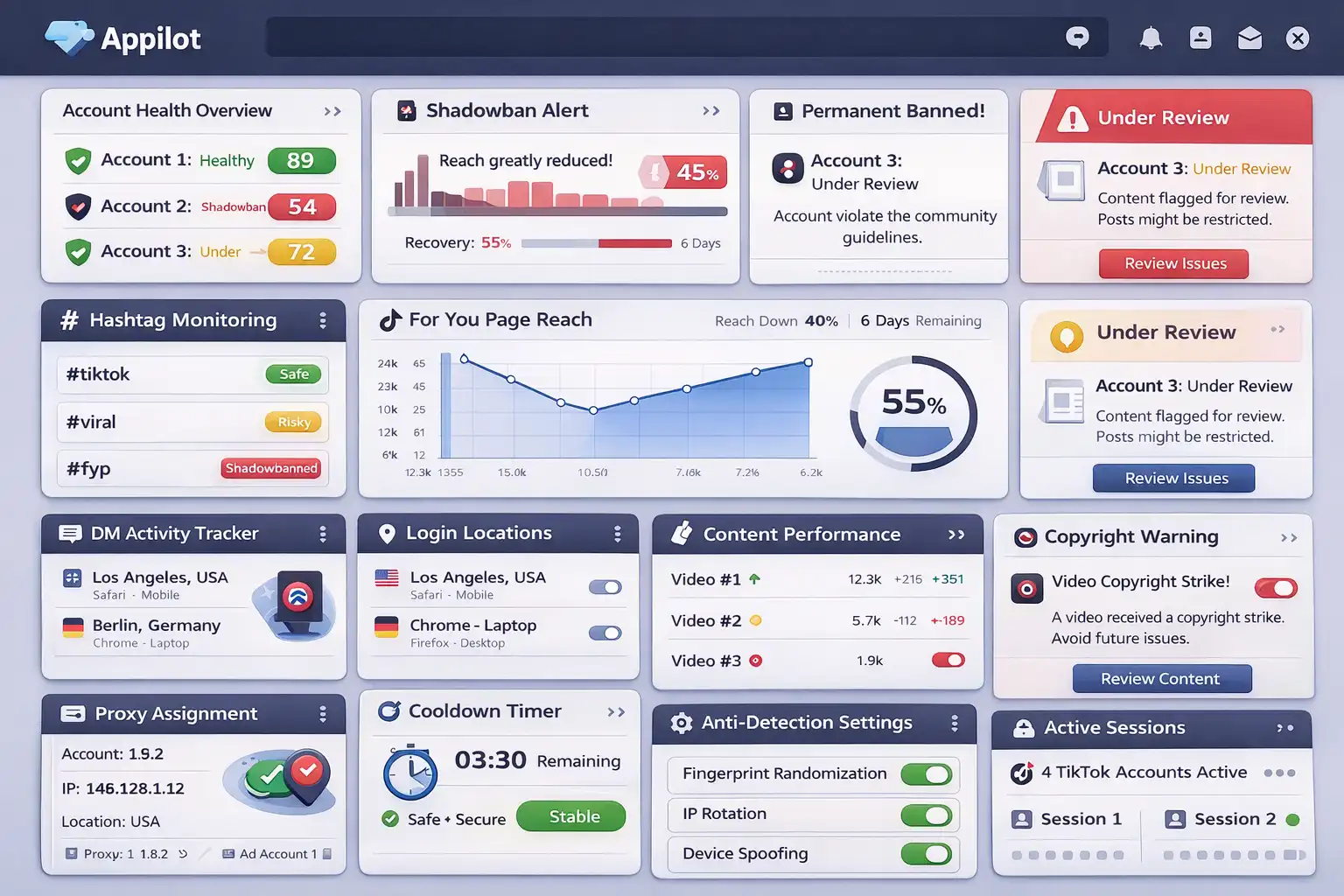
Use different browser profiles, different proxies, different device fingerprints, and different session histories for each account.
Keep login locations stable and avoid sharing the same browser environment across many accounts.
Appilot is useful here because it helps create safer browser environments and more stable account behavior instead of connecting everything together in one place.
Step 6: Warm New Accounts Slowly
New TikTok accounts should be warmed slowly over one to two weeks.
Start with small actions such as watching videos, liking a few posts, following a few users, and uploading content gradually.
The slower and more natural the account looks, the safer it becomes.
How to Prevent Future TikTok Bans
The best way to avoid future bans is creating more natural activity patterns.
Avoid repetitive behavior, fake engagement, risky content, spammy hashtags, and low-quality automation tools.
If you manage multiple TikTok accounts, separate them properly with different browser profiles, cookies, proxies, and device fingerprints.
Use high-quality residential proxies instead of cheap VPNs. Keep login locations stable.
The more trustworthy and natural the account looks, the easier it becomes to stay active long term.
Common Mistakes That Make TikTok Bans Worse
One major mistake is continuing to use the same browser profile, same IP address, and same device fingerprint across multiple accounts.
Another mistake is creating large numbers of accounts immediately after a ban.
People also make the mistake of buying fake followers, fake views, and fake engagement after restrictions start appearing.
Another common mistake is continuing to use the same risky automation tools and behavior patterns that caused the original problem.
If the same setup caused one account to get banned, it will likely cause the next account to get banned too.
Frequently Asked Questions
Q1: Can a permanently banned TikTok account be recovered?
Some permanently banned accounts can be recovered through appeals, but success depends on the reason for the ban.
Q2: How long does TikTok take to review appeals?
Most appeals are reviewed within a few days, but some can take longer.
Q3: Does fake engagement increase ban risk?
Yes. Fake followers, likes, views, and comments can reduce account trust very quickly.
Q4: Should I create a new TikTok account immediately after a ban?
It is usually safer to first understand what caused the original ban before creating a new account.
Q5: Does Appilot help reduce TikTok ban risk?
Appilot helps create safer browser environments, account separation, and more stable account behavior.
Conclusion
TikTok permanent bans are frustrating, but they are not always the end.
Some accounts can be recovered, while others require building a safer setup from the beginning.
The safest approach is improving content quality, reducing suspicious behavior, separating accounts properly, and creating more natural activity patterns.
The goal is not to scale as aggressively as possible.
The goal is to build long-term trust so accounts can stay active and stable over time.