Top Alternatives to Instagram's Native Scheduling for Power Users
Instagram’s native scheduling feature is useful for basic content planning. It allows creators and businesses to schedule posts and Reels directly inside the app, which makes it helpful for simple publishing workflows. For casual users, small creators, and brands that only post occasionally, native scheduling may be enough.
But power users usually need more than basic scheduling. Agencies, creators, ecommerce brands, social media managers, growth teams, and multi-account operators often need stronger tools for planning, collaboration, analytics, approval workflows, content calendars, account organization, mobile workflows, and repeatable execution across multiple profiles.
This is where Instagram’s native scheduler starts to feel limited. It may help you schedule individual posts, but it does not give you the full workflow system that serious Instagram operators need. Power users often need to manage multiple accounts, coordinate posts across platforms, track performance, reuse content, respond to comments, automate parts of the workflow, and keep campaigns organized from one place.
That is why many teams look for alternatives to Instagram’s native scheduling. The best option depends on what kind of user you are. Some people need a better content calendar. Some need analytics and reporting. Some need real-device automation. Some need team approvals. Some need Instagram DM workflows. Some need multi-account management beyond simple publishing.
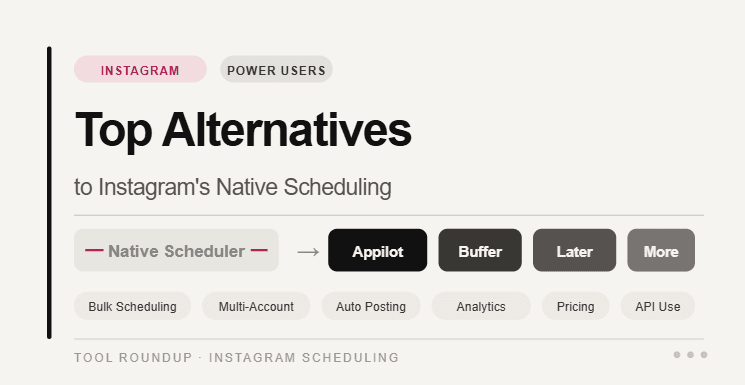
In this guide, we will compare the top alternatives to Instagram’s native scheduling for power users and explain where each one fits best.
Why Instagram’s Native Scheduling Is Not Enough for Power Users
Instagram’s built-in scheduler is useful because it removes the need for third-party tools in basic cases. You can prepare content, choose a publish time, and keep posts organized directly inside the Instagram app. For simple use cases, that is convenient.
The problem is that serious Instagram workflows are rarely that simple. A power user may be managing several accounts, planning content weeks ahead, coordinating campaigns with a team, reusing content across different platforms, tracking best posting times, monitoring comments, managing DMs, and reviewing performance across multiple posts.
Native scheduling does not solve all of that. It is mainly a publishing feature, not a complete social media operating system. It also does not replace tools built for collaboration, analytics, approval workflows, inbox management, real-device automation, or cross-platform scheduling.
This is especially important for agencies and multi-account teams. When one person manages one account, Instagram’s native scheduler may work fine. But when a team manages ten, twenty, or fifty accounts, the workflow becomes harder to control. You need structure, visibility, repeatability, and reporting.
That is why power users usually need a stronger scheduling alternative.
What Power Users Should Look For in an Instagram Scheduling Alternative
A good Instagram scheduling alternative should do more than place a post on a calendar. It should help users manage the full content workflow from idea to publishing to performance review. This includes planning, drafting, scheduling, reviewing, publishing, measuring, and improving future content.
Power users should look for tools that support Instagram posts, Reels, carousels, and Stories. They should also consider whether the platform supports multi-account management, calendar views, team collaboration, approval workflows, analytics, saved captions, content libraries, hashtag tools, inbox management, and cross-posting to other platforms.
For some users, automation also matters. But not all automation is the same. Scheduling automation helps publish content. DM automation helps respond to inbound engagement. Real-device automation helps manage mobile app workflows. Cloud automation helps with scraping and lead generation. The right tool depends on the workflow.
If your goal is pure content scheduling, Buffer, Later, Planoly, or Hootsuite may be enough. If your goal is full mobile workflow control across Instagram accounts, Appilot is a stronger fit. If your goal is enterprise reporting and team management, Sprout Social or Hootsuite may work better. If your goal is analytics-heavy content planning, Metricool can be useful.
1. Appilot
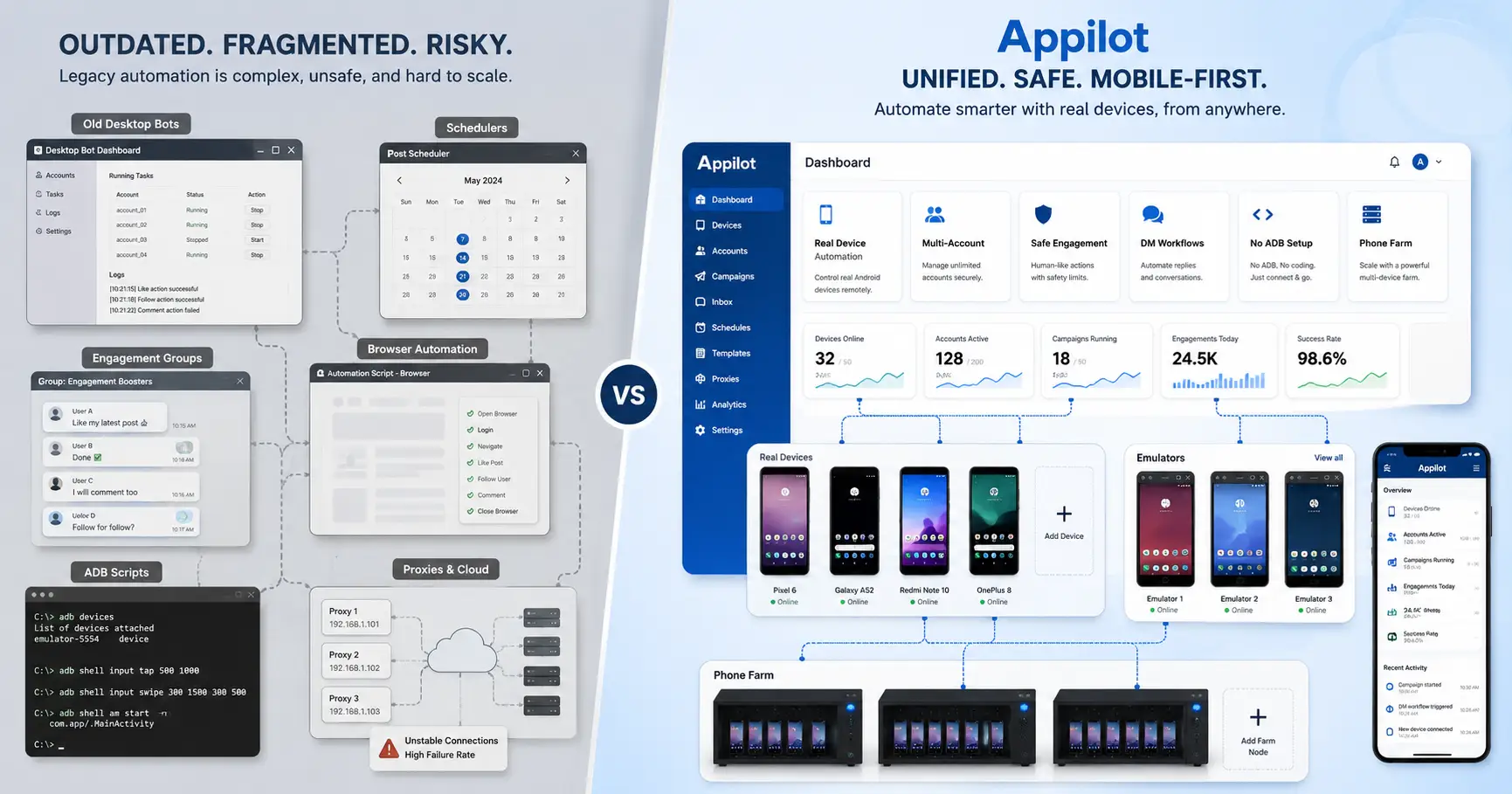
Appilot is one of the strongest alternatives for power users who need more than normal Instagram scheduling. While most scheduling tools focus on content calendars and publishing, Appilot focuses on real-device automation, Android devices, emulators, mobile app workflows, and multi-account operations from a web dashboard.
This makes Appilot different from traditional Instagram schedulers. It is not just a tool for planning a post and choosing a time. It is designed for teams that need to control mobile workflows, operate real-device environments, and manage repetitive actions that happen inside mobile apps.
For Instagram power users, this matters because Instagram is a mobile-first platform. Many important workflows happen inside the app, not just in a publishing dashboard. Account management, mobile sessions, DMs, app-based engagement, profile checks, content handling, and multi-account operations often require a mobile environment rather than a simple web scheduler.
Appilot is especially useful for agencies, operators, growth teams, and social media managers who need real-device automation for Instagram workflows. Instead of relying only on native scheduling or browser-based dashboards, Appilot gives teams a way to manage device-based workflows more directly.
This does not mean Appilot replaces every content calendar tool. If your only need is post planning, a scheduler may be enough. But if your workflow includes mobile app automation, real-device behavior, multi-account management, and repeatable Instagram operations, Appilot is a much stronger alternative to Instagram’s native scheduling.
Appilot is best for teams that need real-device Instagram automation, mobile workflow control, multi-account operations, and a more advanced setup than native scheduling can provide.
2. Buffer
Buffer is one of the best alternatives to Instagram’s native scheduling for creators, small teams, agencies, and businesses that want a clean, simple publishing workflow. Buffer supports planning and scheduling Instagram posts, carousels, Stories, and Reels, with options for automatic publishing or notification-based publishing depending on the content and workflow.
The main advantage of Buffer is simplicity. It gives users a clean dashboard where they can organize content, plan posts, schedule campaigns, and manage multiple channels without feeling overwhelmed. For users who find Instagram’s native scheduler too basic but do not need heavy enterprise features, Buffer is often a strong middle ground.
Buffer is also useful for cross-platform content planning. Power users rarely publish only on Instagram. They may also manage LinkedIn, TikTok, Facebook, X, Pinterest, or other platforms. Buffer helps organize that broader workflow from one place.
For Instagram power users, Buffer works best when the goal is consistent publishing. It helps maintain a content calendar, prepare posts in advance, and avoid last-minute manual posting. It is not a real-device automation tool, and it does not replace mobile app workflows, but it is excellent for structured scheduling.
Buffer is best for creators, small businesses, startups, and agencies that want simple Instagram scheduling, cross-platform planning, and an easy publishing workflow.
3. Later
Later is a strong Instagram scheduling alternative for creators, influencers, ecommerce brands, and visual-first social media teams. It is especially useful for users who care about how their Instagram grid looks, how campaigns are planned visually, and how content supports creator or brand partnerships.
Later has evolved beyond simple scheduling into a broader social media and influencer marketing platform. Its current positioning focuses on creator campaigns, social media management, and performance insights, which makes it useful for teams that need content planning and campaign visibility in one place.
For Instagram power users, Later is attractive because Instagram is a visual platform. Planning the look and order of posts can matter a lot, especially for brands, creators, fashion accounts, ecommerce stores, agencies, and lifestyle businesses. A visual calendar can be easier to manage than Instagram’s native scheduling interface.
Later is not the best fit for users who need real-device automation or complex mobile workflows. It is stronger for planning, visual organization, influencer content, and publishing strategy. If your workflow is content-heavy and brand-focused, Later can be a better option than native scheduling.
Later is best for creators, influencers, ecommerce brands, and agencies that want visual Instagram planning, campaign organization, and creator-focused content workflows.
4. Hootsuite
Hootsuite is a strong alternative to Instagram’s native scheduling for professional teams that need scheduling, analytics, inbox management, reporting, social listening, and collaboration. Hootsuite supports scheduling Instagram posts, Reels, carousels, and Stories, while also offering analytics and broader social media management features.
The biggest advantage of Hootsuite is that it gives teams a more complete social media management system. Native Instagram scheduling helps publish posts, but Hootsuite helps manage the operation around those posts. Teams can plan content, monitor engagement, respond to messages, review analytics, and keep work organized across multiple platforms.
For agencies and larger brands, this matters a lot. Instagram scheduling is only one part of the job. Teams also need approvals, client reporting, campaign analysis, comment management, and performance tracking. Hootsuite is stronger than native scheduling because it supports those professional workflows.
The limitation is that Hootsuite may feel too heavy or expensive for solo creators who only need basic scheduling. It is also not a real-device automation platform. But for teams managing multiple accounts, it offers much more structure than Instagram’s built-in scheduler.
Hootsuite is best for agencies, marketing departments, enterprise teams, and brands that need professional Instagram scheduling with analytics, inbox management, reporting, and collaboration.
5. Metricool
Metricool is a useful Instagram scheduling alternative for power users who care about analytics, planning, reporting, and campaign performance. It is often a good fit for marketers who want to understand what is working rather than simply schedule posts.
Instagram’s native scheduling feature does not give power users a complete analytics workflow. You can review performance inside Instagram, but it may not be enough when you manage multiple accounts, compare platforms, or need clean reports for clients. Metricool helps fill that gap by combining planning and analytics in one workflow.
For Instagram users, Metricool can support content calendars, performance tracking, competitor monitoring, reporting, and social media analysis. This makes it useful for agencies, consultants, freelancers, and businesses that need to show results clearly.
Metricool is not a real-device automation tool and does not replace mobile app operations. It is better for users who need scheduling plus measurement. If your workflow depends on understanding engagement, reach, growth, content performance, and posting strategy, Metricool can be stronger than Instagram’s native scheduler.
Metricool is best for agencies, marketers, consultants, and analytics-focused Instagram managers who need planning, reporting, and performance insights.
6. Planoly
Planoly is another strong alternative for Instagram users who care about visual planning, content organization, and brand presentation. It is especially popular with creators, small businesses, ecommerce brands, and visual-first teams that want to plan Instagram content before publishing.
The strength of Planoly is that it helps users think visually. Instagram is not only about individual posts. It is also about the overall look of a profile, the rhythm of content, the mix of formats, and the consistency of a brand’s visual identity. Instagram’s native scheduler can schedule posts, but it does not always provide the planning experience that visual teams want.
Planoly can be useful for planning posts, organizing media, preparing captions, and keeping the Instagram grid consistent. For power users who manage product launches, content campaigns, seasonal promotions, or creator calendars, this kind of visual workflow can be very helpful.
The limitation is that Planoly is not built for deep automation, multi-device workflows, scraping, or advanced account operations. It is a planning and scheduling tool. If you need mobile automation, Appilot is stronger. If you need visual planning and content organization, Planoly is a good option.
Planoly is best for creators, ecommerce brands, designers, small businesses, and visual-first Instagram teams.
7. Sprout Social
Sprout Social is a premium alternative to Instagram’s native scheduling for larger teams, agencies, and brands that need advanced social media management. It is best suited for teams that need more than publishing, especially those managing reporting, approvals, customer engagement, analytics, and social operations across multiple channels.
For Instagram power users, Sprout Social is valuable because it provides a more complete business workflow. A serious social media team needs to know which posts are working, what audiences are responding to, how campaigns are performing, and how the team is managing engagement. Native Instagram scheduling does not provide that level of operational control.
Sprout Social is especially useful for brands that treat Instagram as part of a larger marketing and customer engagement system. It can support team collaboration, reporting workflows, inbox organization, and performance tracking. This makes it a strong option for companies where Instagram is not just a content channel but a business channel.
The limitation is cost and complexity. Sprout Social may be too much for solo creators or small teams that only need scheduling. It is also not designed for real-device automation. But for larger teams that need serious management and reporting, it is one of the strongest options.
Sprout Social is best for enterprise teams, agencies, established brands, and businesses that need advanced Instagram management, reporting, and collaboration.
8. Manychat
Manychat is not a traditional Instagram scheduler, but it is a strong alternative for power users whose Instagram workflow depends on DMs, comment automation, lead capture, and customer conversations. Instead of helping you schedule posts, Manychat helps you turn engagement into automated conversations.
This matters because many Instagram power users do not only publish content. They use content to drive replies, leads, purchases, signups, downloads, or conversations. For example, a creator may ask followers to comment a keyword and then automatically send a DM with a link. An ecommerce brand may use DMs to answer questions, share product links, or guide customers through a funnel.
Instagram’s native scheduler cannot do this. It can publish content, but it cannot manage automated conversation flows. Manychat fills that gap by helping users convert engagement into action.
Manychat is not a replacement for content scheduling tools, real-device automation, or analytics platforms. It works best alongside them. A user might schedule posts with Buffer or Later, manage mobile workflows with Appilot, and use Manychat for DM automation.
Manychat is best for creators, ecommerce brands, coaches, agencies, and businesses that use Instagram comments and DMs for lead generation, sales, and customer engagement.
Which Instagram Scheduling Alternative Is Best Overall?
The best alternative depends on what kind of power user you are. If you need real-device automation and mobile workflow control, Appilot is the strongest option. If you need simple and clean scheduling, Buffer is a strong choice. If you need visual planning, Later or Planoly may fit better. If you need professional social media management, Hootsuite or Sprout Social are better suited. If analytics and reporting matter most, Metricool is useful. If your workflow depends on DMs and comment-based funnels, Manychat is the right tool.
The mistake many users make is thinking Instagram scheduling is only about publishing time. For power users, scheduling is part of a larger system. You need planning, workflow control, creative organization, performance review, team collaboration, and sometimes automation beyond publishing.
That is why native scheduling is often only the starting point. It helps with basic posting, but serious Instagram operations usually need a stronger stack.
Why Appilot Is the Strongest Option for Mobile-First Power Users
Appilot stands out because it solves a different problem than most scheduling tools. Buffer, Later, Hootsuite, Planoly, Metricool, and Sprout Social mainly help users plan, schedule, analyze, and manage content. Appilot focuses on mobile app workflows and real-device automation.
This is important because Instagram is not just a publishing platform. It is a mobile app environment. Power users often need to manage accounts inside the app, handle workflows that are not fully supported by native scheduling, and operate across multiple devices or profiles.
Appilot gives teams a way to control Android devices, emulators, and mobile workflows remotely from a web dashboard. That makes it especially useful for users who need more than a calendar. If your Instagram workflow depends on real mobile behavior, multi-account operations, device-based execution, and repeatable app actions, Appilot is stronger than a normal scheduling tool.
For power users, the best setup may combine tools. A team might use a scheduler for content planning, an analytics tool for reporting, a DM tool for conversations, and Appilot for real-device workflow automation. But when the need is mobile-first Instagram operations, Appilot is the most important alternative to consider.
Final Thoughts
Instagram’s native scheduling feature is helpful, but it is built for basic publishing. Power users need more. They need calendars, analytics, collaboration, approvals, reporting, inbox management, DM automation, multi-account control, and sometimes real-device mobile workflows.
Buffer is best for simple scheduling. Later and Planoly are strong for visual planning. Hootsuite and Sprout Social are better for professional teams. Metricool is useful for analytics and reporting. Manychat is ideal for DM automation. Appilot is the strongest choice for real-device automation and mobile-first Instagram workflows.
The right choice depends on your workflow. If you only need to schedule posts, a traditional scheduler may be enough. If you manage serious Instagram operations across accounts, devices, campaigns, and app workflows, Appilot gives you a much stronger foundation than native scheduling alone.
FAQs
Q1: Is Instagram’s native scheduling enough for power users?
Instagram’s native scheduling is useful for basic posting, but power users usually need more advanced planning, analytics, approvals, multi-account management, and workflow automation.
Q2: What is the best alternative to Instagram native scheduling for real-device workflows?
Appilot is the best option for real-device workflows because it supports Android devices, emulators, mobile app automation, and multi-account operations through a web dashboard.
Q3: Which tool is best for simple Instagram scheduling?
Buffer is one of the best choices for simple Instagram scheduling because it offers a clean publishing workflow for posts, carousels, Stories, and Reels.
Q4: Which Instagram scheduling alternative is best for agencies?
Hootsuite, Sprout Social, and Metricool are strong options for agencies because they support reporting, analytics, team collaboration, and multi-account management.
Q5: Which tool is best for Instagram DM automation?
Manychat is best for Instagram DM automation because it supports comment-to-DM flows, automated replies, lead capture, and customer conversation workflows.