Tor Browser Automation with Appilot: Privacy-Focused Workflows

Tor Browser is widely known for its focus on privacy, anonymity, and traffic routing through the Tor network. Many users rely on Tor Browser when they want to reduce tracking, hide their IP address, and keep browsing activity more private.
Unlike standard browsers, Tor Browser routes internet traffic through multiple relay nodes before it reaches the final destination. This makes it harder for websites, internet providers, and third parties to identify the original user.
Because of these privacy features, Tor Browser is commonly used by researchers, journalists, privacy-focused users, security professionals, crypto users, and anyone who wants stronger online anonymity.
The challenge is that using Tor Browser for repetitive workflows can quickly become time consuming. Opening browser sessions, visiting websites, checking dashboards, collecting information, monitoring pages, and repeating the same actions manually every day can be difficult.
This is where Appilot becomes useful. Tor Browser provides the privacy-focused browsing environment, while Appilot helps automate repetitive browser tasks, workflow scheduling, profile launches, and browser session management.
Why Tor Browser Is Different
Tor Browser is different from most standard browsers because it routes traffic through the Tor network instead of sending traffic directly from the user to the website.
The Tor network uses several relay nodes to hide the user's IP address and browsing activity. Each relay only knows part of the connection path, which makes it more difficult to identify the original source.
Tor Browser also includes additional privacy protections such as tracker blocking, browser fingerprint reduction, script restrictions, cookie isolation, and stronger controls around browser data.
Because of these features, Tor Browser is often used when privacy is more important than speed.
For example, journalists may use Tor Browser to research sensitive topics. Security teams may use it for anonymous investigations. Researchers may use it to view websites from a privacy-focused environment. Crypto users may use it for wallet access or exchange research.
Why Combine Tor Browser with Appilot?
Tor Browser provides strong privacy features, but it does not reduce the amount of repetitive work involved in browser management.
Users still need to open browser sessions, launch websites, review dashboards, monitor pages, collect information, and close browser sessions afterward.
When these tasks happen every day, the amount of manual work becomes difficult to manage.
Appilot helps solve this problem by allowing browser workflows to be automated.
For example, Appilot can launch Tor Browser profiles at specific times, open selected websites, review target pages, collect information, and close the sessions afterward.
This allows users to combine privacy-focused browsing with workflow automation.
Common Privacy-Focused Workflows
One common use case is research. Journalists, researchers, and security teams often use Tor Browser to review websites without exposing their location or browser identity. Appilot can help automate browser launches, page visits, and repetitive research tasks.
Crypto users may use Tor Browser to review exchange accounts, research NFT platforms, check blockchain tools, or monitor privacy-focused websites. Appilot can automate those browser sessions and dashboard checks.
Privacy-focused users may also use Tor Browser for general browsing, account monitoring, or website research while using Appilot to schedule repetitive workflows.
Security professionals often use Tor Browser to review websites, monitor suspicious pages, or conduct investigations. Appilot can help automate browser launches, scheduled monitoring tasks, and information collection workflows.
Researchers can also use Tor Browser together with Appilot for repetitive page monitoring, content reviews, and website tracking.
Setting Up Automated Tor Browser Workflows
The best way to begin is with a simple workflow.
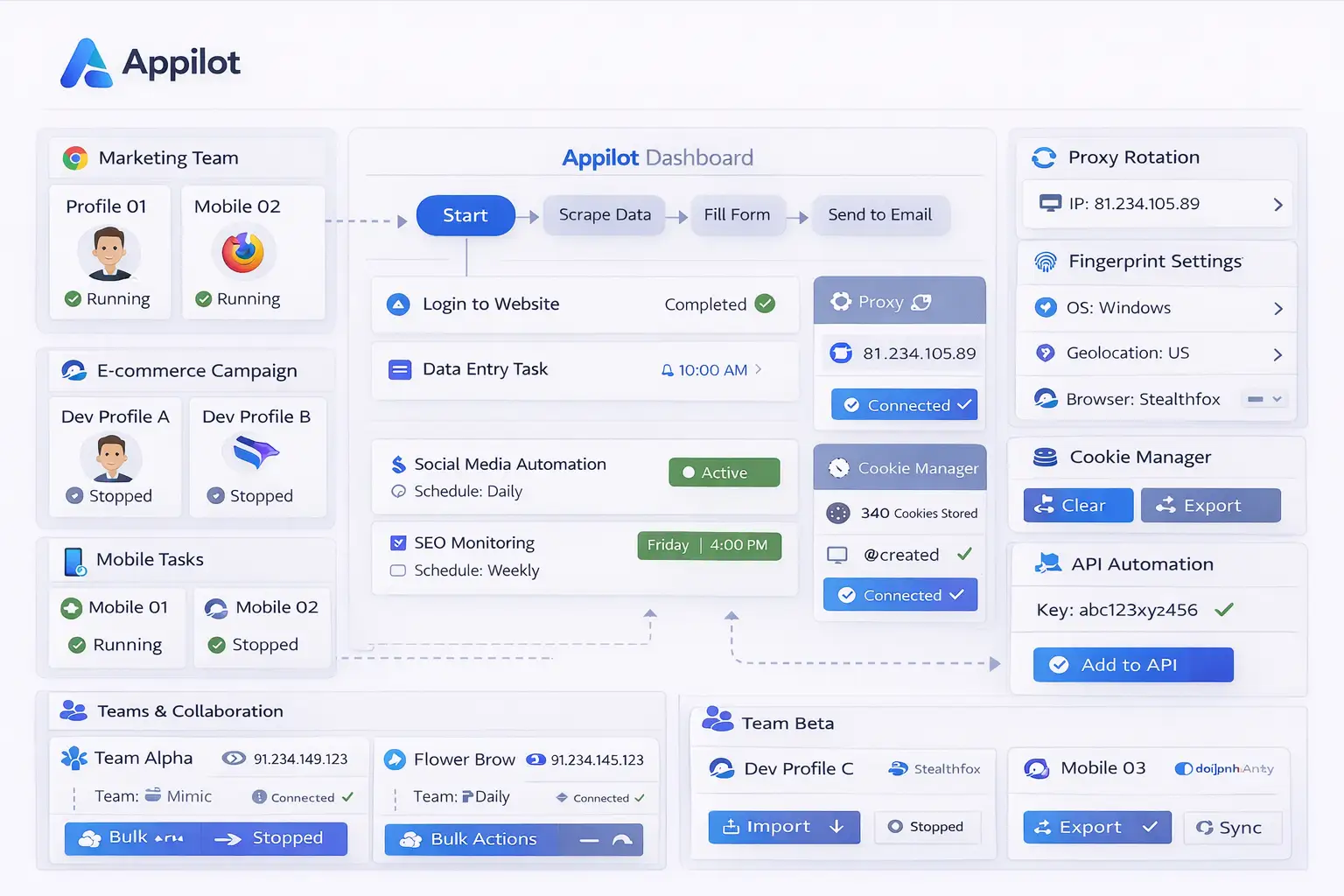
For example, you may want to create a daily routine where Appilot launches Tor Browser, opens selected websites, checks dashboards, reviews information, and closes the browser session afterward.
You can begin with only a few websites and a simple schedule so that it is easier to test the setup.
Once the workflow is stable, you can add more browser sessions, more websites, and more complex actions.
It is usually better to keep Tor Browser workflows relatively simple because privacy-focused environments can sometimes behave differently than normal browser sessions.
This makes smaller workflows easier to troubleshoot and maintain.
Benefits of Using Tor Browser with Appilot
One of the biggest benefits is privacy. Tor Browser helps hide browsing activity, reduce tracking, and limit browser fingerprint exposure.
Another major benefit is browser automation. Appilot helps reduce the repetitive work involved in opening websites, checking dashboards, monitoring pages, and reviewing browser activity.
The combination is also useful for consistency because the same browser workflow can run automatically on a schedule.
This reduces the chance of forgetting important tasks or missing routine checks.
It also makes it easier to scale browser monitoring tasks because larger numbers of websites and browser sessions can be managed from one dashboard.
Best Practices for Tor Browser Automation
The best approach is to keep Tor Browser workflows simple and organized.
Use separate browser sessions for separate projects so that research tasks, crypto activities, account monitoring, and security work remain separated.
You should also avoid installing unnecessary browser extensions because they can reduce privacy and make the browser environment more unique.
It is also important to review browser activity regularly because some websites may block Tor traffic or behave differently when accessed through Tor Browser.
Starting with smaller workflows before scaling up is usually the safest approach.
Keeping browser sessions, schedules, and tasks organized makes the setup easier to manage.
Common Problems and Troubleshooting
One common issue is that some websites block Tor Browser traffic. This can prevent pages from loading correctly.
Another issue is that Tor Browser may run more slowly than a standard browser because traffic is routed through several relay nodes.
Some workflows may also stop working if a website changes its layout or if a page behaves differently when accessed through Tor Browser.
Users may also install too many browser extensions or custom settings, which can reduce privacy and make the browser environment more unique.
Keeping the setup simple and reviewing browser activity regularly usually helps reduce these problems.
Frequently Asked Questions
Q1: Why use Tor Browser for browser workflows?
Tor Browser provides stronger privacy, anonymity, and tracking protection than most standard browsers.
Q2: Can Appilot automate repetitive tasks inside Tor Browser?
Yes. Appilot can automate browser launches, scheduled workflows, website monitoring, and repetitive browser tasks.
Q3: Is Tor Browser slower than a normal browser?
Yes. Tor Browser is often slower because traffic is routed through multiple relay nodes.
Q4: Can websites block Tor Browser traffic?
Yes. Some websites block or limit Tor Browser traffic.
Q5: Should I install many browser extensions inside Tor Browser?
No. Installing too many extensions can reduce privacy and make the browser profile more unique.
Conclusion
Tor Browser provides strong privacy, anonymity, and browser security, while Appilot helps automate repetitive browser workflows and scheduled tasks.
Together, they create a more organized system for managing privacy-focused browser sessions without repeating the same manual actions every day.
This makes it easier to save time while keeping browser activity more private.