Using LinkedIn Automation to Build Authority as a Financial Advisor
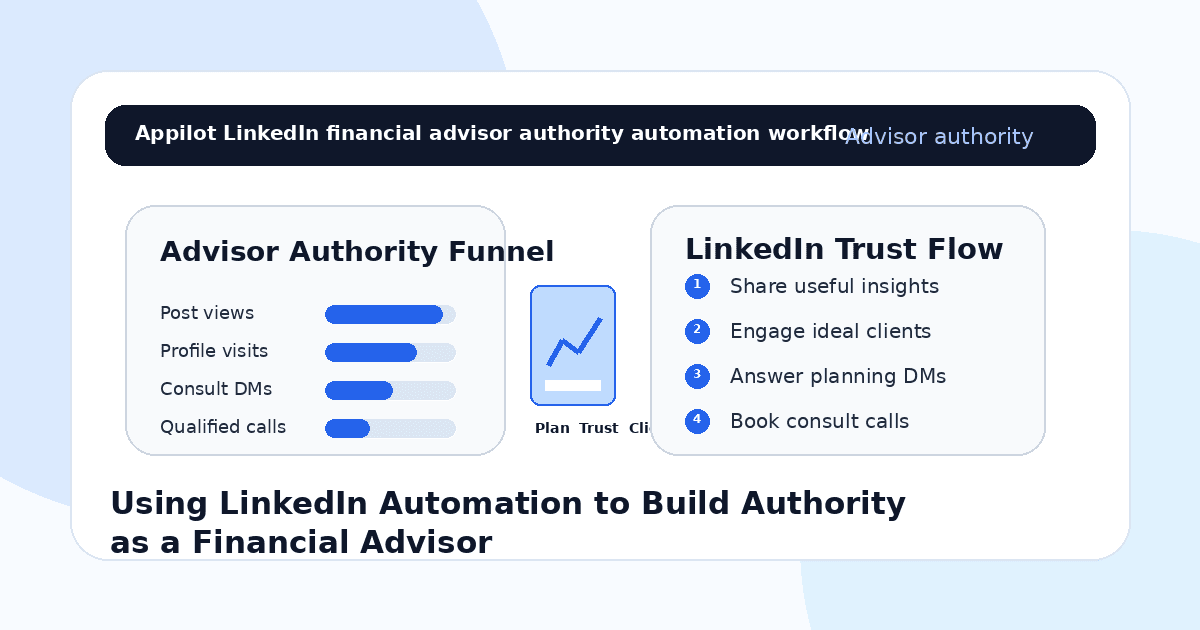
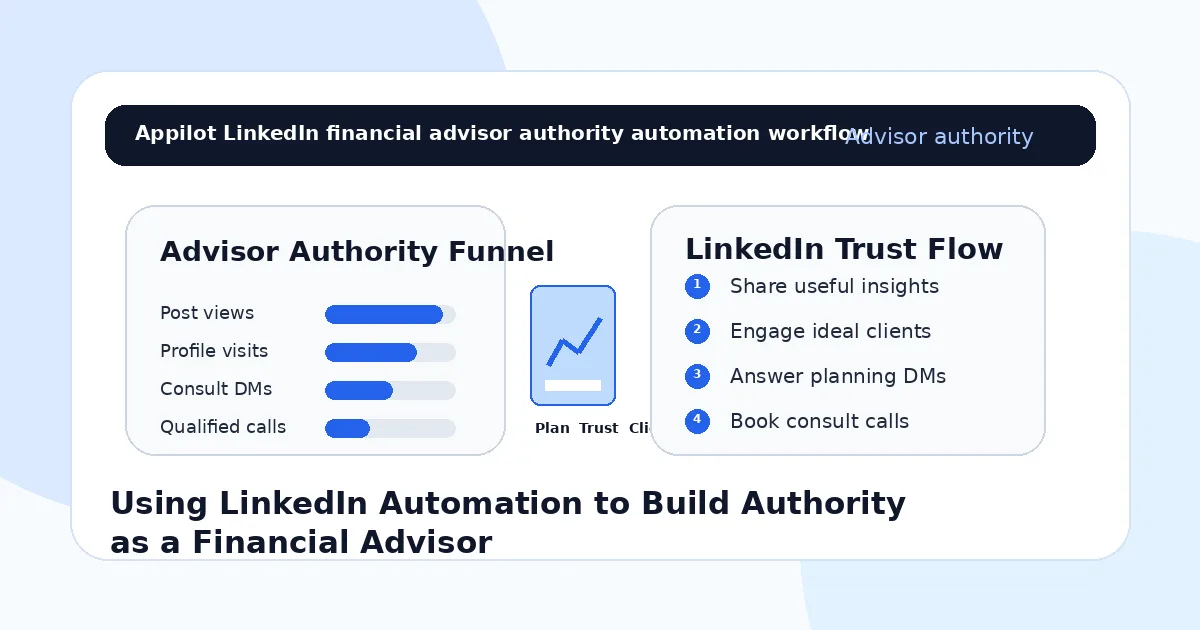
You post a useful LinkedIn insight about retirement planning, tax-aware investing, estate planning, business owner finances, insurance, budgeting, or long-term wealth strategy.
A few professionals like it. Someone comments with a question. Another person visits your profile. A business owner sends a message asking whether you work with people like them.
Then the activity slows down.
That is the challenge for financial advisors on LinkedIn. The platform is full of professionals who need financial guidance, but trust is not built from one post or one cold message. It comes from repeated visibility, compliant education, useful conversations, and a clear path from interest to consultation.
LinkedIn automation helps financial advisors manage the repeatable parts of authority-building. It can support profile discovery, connection requests, follow-ups, comment monitoring, resource delivery, and lead routing without forcing advisors to manually prospect all day.
The goal is not to automate financial advice. The goal is to help the right people discover your expertise and start a professional conversation.
Why LinkedIn Works for Financial Advisors
LinkedIn is a strong platform for financial advisors because people use it in a professional mindset.
Executives, founders, consultants, doctors, lawyers, engineers, business owners, and high-income professionals often think about career growth, compensation, business exits, taxes, retirement, equity, risk, and family planning. These are the same life and business moments that create demand for financial guidance.
But financial advice is trust-heavy.
People do not choose an advisor just because they saw one post. They want to understand the advisor’s perspective, credibility, niche, process, and communication style. They also want to feel that the advisor is responsible, transparent, and not making unrealistic promises.
That is why authority matters.
LinkedIn automation works best when it supports real education and professional visibility. It should not be used to spam prospects with generic investment pitches.
What LinkedIn Automation Means for Advisors
LinkedIn automation means using software to support repeated actions like profile discovery, connection requests, profile visits, follow-ups, content engagement, message routing, and lead tracking.
For financial advisors, the safest use is controlled automation around professional networking and general education. This can include connecting with ideal client segments, sharing resources when requested, sending event invitations, routing people to a consultation page, or following up on warm conversations.
Real-device automation is useful because it runs workflows through Android devices or emulators instead of relying only on fragile browser scripts or risky shortcuts. This helps advisors manage LinkedIn activity in a more controlled way.
A platform like Appilot is built around this kind of workflow. It lets financial advisors run LinkedIn automation on Android devices or emulators from a browser dashboard, without coding, ADB setup, or keeping a laptop connected all day. That means advisors can stay visible while focusing on client meetings, planning work, compliance, and relationship-building.
Automation should support professional trust. It should not replace personalized advice or suitability review.
Step 1: Choose a Clear Advisory Niche
A financial advisor should not try to speak to everyone.
A broad message like “I help people manage money” is too vague. A stronger niche is “financial planning for physicians,” “retirement planning for business owners,” “equity compensation planning for tech professionals,” “wealth planning for founders,” or “financial guidance for families approaching retirement.”
This matters because automation magnifies positioning.
If your niche is broad, your outreach will feel generic. If your niche is clear, your content, messages, and resources can speak directly to the audience’s real concerns.
Your niche should guide the profiles you connect with, the content you publish, the questions you answer, and the resources you offer.
Authority grows faster when people know exactly who you help.
Step 2: Make Your LinkedIn Profile Trustworthy
Automation can bring more people to your profile, but your profile needs to create confidence.
Your headline should clearly explain who you help and what type of planning you provide. Your about section should explain your process, credentials, niche, and how someone can take the next step. Your featured section should include compliant resources, webinars, guides, articles, or educational content.
A financial advisor’s profile should avoid exaggerated claims, guaranteed outcomes, or unclear promises.
Instead, it should feel calm, professional, and specific.
If someone accepts your connection request and checks your profile, they should understand your expertise within seconds.
Step 3: Use Content to Educate, Not Hype
Financial advisors build authority by explaining complex topics clearly.
Useful LinkedIn content can cover retirement planning mistakes, tax-aware strategies, cash flow habits, equity compensation basics, business exit planning, estate planning questions, risk management, insurance considerations, charitable giving, financial organization, or planning conversations couples should have.
The content should be general education, not personal advice.
For example, an advisor can explain common trade-offs, questions to ask, mistakes to avoid, or planning frameworks. That builds trust without telling a specific person what to buy or sell.
Automation can help distribute and support engagement around this content, but the ideas should come from the advisor’s real expertise.
People follow advisors who make financial decisions feel clearer.
Step 4: Connect With Relevance
A LinkedIn connection request should not feel like a sales pitch.
The goal is to start a professional relationship. Keep the message short, relevant, and tied to the person’s world.
For example, an advisor focused on business owners might say, “Hi Sarah, I share planning ideas for founders and business owners navigating growth, exits, and long-term wealth decisions. Thought it made sense to connect.”
An advisor focused on physicians might say, “Hi Dr. Ahmed, I share financial planning ideas for physicians around retirement, risk, and family wealth. Thought it would be useful to connect.”
This is where Appilot’s LinkedIn automation can fit naturally. Advisors can run targeted connection workflows through Android devices or emulators while keeping control of audience, pacing, and message quality.
The message should feel professional, not automated.
Step 5: Use Follow-Ups Carefully
Follow-ups can help, but financial advisors need to be especially careful with tone.
A follow-up should not pressure someone into a call immediately. It should offer value, ask a simple question, or point to a relevant resource.
For example, after someone accepts, the advisor might say, “Thanks for connecting. I often share planning notes for business owners around cash flow, taxes, and long-term wealth. Is there a topic you are most interested in seeing more of?”
This feels more useful than sending a calendar link right away.
If someone engages with a post or asks a question, then a more direct next step may make sense.
Automation can send light follow-ups, but serious financial conversations should move to a human quickly.
Step 6: Route Interested Prospects to a Consultation Path
When someone shows real interest, make the next step clear.
That might be a discovery call, consultation request, webinar, guide, newsletter, or planning assessment. The path depends on the advisor’s business model and compliance requirements.
A good transition might say, “This is the kind of topic that depends heavily on personal circumstances. If you want to discuss it properly, the best next step is a consultation request so we can see whether there is a fit.”
This keeps the conversation responsible.
Do not use automation to give specific investment, tax, legal, or insurance advice inside LinkedIn DMs. Use automation to route people to the proper professional process.
Step 7: Stay Compliant With Financial Communication
Financial services content needs more care than many other niches.
Advisors should avoid misleading performance claims, guarantees, personal recommendations without context, unsupported testimonials, risky investment promises, and unclear disclosures. Depending on location and registration type, content may also need compliance review.
Automation should be built around approved messages, approved resources, and approved workflows.
Bots can share general education, guide links, event invitations, or booking steps, but they should not create personalized advice or make suitability judgments.
A responsible advisor treats compliance as part of trust, not a barrier to growth.
Step 8: Track Quality, Not Just Connections
Do not measure LinkedIn automation only by connection count.
For financial advisors, better metrics include profile visits from ideal clients, content engagement from target segments, qualified DMs, guide downloads, webinar registrations, consultation requests, booked calls, referral conversations, and client-fit quality.
You should also track which topics create serious conversations. A post about budgeting may get broad engagement, while a post about business exit planning may attract higher-fit prospects. A tax planning topic may generate more questions than a general market update.
Automation gives you more visibility. Tracking tells you which visibility is valuable.
Common Mistakes Financial Advisors Should Avoid
Sending Generic Investment Pitches
Cold pitches about returns, portfolios, or products can damage trust. Start with education and relevance instead.
Automating Personal Advice
Bots should not recommend investments, tax moves, insurance products, or financial plans. Route personal questions to a human process.
Using Vague Positioning
A broad advisor profile is easy to ignore. Be clear about who you serve and what planning problems you help solve.
Ignoring Compliance
Financial communication may require careful disclosures and review. Automation should use approved language and resources.
Measuring Only Network Size
A large network does not equal authority. Qualified conversations, referrals, consultations, and client-fit quality matter more.
Is LinkedIn Automation Right for Financial Advisors?
LinkedIn automation is a good fit if your ideal clients are professionals, business owners, executives, founders, physicians, consultants, retirees, or high-income earners who use LinkedIn. It works especially well when the advisor has a clear niche, useful educational content, and a compliant consultation process.
It may not be right if the advisor has no clear positioning, no approved messaging, or no process for handling financial questions responsibly. Automation can increase visibility, but it cannot replace trust, credentials, or personal suitability review.
Think of LinkedIn automation as an authority and relationship assistant. It helps open doors, but the advisor still earns trust.
Final Thoughts
Financial advisors use LinkedIn automation to build authority by making professional visibility more consistent.
The strongest workflow starts with a clear niche, a trustworthy profile, educational content, relevant connections, careful follow-ups, compliant routing, and human handling for serious financial conversations. Automation handles repeated visibility and reply actions while the advisor protects trust and professionalism.
If you want to run LinkedIn automation without coding, ADB setup, or manual device management, Appilot gives financial advisors a browser-based way to control Android devices, emulators, and ready-to-use bots for LinkedIn and other platforms. You can check it out at appilot.app.
FAQs
Q1: Can financial advisors use LinkedIn automation?
Yes, advisors can use automation for networking, content engagement, resource delivery, and routing warm prospects to consultations.
Q2: What should financial advisors automate first?
Start with profile discovery, relevant connection requests, approved follow-ups, resource sharing, and routing interested prospects to calls.
Q3: Is LinkedIn automation safe for financial advisors?
It is safer when messages are compliant, educational, gradual, and reviewed. Bots should not give personal financial advice.
Q4: Can Appilot help financial advisors automate LinkedIn?
Yes, Appilot can run LinkedIn workflows on Android devices or emulators from a browser dashboard without coding or ADB setup.
Q5: Should bots give investment advice?
No. Bots should not recommend investments or financial decisions. They should share general resources and route personal questions to humans.