Using LinkedIn Automation to Sell Wholesale Products to B2B Buyers
You have a product that would make sense in boutiques, specialty stores, salons, gyms, clinics, gift shops, or small retail chains. The margins work. The packaging looks professional. You already know the product is not just for direct-to-consumer sales.
But getting in front of wholesale buyers is slow.
You search LinkedIn manually, open profiles one by one, guess whether someone handles purchasing, send a few connection requests, and then stop because the process feels painfully repetitive. A week later, you have three replies and no clear system.
That is the problem most wholesale brands run into. They know B2B buyers exist, but finding and starting conversations with them takes consistent outreach.
LinkedIn automation helps turn that process into a repeatable sales workflow. Not by spamming random executives. Not by blasting generic pitches. But by helping wholesale brands find the right buyers, send better first touches, and keep conversations moving without living inside LinkedIn all day.
Why Wholesale Brands Struggle With LinkedIn Outreach
Wholesale selling depends on relationships, but the first step is still attention.
A buyer is not going to place a bulk order just because you sent one message. They need to understand your product, see whether it fits their customer base, trust that you can fulfill orders, and sometimes test samples before committing.
That makes LinkedIn useful, but also time-consuming.
You may need to reach retail owners, purchasing managers, category buyers, distributors, boutique founders, salon owners, clinic managers, or operations leads depending on your product. Each buyer type has different priorities. A boutique owner cares about uniqueness and sell-through. A distributor cares about margin, demand, and supply consistency. A gym owner cares about whether the product fits their members.
Most wholesale sellers get this wrong because they send the same pitch to everyone.
LinkedIn outreach works better when it feels specific. The problem is that personalization takes time, and doing it manually for 100 or 200 prospects per week is hard to maintain.
That is exactly where automation can support the process.
What LinkedIn Automation Means for Wholesale Sales
LinkedIn automation means using software to handle the repetitive parts of prospecting and outreach. That can include finding profiles, viewing buyers, sending connection requests, following up, organizing responses, or routing leads into a sales workflow.
For wholesale products, the goal is not to automate the entire relationship. The goal is to automate the early-stage work that helps you reach more qualified buyers.
Real-device automation is especially useful because it runs actions through an actual mobile environment instead of relying only on browser scripts or fragile API-based workflows. That means the automation interacts with the platform more like a real user operating from a phone or emulator.
A platform like Appilot is built for this kind of mobile-first automation. It lets teams run workflows on real Android devices or emulators from a web dashboard, without ADB setup, coding, or keeping a laptop connected all day. For wholesale sellers, that means LinkedIn outreach can become more consistent without turning the founder or sales rep into a full-time manual prospector.
Automation should not replace sales judgment. It should remove the repetitive work around it.
Step 1: Define the Exact B2B Buyer You Want
Before you automate anything, define your buyer clearly.
A skincare brand might target spa owners, dermatology clinic managers, beauty retailers, wellness store buyers, and boutique founders. A food product brand might target specialty grocers, café owners, hotel purchasing managers, corporate gifting buyers, and distributors. A fitness product company might target gym owners, studio managers, physiotherapy clinics, and sports retail buyers.
The more specific you are, the better the outreach performs.
Do not start with “retail buyers.” That is too broad. Start with the business type, decision-maker title, geography, order potential, and product fit. A message to a boutique owner in Los Angeles should not sound the same as a message to a procurement manager at a national distributor.
This step matters because automation magnifies your targeting. If your targeting is weak, automation only helps you reach the wrong people faster.
Step 2: Build a Buyer List From LinkedIn Search
Once your target is clear, LinkedIn becomes a strong discovery tool.
You can search by title, industry, location, company type, and keywords. For example, a wholesale home decor brand might look for “boutique owner,” “gift shop owner,” “retail buyer,” “home goods buyer,” or “category manager.” A supplement brand might search for “gym owner,” “wellness buyer,” “nutrition store owner,” or “clinic manager.”
The manual version is simple but slow. You open profiles, check whether the person is relevant, save them somewhere, and send a connection request. Repeat that 100 times and it becomes exhausting.
This is where Appilot’s LinkedIn automation can fit into a practical wholesale workflow. You can use it to help run repetitive LinkedIn actions through Android devices or emulators while keeping the actual sales strategy focused on qualified buyer segments. The automation helps with consistency, but your targeting and message quality still decide whether buyers respond.
The goal is not to collect the biggest list. The goal is to build the cleanest one.
Step 3: Write Connection Requests That Do Not Feel Like Spam
Wholesale buyers get pitched constantly. If your first message sounds like a copied sales script, they will ignore it.
A good connection request should feel relevant and low-pressure. It should mention the buyer’s business type, the product category, or a reason the connection makes sense. It should not dump your full catalog in the first line.
For example, a better message might say, “Hi Sarah, I saw you work with independent wellness brands at your retail store. We make compact recovery products for studios and boutiques, so I thought it would be worth connecting.”
That is simple, specific, and not pushy.
A weak message would say, “Hi, we are a leading supplier of premium products. Let me know if you want wholesale pricing.” Buyers see that kind of message every day.
Automation can help you send connection requests consistently, but the message still needs to sound like it came from someone who understands the buyer.
Step 4: Use Follow-Ups to Start Conversations, Not Force Sales
Once a buyer accepts your request, do not jump straight into a hard pitch.
The first follow-up should open a conversation. You can ask if they are currently sourcing products in your category, mention a product line briefly, or offer to send a catalog only if it is relevant.
For example, “Thanks for connecting. Quick question — do you currently bring in outside brands for your wellness retail section, or do you mostly stock in-house products?”
That kind of message creates a real reply. It is easier for the buyer to answer, and it tells you whether there is a fit.
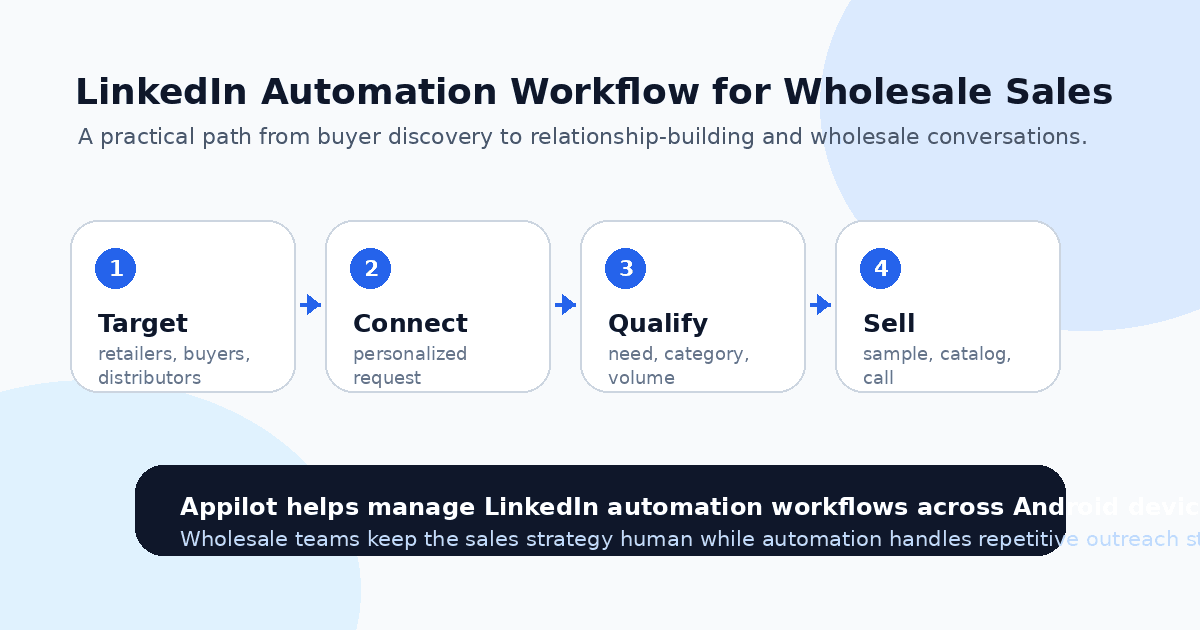
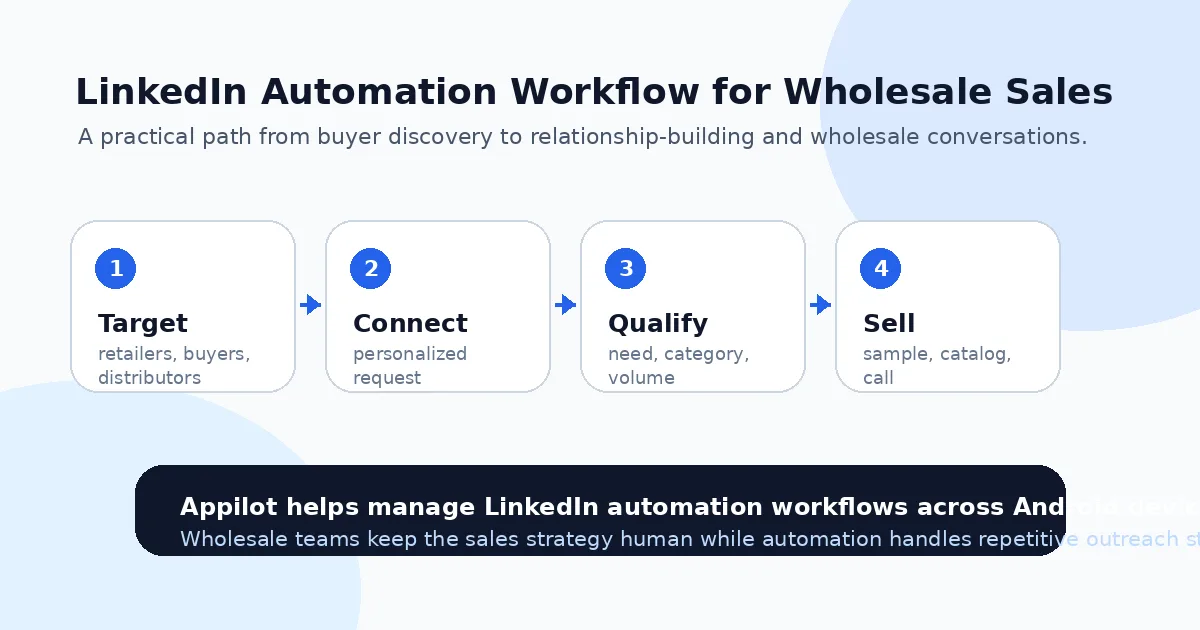
Wholesale selling usually needs a few steps. First connection, then interest check, then catalog or sample offer, then pricing conversation, then order discussion. If you try to skip all of that, you will lose buyers who might have been interested.
One reason wholesale teams use Appilot-style workflows is that the dashboard makes it easier to manage repetitive outreach steps while keeping the human parts human. You can automate the repeated actions, then step in when the conversation becomes serious.
Step 5: Qualify Buyers Before Sending Your Full Offer
Not every reply is worth the same amount of time.
A small boutique may be interested but only able to test a small order. A distributor might want pricing, exclusivity, fulfillment details, lead times, and minimum order quantities before they even consider the product. A salon owner may care more about samples and customer fit than wholesale margins.
Your automation should help start the conversation, but qualification should happen carefully.
Ask simple questions. What type of products do they currently stock? Do they buy wholesale directly from brands? What order volume do they usually test with? Are they looking for new suppliers this quarter? Do they prefer samples before placing a first order?
Those answers help you separate curious contacts from real B2B buyers.
This is also where your product materials matter. If someone asks for a catalog, send something clean. If they ask for pricing, make sure your wholesale sheet is clear. If they ask for samples, explain the process without making them chase you.
Step 6: Keep the LinkedIn Workflow Organized
LinkedIn outreach gets messy when you do not track stages.
You need to know who received a connection request, who accepted, who replied, who asked for a catalog, who needs a follow-up, who requested samples, and who is ready for pricing.
Without tracking, automation can create confusion. You may follow up with someone who already replied, forget a serious buyer, or send the wrong message at the wrong time.
A simple workflow can be enough. Mark leads as new prospect, connection sent, connected, replied, catalog sent, sample requested, pricing sent, call booked, or not a fit.
Appilot helps with the automation layer, but your sales process still needs structure. The best wholesale teams use automation to create more conversations, then manage those conversations like real pipeline opportunities.
The goal is not more messages. The goal is more qualified wholesale conversations.
Step 7: Move Serious Buyers Off LinkedIn
LinkedIn is good for starting conversations. It is not always the best place to close wholesale deals.
Once a buyer shows real interest, move them to email, a call, a wholesale portal, or a sample request form. This makes the process more professional and easier to manage.
For example, if a boutique owner asks for pricing, you can say, “Happy to send that over. What is the best email for your wholesale catalog and sample details?”
That small move turns a casual LinkedIn chat into a real sales process.
The same applies to distributors and larger buyers. They may need a line sheet, certifications, product specs, MOQ details, lead times, shipping terms, and payment terms. LinkedIn is just the door opener.
Automation helps open more doors, but wholesale deals still close through trust, follow-up, and clear sales materials.
Common Mistakes Wholesale Sellers Should Avoid
Pitching Too Quickly
A buyer who just accepted your connection request is not ready for a full catalog dump. Start with relevance, then move toward the offer once they show interest.
Targeting the Wrong Titles
Not every founder, manager, or employee handles purchasing. If you sell wholesale, prioritize buyers, owners, category managers, purchasing leads, distributors, and decision-makers.
Sending Generic Messages
Wholesale buyers can spot copied outreach instantly. Even a small amount of personalization can make your message feel more credible.
Ignoring Minimum Order Fit
Some buyers may like the product but cannot meet your MOQ. Others may need volumes you cannot support. Qualify early so you do not waste time.
Automating Without Tracking Replies
Automation without pipeline tracking creates chaos. Every reply should have a clear next step, whether that is a catalog, sample, call, or follow-up.
Is LinkedIn Automation Right for Wholesale Products?
LinkedIn automation is a good fit if you sell products that can work in retail stores, salons, clinics, gyms, offices, distributors, gift shops, or other B2B channels. It is especially useful when your buyer can be identified by role, company type, location, or category.
It may not be right if your product has no clear wholesale margin, no catalog, no MOQ structure, or no fulfillment process. Automation can help you reach buyers, but it cannot fix an unprepared wholesale offer.
The best time to use it is when your product is ready for B2B conversations and you need a more consistent way to start them.
Final Thoughts
Wholesale selling on LinkedIn works when you treat it like relationship-building, not mass pitching.
The right workflow starts with clear buyer targeting, then moves into thoughtful connection requests, useful follow-ups, buyer qualification, and professional sales materials. Automation helps by making that process consistent enough to run every week.
If you want to manage LinkedIn outreach without coding, ADB setup, or manual device work, Appilot gives teams a browser-based way to run automation through Android devices and emulators for LinkedIn and other platforms. You can check it out at appilot.app.
FAQs
Q1: Can LinkedIn automation help sell wholesale products?
Yes, it can help wholesale brands find buyers, send connection requests, follow up, and start more B2B conversations consistently.
Q2: Is LinkedIn automation safe for B2B outreach?
It is safer when targeting is specific, messages are personalized, and activity limits are conservative. Spam-style outreach can still hurt your account.
Q3: Who should wholesale brands target on LinkedIn?
Target retail owners, purchasing managers, category buyers, distributors, boutique founders, clinic managers, and other real decision-makers.
Q4: Can Appilot be used for LinkedIn automation?
Yes, Appilot can help run LinkedIn automation through Android devices or emulators from a web dashboard without coding or ADB setup.
Q5: What should I send after a buyer accepts my request?
Start with a simple qualifying question, then offer a catalog, sample, pricing sheet, or call only when the buyer shows interest.