VPS-Based Emulator Farm vs Dedicated Android Devices: Full Breakdown
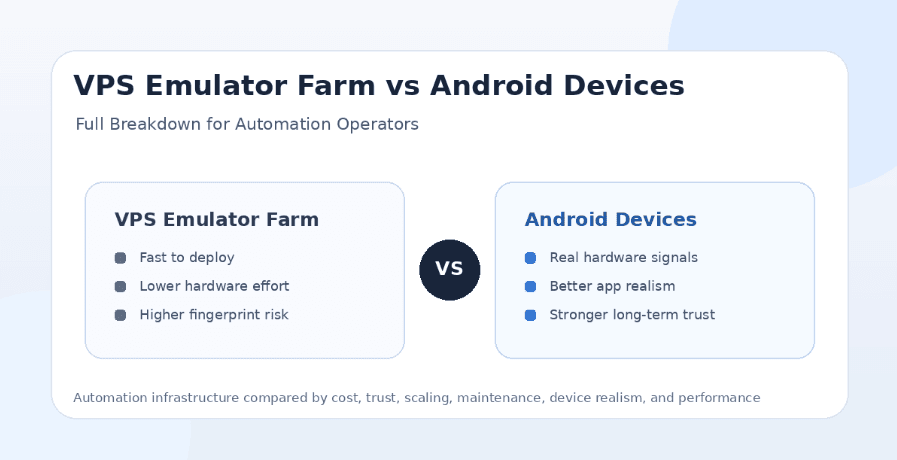
Automation operators usually face one major infrastructure question before they scale: should they run Android emulators on VPS servers, or should they build around dedicated Android devices? Both options can run social media bots, testing workflows, app sessions, and multi-account operations, but they behave very differently when you compare cost, performance, detection risk, maintenance, and long-term stability.
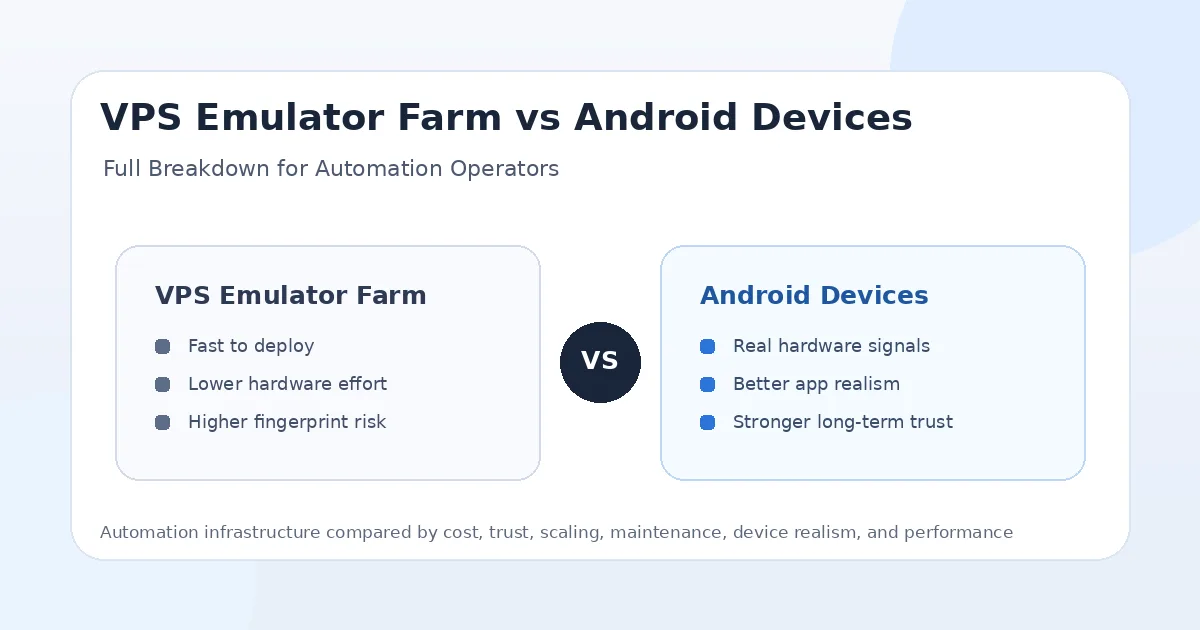
A VPS-based emulator farm is attractive because it can be launched quickly, scaled with server resources, cloned easily, and managed without buying physical phones. Dedicated Android devices are harder to set up, but they offer real hardware behavior, stronger mobile signals, better app realism, and a more believable environment for sensitive social media accounts.
The short answer is simple: VPS emulator farms are better for testing, development, low-cost experiments, and short-term scale, while dedicated Android devices are better for long-term social media automation where account trust matters. For serious operators, the strongest setup is often hybrid: use VPS emulators for testing and use dedicated Android devices for production workflows.
What Is a VPS-Based Emulator Farm?
A VPS-based emulator farm is a setup where Android emulators run on virtual private servers instead of local computers or physical phones. Operators may use Android emulators, cloud Android environments, containerized Android, or other virtual device layers to create multiple Android sessions on server infrastructure.
The main appeal is speed. You can create multiple emulator instances, reset them, clone them, deploy them across servers, and run test workflows without touching physical hardware. This makes VPS emulator farms useful for bot developers, QA teams, scraping operators, and automation teams that need fast iteration.
The limitation is realism. A VPS emulator still runs in a virtualized environment. It may not provide the same hardware behavior, sensor signals, performance profile, app compatibility, or mobile identity as a real Android phone. For low-risk workflows, that may be fine. For Instagram, TikTok, Snapchat, LinkedIn, Telegram, Reddit, YouTube, and Threads accounts that need long-term trust, this difference can matter.
What Are Dedicated Android Devices?
Dedicated Android devices are real phones or Android hardware used for automation. Each device has real hardware, real sensors, real app storage, real battery behavior, real graphics rendering, and a more natural mobile environment.
For social media bots, dedicated Android devices usually provide a stronger trust profile than emulators. They look and behave more like the devices real users actually use. That makes them more suitable for important Instagram accounts, TikTok accounts, Snapchat workflows, Telegram user accounts, LinkedIn outreach, and long-term account operations.
The downside is operational work. Physical devices need to be purchased, powered, cooled, organized, monitored, updated, and paired with the right proxies. This is why platforms like Appilot are useful for operators who want the benefits of real Android devices without managing everything manually through ADB, cables, and local laptops.
VPS Emulator Farm vs Dedicated Android Devices: The Main Difference
The main difference is scalability versus trust. VPS emulator farms are easier to scale quickly because they depend on server resources instead of physical phones. Dedicated Android devices are harder to scale but usually provide stronger account trust and more realistic app behavior.
For testing and development, VPS emulators are efficient. You can spin up many environments, run workflows, debug scripts, and reset failed instances quickly. For production automation, dedicated Android devices are usually safer because they provide real device signals and more natural app sessions.
If you are running low-value workflows, VPS emulators can make sense. If you are running valuable accounts, client accounts, phone farm workflows, or long-term social automation, dedicated Android devices are the better foundation.
Cost Breakdown
VPS emulator farms usually have lower upfront cost because you do not need to buy phones, racks, chargers, cables, hubs, cooling systems, or spare parts. You pay for server resources, storage, bandwidth, and maintenance instead. This makes VPS emulators attractive for teams that want to start quickly.
Dedicated Android devices cost more upfront. Every phone adds hardware cost, and a complete farm may require power management, physical space, monitoring, charging, ventilation, proxies, and remote control. The initial setup can be slower and more expensive.
However, VPS costs can grow over time. Running many emulators requires CPU, RAM, disk, and sometimes GPU resources. If the server is overloaded, performance drops. A dedicated phone farm costs more at the beginning, but the cost becomes more predictable once the devices are stable and properly managed.
Performance Breakdown
VPS emulator performance depends heavily on the server. If the VPS has weak CPU, limited RAM, slow disk, no graphics acceleration, or too many emulator instances, app performance can become laggy and unstable. Social apps may freeze, videos may stutter, and automation timing may become inconsistent.
Dedicated Android devices have their own hardware resources. A mid-range phone often gives more predictable app behavior than a crowded VPS emulator setup. This matters for media-heavy apps like TikTok, Instagram Reels, Snapchat, and YouTube, where smooth scrolling, video playback, and app responsiveness affect workflow quality.
For simple workflows like Telegram messaging, Discord checks, or basic app navigation, VPS emulators may perform well enough. For video-heavy mobile automation or high-trust account workflows, dedicated Android devices usually perform better.
Trust and Account Safety
Dedicated Android devices usually win on trust. Social platforms can evaluate signals like device behavior, app performance, network consistency, sensors, login history, and account activity. A real Android phone gives a more natural baseline than a virtual emulator running on a VPS.
VPS emulator farms carry more fingerprint risk. Many emulator instances can look too similar, especially if they share the same Android build, screen profile, device model, graphics behavior, server infrastructure, or proxy setup. If multiple accounts appear to come from cloned environments, the risk increases.
That does not mean a dedicated phone makes bad automation safe. A real device running aggressive spam can still get restricted. It also does not mean VPS emulators are useless. A well-managed emulator setup with strong proxies and conservative limits can be useful. But for valuable accounts, real Android devices usually provide the safer foundation.
Scaling Breakdown
VPS emulator farms are easier to scale fast. If you need more instances, you can add server capacity, clone environments, or deploy more VPS nodes. This makes them appealing for testing large workflows or running short-term experiments.
Dedicated Android devices scale more slowly because every new device needs physical setup. You need to buy the phone, configure it, assign a proxy, map accounts, connect power, manage heat, and monitor health.
The advantage of dedicated devices is that each account can have a stable real environment. Once a device is mapped to an account and proxy, the account can build a consistent history. Appilot helps with this by giving users a remote dashboard for managing real Android devices and emulators, reducing the manual pain of scaling physical infrastructure.
Maintenance Breakdown
VPS emulator farms are easier to reset. If an instance breaks, you can often delete it and create a new one. This is useful for testing, development, and disposable workflows.
Dedicated Android devices require physical maintenance. Batteries degrade, screens fail, ports loosen, phones overheat, storage fills up, and OS updates can change app behavior. A serious device farm needs monitoring and maintenance routines.
However, dedicated devices can be more stable once properly configured. Instead of debugging virtualization layers, GPU issues, emulator crashes, or VPS resource limits, each phone runs apps the way Android apps are intended to run. The maintenance is physical, but the app environment is more natural.
Proxy and Network Setup
Both VPS emulators and dedicated Android devices need good proxies. A VPS emulator running from a datacenter IP can look suspicious for social media accounts. A dedicated phone paired with a bad proxy can also create risk.
For social media automation, mobile proxies are usually the strongest choice, especially when paired with real Android devices. Residential proxies can work for some workflows, while datacenter proxies are better for testing and low-risk tasks.
VPS emulator farms need extra care because the underlying server environment may already look less natural. Strong proxies can help, but they do not fully replace real hardware behavior. Dedicated Android devices with stable mobile proxies usually create a stronger setup for important social accounts.
Device Fingerprint and Environment Quality
Device fingerprint quality is one of the biggest differences between these setups. VPS emulators often create similar virtual device profiles across many instances. If not configured carefully, accounts may share patterns in screen size, Android build, emulator identity, graphics rendering, fonts, sensor behavior, and system properties.
Dedicated Android devices naturally vary more. Different phones have different hardware, performance, sensors, display behavior, thermal patterns, storage behavior, and app histories. This variation makes them more believable for real-world social media activity.
For bot operators, realism matters most when accounts are valuable. If an account needs to survive for months, a dedicated Android device is usually better than a cloned emulator instance on a VPS.
App Compatibility
Dedicated Android devices usually have better app compatibility because Android apps are designed for real hardware. Camera behavior, media playback, push notifications, sensor access, app store behavior, and background services are more natural on real phones.
VPS emulators can run many apps, but compatibility depends on the emulator type, Android version, graphics support, Google services, server resources, and configuration. Some apps may detect emulator-like environments or behave differently from real phones.
For Instagram, TikTok, Snapchat, YouTube, Threads, and other mobile-first apps, compatibility should be tested carefully before using VPS emulators in production. Telegram and Discord may be more forgiving, but account behavior and proxy quality still matter.
Best Setup for Instagram Automation
For Instagram automation, dedicated Android devices are usually better. Instagram is mobile-first and sensitive to account trust, device consistency, proxy quality, login behavior, and action patterns. A real Android phone gives the account a stronger baseline.
VPS emulators can still be useful for testing Instagram bots, debugging flows, or running low-value accounts. They are cheaper and easier to reset, which makes them good for development.
For production Instagram workflows, a real-device environment managed through Appilot is stronger because users can control Android devices and emulators remotely without relying on ADB or a laptop. That gives operators the benefits of real devices with a cleaner management layer.
Best Setup for TikTok Automation
TikTok is video-heavy, so dedicated Android devices usually perform better. Real phones handle video playback, scrolling, app transitions, and media behavior more naturally than many VPS emulator environments.
VPS emulators can work for lightweight testing, but performance depends heavily on server resources. If the emulator lags, video playback stutters, or scrolling feels unnatural, the workflow becomes weaker.
For production TikTok automation, dedicated Android devices with stable proxies are usually the better choice. VPS emulators are better for testing scripts and staging workflows before deployment.
Best Setup for Snapchat Automation
Snapchat strongly favors real mobile behavior because it is camera-heavy, media-heavy, and private-message-oriented. Dedicated Android devices are usually better for Snapchat workflows because they provide real camera, media, and hardware behavior.
VPS emulators are weaker for Snapchat production workflows because camera behavior, app compatibility, and device realism matter a lot. They may be useful for testing limited flows, but important accounts should use real devices.
For Snapchat automation, a physical device setup managed through a remote dashboard is usually more practical than trying to make a VPS emulator behave like a real phone.
Best Setup for Telegram and Discord Automation
Telegram and Discord are less demanding than Instagram, TikTok, and Snapchat, so VPS emulator farms can work for some workflows. Messaging, group checks, notifications, and lightweight account operations are usually easier to automate than media-heavy feed apps.
Dedicated Android devices are still better when account trust matters or when the workflow is part of a broader social automation system. If the same operator also runs Instagram, TikTok, Reddit, LinkedIn, YouTube, or Threads workflows, keeping everything in a real-device environment can be cleaner.
For Telegram and Discord, the choice depends on risk. VPS emulators are fine for testing and lower-value tasks, while dedicated devices are safer for long-term accounts.
Best Setup for YouTube Automation
YouTube can run in both VPS emulators and dedicated Android devices, but dedicated phones usually provide better mobile playback realism. This matters for app testing, comment workflows, channel management, playlist checks, and mobile behavior validation.
VPS emulators are useful for QA, testing, and simple workflows, but they should not be treated as a shortcut for fake watch-time generation. Artificial engagement remains risky regardless of infrastructure.
For legitimate YouTube workflows, a hybrid setup works well. Use VPS emulators for development and use dedicated Android devices for realistic mobile validation and production account operations.
Best Setup for QA and Development
VPS emulator farms are excellent for QA and development because they are easy to reset, clone, scale, and automate from a server environment. Developers can test many workflows quickly without waiting for physical devices.
Dedicated Android devices are better for final validation. A workflow that works in a VPS emulator may still behave differently on a real phone because of sensors, performance, notifications, camera behavior, or app compatibility.
The best development workflow is to build and debug on VPS emulators, then validate important workflows on dedicated Android devices before production use.
Best Setup for Agencies
Agencies should be careful about using VPS emulator farms for client accounts. Client accounts are valuable, and a cheap virtual setup can become expensive if accounts get restricted or workflows fail.
Dedicated Android devices are better for production client workflows because they offer stronger trust and more realistic app behavior. Appilot makes that easier by letting agencies manage real devices and emulators from one dashboard without ADB or laptop dependency.
For agencies, VPS emulators are best for testing, staging, and low-risk workflows. Dedicated Android devices are better for important accounts, client campaigns, and long-term automation operations.
Best Setup for Phone Farms
A serious phone farm should use dedicated Android devices as the foundation. Real phones provide the strongest mobile app behavior and account trust. The main challenge is managing the devices efficiently.
VPS emulator farms can support the phone farm as a testing layer, but they should not fully replace physical devices for sensitive social platforms. The more important the account, the more valuable real hardware becomes.
Appilot helps phone farm operators by making real devices easier to manage remotely. This reduces the pain of physical infrastructure while keeping the trust benefits of dedicated Android hardware.
Security and Control
VPS emulator farms provide strong server-side control. You can manage instances, snapshots, access, logs, and infrastructure through cloud tools. This is useful for engineering teams.
Dedicated Android devices provide stronger account-environment realism, but they require careful operational security. Devices need secure remote access, stable account mapping, proxy assignment, and physical protection.
The right setup depends on what kind of control matters more. Developers may prefer VPS control. Social media operators may prefer device trust. Serious teams often need both.
Hybrid Strategy
A hybrid strategy is usually the strongest approach. Use VPS emulator farms for fast testing, bot development, QA, staging, and disposable workflows. Use dedicated Android devices for production accounts and high-trust social media automation.
This keeps costs under control while protecting important accounts. It also lets teams iterate quickly without exposing valuable accounts to unstable test environments.
For example, a team can test a TikTok or Instagram workflow on VPS emulators, then move the final workflow to real Android devices controlled through Appilot. This gives the team speed during development and trust during production.
Common Mistakes With VPS Emulator Farms
One common mistake is overloading the server. Running too many emulator instances on one VPS can cause lag, crashes, and unnatural app behavior.
Another mistake is using datacenter IPs for social media accounts. A VPS emulator already looks less natural than a real device, so pairing it with a server IP can increase risk.
A third mistake is cloning too many identical environments. If every account looks like it runs from the same virtual device profile, the farm becomes easier to detect.
Common Mistakes With Dedicated Android Devices
One common mistake is underestimating maintenance. Real phones need charging, cooling, updates, monitoring, and occasional replacement.
Another mistake is using real devices with poor proxies. A real phone does not fix a suspicious network environment.
A third mistake is failing to map accounts properly. Each account should have a clear device, proxy, region, and workflow history. Without that, troubleshooting becomes difficult and account-linking risk increases.
Final Verdict
VPS-based emulator farms are best for fast testing, development, QA, low-cost scaling, and disposable automation environments. They are flexible, easy to reset, and cheaper to start, but they carry higher fingerprint and realism risk for sensitive social media accounts.
Dedicated Android devices are better for production automation, valuable accounts, client workflows, phone farms, and long-term social media operations. They cost more and require more maintenance, but they provide stronger device trust, better app realism, and more natural mobile behavior.
For serious automation, the best setup is usually hybrid. Build and test on VPS emulators, then run important workflows on dedicated Android devices. Appilot fits naturally into that strategy by helping operators manage real Android devices and emulators remotely without ADB or laptop dependency, making it easier to scale across Instagram, TikTok, Snapchat, YouTube, Telegram, Reddit, Discord, LinkedIn, Threads, Gmail, Chrome, and more. You can explore Appilot’s bot store and real-device workflows at appilot.app.
FAQs
Q1: Is a VPS emulator farm cheaper than dedicated Android devices?
Yes, VPS emulator farms usually have lower upfront cost because there is no physical hardware to buy. Dedicated devices cost more initially but are better for long-term account trust.
Q2: Are VPS emulators safe for Instagram bots?
VPS emulators can work for testing and low-risk workflows, but dedicated Android devices are usually safer for valuable Instagram accounts because they provide real hardware signals.
Q3: Which setup performs better for TikTok and Snapchat?
Dedicated Android devices usually perform better for TikTok and Snapchat because they handle video, camera, sensors, and app behavior more naturally than VPS emulators.
Q4: Should agencies use VPS emulators or real devices?
Agencies should use VPS emulators for testing and real devices for client accounts. Real Android devices are safer for production automation and long-term account trust.
Q5: Can Appilot manage both emulators and real Android devices?
Yes, Appilot can manage real Android devices and emulators through a remote web dashboard without ADB or laptop dependency.