Why LinkedIn Keeps Asking You to Verify Your Phone Number (2026 Guide)
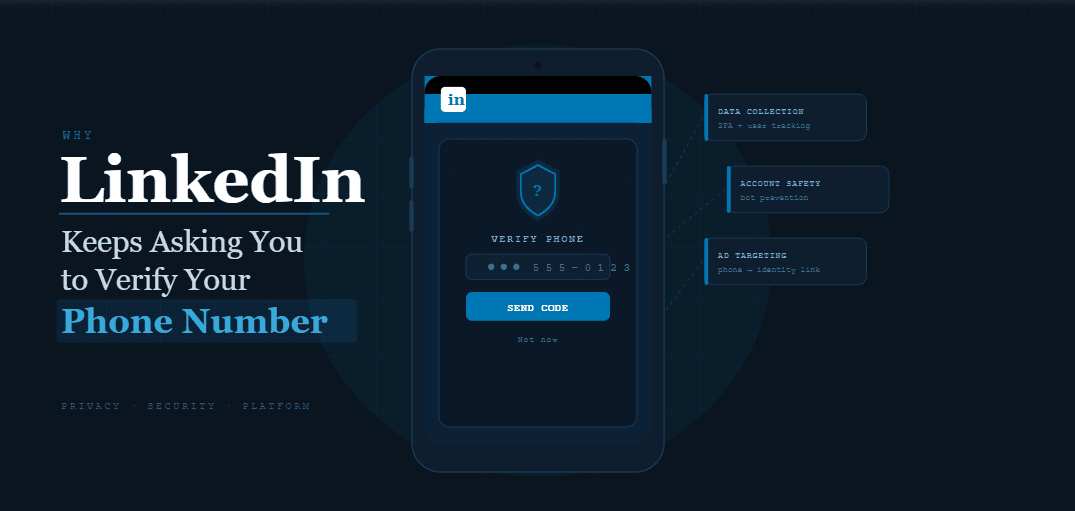
If LinkedIn keeps asking you to verify your phone number, it’s not random and it’s definitely not a glitch. It’s a signal. The platform is trying to confirm that your account activity matches what it considers “real user behavior,” and something in your recent actions is breaking that expectation.
You might notice it happening after sending connection requests, logging in from a new location, switching devices, or running outreach across multiple accounts. One day everything works normally, and the next day LinkedIn interrupts your session with a verification prompt. Sometimes it happens once and disappears, but in other cases it keeps repeating, turning into a constant friction point that slows everything down.
The real issue isn’t the verification itself. It’s what triggered it. If you only solve the surface problem by entering your phone number again and again, you’re not addressing the underlying pattern that LinkedIn is detecting. That’s why the prompts keep coming back.
As your activity scales, especially if you’re doing lead generation, recruitment, or client outreach, these interruptions become more frequent. Managing a single account manually might not cause problems, but once you start operating at higher volumes or across multiple accounts, the system starts looking much more closely at how you behave.
There are generally two ways people handle this. The first is to slow everything down and accept limited growth. The second is to continue pushing activity and deal with repeated verifications, which eventually leads to restrictions. There is a third option, which involves understanding exactly what triggers these checks and restructuring your workflows so that your activity looks natural, even at scale.
Some teams build this control manually using tools like Appium, while others rely on managed platforms like Appilot that simplify environment management and allow them to focus on behavior instead of infrastructure. Either way, the goal is the same: reduce friction, maintain trust, and operate within patterns that LinkedIn accepts.
In this guide, you’ll learn why LinkedIn keeps asking for phone verification, what signals trigger it, how to stop it from happening repeatedly, and how to structure your activity so you can scale without constant interruptions.
Why Phone Verification Keeps Triggering in 2026
LinkedIn’s security system has become much more behavior-driven than it was in the past. Instead of relying only on passwords or IP checks, the platform now evaluates a combination of signals that together form a trust score for your account. When that trust score drops, even slightly, LinkedIn uses verification prompts as a way to confirm that the account is still being operated by a real person.
This is why the same account can function normally for weeks and then suddenly start asking for phone verification repeatedly. Something in the behavior pattern changed, and LinkedIn flagged it as unusual.
The most important shift to understand is that LinkedIn does not just look at what you do, but how you do it. Logging in from a new location, switching devices, or performing a high number of actions in a short time can all trigger suspicion, especially if these actions happen in ways that are too consistent or too fast.
For example, if you log into your account from different IP addresses within a short period of time, LinkedIn may interpret that as account sharing or automated access. Similarly, if you send connection requests in perfectly timed intervals without natural variation, the system may flag the behavior as scripted, even if you are performing the actions manually.
Phone verification is LinkedIn’s way of asking a simple question: “Are you really the person behind this account?” If your activity keeps raising that question, you will keep seeing the prompt.
The Manual Behavior vs Pattern-Based Detection
Most users assume that verification requests are tied to specific actions, such as sending too many connection requests or logging in too frequently. While those actions do play a role, the real trigger is pattern consistency.
Manual users often fall into repetitive routines without realizing it. They log in at the same time every day, perform actions in the same order, and send messages using similar templates. Over time, this creates a predictable pattern that LinkedIn can detect.
Automation tools can make this worse if they are not configured properly. Instead of introducing natural variation, poorly designed workflows repeat the same sequence of actions with identical timing, which makes detection even easier.
The solution is not to avoid automation entirely but to change how it is used. When workflows are designed to mimic real human behavior, including randomness in timing and variation in activity levels, they become much harder to distinguish from organic usage.
This is the key difference between accounts that face constant verification prompts and those that operate smoothly at scale.
What Triggers Phone Verification Requests
LinkedIn does not publicly disclose its exact detection methods, but based on observed patterns, several factors consistently contribute to repeated verification prompts.
One of the most common triggers is inconsistent login behavior. When an account is accessed from different locations, devices, or IP addresses within a short period, LinkedIn interprets this as a potential security risk. This often happens when users switch between home networks, mobile data, and VPNs without maintaining consistency.
Another major factor is activity spikes. If your account suddenly performs a large number of actions after a period of low activity, it creates an unusual pattern that stands out. Even if the total number of actions is within acceptable limits, the sudden increase can trigger verification.
Device fingerprint inconsistencies also play a role. LinkedIn tracks characteristics such as browser type, screen resolution, and installed fonts. If these attributes change frequently, it suggests that the account is being accessed from multiple environments, which reduces trust.
Finally, repetitive behavior patterns can lead to verification prompts. Sending identical messages, performing actions at fixed intervals, or following the same sequence every day creates a detectable signature that LinkedIn associates with automation.
How to Stop LinkedIn from Asking for Phone Verification
Fixing this issue requires more than just entering your phone number again. The goal is to stabilize your account behavior so that LinkedIn no longer sees it as unusual.
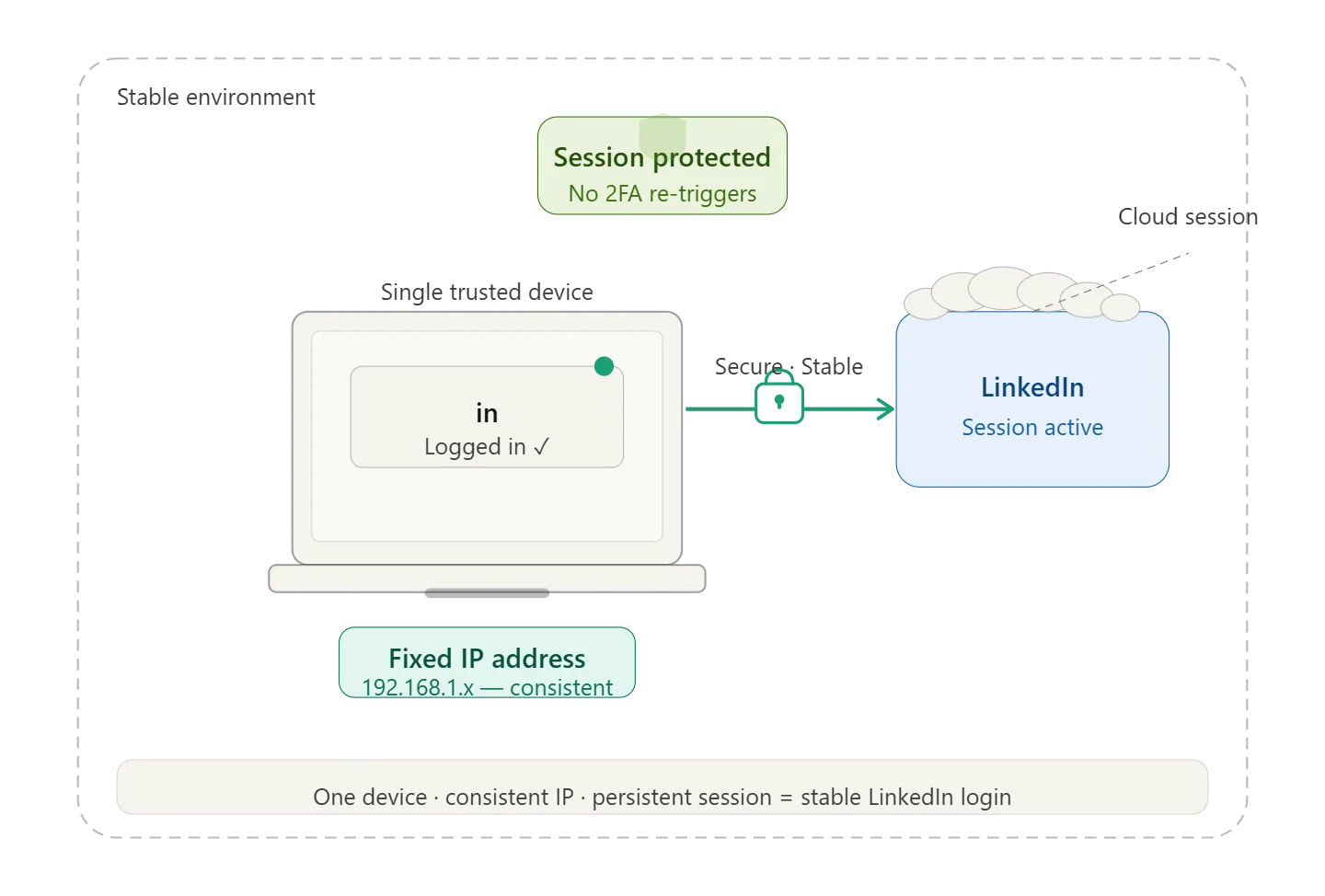
The first step is to establish consistency in your login environment. This means using the same device, browser, and network as much as possible. If you need to operate from multiple locations or manage multiple accounts, using isolated browser profiles can help maintain consistent fingerprints for each account.
The second step is to smooth out your activity patterns. Instead of performing actions in large batches, distribute them throughout the day with natural gaps in between. This reduces the likelihood of triggering activity spikes that lead to verification.
Another important factor is limiting sudden changes in behavior. If you plan to increase your outreach or activity levels, do it gradually over several days rather than all at once. This allows LinkedIn to adjust to the new pattern without flagging it as suspicious.
For users managing multiple accounts, separation is critical. Each account should operate in its own environment with its own network identity. This prevents LinkedIn from linking accounts together and reduces the chance of cross-account verification triggers.
Using Automation Without Triggering Verification
Automation can either solve or amplify this problem depending on how it is implemented. The key is to use automation as a way to introduce controlled variability rather than rigid execution.
When building automation workflows, the focus should be on creating behavior that resembles natural usage. This includes varying the time of day when actions occur, introducing random delays between actions, and adjusting activity levels based on account age and history.
Some teams build these systems manually using frameworks like Appium, which provide full control but require significant technical effort. Others use managed platforms like Appilot, which handle environment consistency and allow users to define workflows without dealing with low-level infrastructure.
The advantage of a managed approach is that it reduces the risk of configuration errors that can lead to detection. Instead of focusing on technical details, you can concentrate on designing workflows that align with how real users behave.
Step-by-Step: Stabilizing Your Account
The process of stopping repeated verification prompts involves a series of adjustments rather than a single fix. The first step is to reduce activity temporarily and allow your account to return to a stable state. During this period, focus only on essential interactions such as replying to messages or browsing content.
Once the account stabilizes, gradually reintroduce activity while maintaining variation in timing and volume. Avoid performing actions in large batches and instead distribute them naturally throughout the day.
At the same time, ensure that your login environment remains consistent. If you need to use multiple devices or networks, assign each account to a specific environment and avoid switching frequently.
Finally, monitor your account closely for any signs of verification prompts returning. If they do, treat it as a signal that something in your workflow needs adjustment rather than simply completing the verification again.
Safety and Best Practices
Maintaining a stable LinkedIn account requires ongoing attention to behavior patterns. Consistency in environment, variation in activity, and gradual scaling are the three core principles that reduce the likelihood of verification prompts.
It is also important to avoid shortcuts such as free proxies or unreliable tools, as these can introduce inconsistencies that trigger detection. Investing in a stable setup may require some upfront effort, but it significantly reduces long-term friction.
Daily monitoring plays a crucial role as well. Even a quick review of account activity can help identify unusual patterns before they lead to verification prompts or restrictions.
Real Outcomes After Fixing Verification Issues
Once the underlying causes are addressed, most users notice a significant reduction in verification prompts within a few days. As workflows become more stable, the account begins to operate without interruptions, allowing for consistent outreach and engagement.
Over time, this stability translates into increased efficiency. Instead of dealing with repeated interruptions, users can focus on optimizing their strategies and scaling their efforts. The result is not just fewer verification prompts, but a smoother overall experience on the platform.
Common Problems and Fixes
One common issue is verification prompts returning after a period of stability. This usually indicates that activity levels increased too quickly or that a new environment was introduced without proper setup. Reducing activity and reestablishing consistency typically resolves the problem.
Another issue is accounts getting flagged despite low activity levels. In many cases, this is caused by environmental inconsistencies rather than behavior. Ensuring that each account operates within a stable environment can eliminate this problem.
Choosing the Right Setup for Stability
The tools you use play a significant role in how stable your account remains. Antidetect browsers, reliable proxies, and well-designed automation workflows all contribute to maintaining consistency.
For users who prefer a hands-on approach, building a custom setup provides maximum control but requires ongoing management. For those who want a more streamlined solution, platforms like Appilot offer a way to manage multiple accounts and workflows without dealing with the underlying complexity.
The choice depends on your scale and technical expertise, but the objective remains the same: create an environment where your activity appears natural and consistent.
Frequently Asked Questions
LinkedIn’s phone verification prompts are part of its security system, designed to protect accounts from unauthorized access and automated abuse. While they can be frustrating, they are also predictable once you understand the triggers behind them.
Most users can reduce or eliminate repeated prompts by stabilizing their environment and adjusting their activity patterns. Automation, when used correctly, can help achieve this by introducing controlled variability and maintaining consistency across accounts.
Conclusion
If LinkedIn keeps asking you to verify your phone number, it is not a random inconvenience but a direct response to how your account is behaving. The platform is identifying patterns that do not align with normal user activity and using verification as a checkpoint.
The solution is not to avoid activity but to reshape it. By maintaining consistent environments, introducing variation in behavior, and scaling gradually, you can reduce the signals that trigger verification prompts.
Once these adjustments are in place, LinkedIn becomes far more predictable. Instead of reacting to interruptions, you operate within a system that supports your growth, allowing you to focus on building connections rather than constantly proving that you are a real user.