Why Patreon Limited Your Creator Page (And How to Fix It)
You log into your Patreon dashboard expecting to post content, engage with your supporters, or check earnings, and instead you notice that something is off. Features are disabled, pages are not visible, or you receive a notification saying your creator page has been limited.
This is not a minor inconvenience. It directly affects your ability to earn, communicate, and grow your audience.
You try to figure out what caused it. Maybe you think it was a post, a link, or a payment issue. You search for answers, but most explanations are vague and do not match your situation. The platform does not clearly tell you what went wrong, and that uncertainty makes everything worse.
What’s even more frustrating is that you might not have done anything obviously wrong. Your content follows guidelines, your audience is legitimate, and your activity feels normal to you. Yet the system flagged your account anyway.
You are not alone in this. Creator page limitations are increasingly common as platforms tighten moderation, security, and financial compliance systems. The issue is rarely a single mistake—it is usually a pattern that triggers automated checks.
The good news is that this problem is fixable. Once you understand why Patreon limits creator pages, you can recover your account and prevent it from happening again.
Why Patreon Keeps Limiting Creator Pages
Most creators assume limitations happen only when policies are clearly violated, but in reality, many restrictions are triggered by signals that are not obvious from the outside.
Suspicious account activity patterns
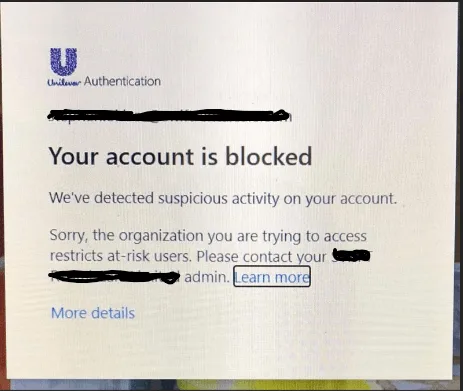
If your account shows sudden changes in behavior, such as logging in from different locations, switching devices frequently, or performing actions at unusual times, the system may flag it.
From Patreon’s perspective, this can look like unauthorized access or account sharing, even if it is completely legitimate.
Payment and compliance triggers
Patreon operates within strict financial regulations. If there are inconsistencies in your payout details, sudden spikes in transactions, or chargebacks from supporters, your account may be limited as a precaution.
These restrictions are often automatic and remain until the system verifies your account.
Content and policy edge cases
Even if your content is generally compliant, certain keywords, links, or themes can trigger automated moderation systems. These systems are designed to err on the side of caution, which means they sometimes flag content that is technically allowed.
This creates situations where creators feel restricted without a clear explanation.
Rapid growth or unusual engagement spikes
Ironically, growth itself can trigger limitations. If your page suddenly gains a large number of patrons or experiences a spike in activity, it may be flagged for review.
To the system, this can resemble artificial engagement or coordinated activity.
Automation or repetitive behavior signals
If your account performs actions in patterns that look automated, such as sending messages at consistent intervals or interacting with supporters too quickly, it can trigger restrictions.
Even manual workflows can appear automated if they lack natural variation.
The Hidden Cost of Ignoring This Issue
It is easy to assume that the limitation will resolve on its own, but waiting without taking action often makes the situation worse.
While your page is limited, your ability to earn is directly affected. New patrons may not be able to subscribe, existing supporters may lose access to content, and your engagement drops.
There is also a long-term impact. Repeated limitations can affect your account’s trust score within the platform, increasing the likelihood of future restrictions.
Beyond the financial impact, there is a psychological cost. Uncertainty about your account status creates stress and makes it difficult to plan your content or growth strategy.
The Complete Fix: How to Recover Your Patreon Creator Page
Recovering your account requires a structured and careful approach. Acting impulsively can delay recovery or make the situation worse.
Step 1: Understand the scope of the limitation
Not all limitations are the same. Some restrict payouts, others limit visibility, and some affect your ability to post or interact.
Check exactly what features are affected and whether you received any notification or warning. This helps you determine the severity of the issue.
Step 2: Pause high-risk activity
If your account was flagged due to unusual patterns, continuing those actions can extend the limitation.
Avoid logging in from multiple devices, reduce high-frequency interactions, and stop any activity that could appear automated.
Step 3: Review recent changes
Think about what changed before the limitation occurred. Did you update payment details, experience rapid growth, or change your workflow?
Identifying the trigger helps you avoid repeating it during recovery.
Step 4: Contact support with clarity
When reaching out to Patreon support, provide a clear and concise explanation of your situation. Include relevant details but avoid unnecessary information.
Do not send multiple messages, as this can slow down the review process.
Step 5: Allow the review process to complete
Once your case is under review, patience is essential. Avoid making changes or attempting workarounds, as this can interfere with the process.
Most restrictions are resolved once the system verifies your account.
Why This Problem Keeps Coming Back
Many creators recover their accounts successfully, only to face the same issue again later. This happens because the underlying triggers are not addressed.
If your activity patterns, device usage, or engagement behavior remain inconsistent, the system will continue to flag your account.
Recovery fixes the immediate problem, but prevention requires changing how your account operates.
The Smarter Approach: Build a Stable Workflow
To avoid repeated limitations, your account activity needs to appear consistent over time.
This means using stable devices, maintaining predictable login patterns, and avoiding sudden spikes in activity. It also means managing your interactions in a way that aligns with natural user behavior.
As your page grows, maintaining this consistency manually becomes difficult. Increased activity naturally introduces more variability, which increases the risk of triggering automated systems.
This is where structured automation becomes useful—not to push limits, but to maintain consistency.
Instead of running actions from inconsistent environments, you can use mobile-based automation that operates on real Android devices. This ensures that your activity aligns with how real users interact with the platform.
This is the approach behind Appilot. It allows you to run workflows on real devices without managing complex setups, which helps maintain consistency and reduces the risk of triggering platform restrictions.
How to Prevent Patreon Limitations in the Future
Once your account is restored, prevention becomes your priority.
Consistency is the most important factor. Avoid switching devices frequently, maintain stable login patterns, and keep your activity within realistic limits.
Monitor your account for early warning signs, such as delayed actions or temporary feature restrictions, which can indicate that your account is being flagged.
Avoid sudden changes in behavior, especially after recovery. Gradual, consistent activity is far less likely to trigger restrictions.
Common Mistakes That Make This Worse
One of the most common mistakes is reacting too quickly. Logging in from multiple devices, changing settings repeatedly, or trying different fixes at once can confuse the system and delay recovery.
Another mistake is ignoring the root cause. Recovering the account without changing behavior almost guarantees that the issue will return.
There is also a tendency to rely on unreliable tools or shortcuts that promise quick fixes. These often create more problems than they solve.
Conclusion: Stability Matters More Than Recovery
When Patreon limits your creator page, it can feel sudden and unfair. But these limitations are not random—they are triggered by patterns that the system interprets as risk.
Once you understand those patterns, you gain control over the situation.
Recovery gets your page back. Stability ensures it stays active.
If you focus on consistent behavior, controlled growth, and reliable environments, you can avoid repeated limitations and build a creator workflow that supports long-term success without constant interruptions.
That shift—from reacting to preventing—is what ultimately allows creators to scale without friction.