Why Two-Factor Authentication Breaks Your Automation (And How to Fix It Without Sacrificing Security)

You set everything up correctly, your automation is running smoothly, workflows are executing as expected, and for a while it feels stable, predictable, and reliable, until suddenly everything stops because of a two-factor authentication prompt that your system cannot handle.
A login that used to work automatically now requires a code, a confirmation, or a manual approval, and since your automation is not designed to respond to these interruptions, the entire workflow fails, sometimes silently, sometimes repeatedly, leaving you stuck in a loop of broken sessions and incomplete tasks.
At first it feels like a minor inconvenience, something you can bypass or temporarily disable, but as it keeps happening across multiple accounts and workflows, it becomes a serious obstacle that prevents your system from running independently.
You find yourself caught in a frustrating trade-off, either keep two-factor authentication enabled and deal with constant interruptions, or disable it and reduce security just to keep automation running, neither of which feels like a sustainable solution.
You are not alone in this, and more importantly, this is not because two-factor authentication is incompatible with automation, but because most automation systems are not designed to handle authentication flows properly.
The good news is that once you understand why 2FA disrupts automation and how to design around it, you can maintain both security and reliability without compromise.
Why Two-Factor Authentication Breaks Automation
Most people assume 2FA is simply an extra step, but in reality, it introduces dynamic conditions that traditional automation cannot easily handle.
Authentication Is Designed to Interrupt Automation
Two-factor authentication exists specifically to verify human presence, which means it is intentionally unpredictable and difficult to automate.

Codes Are Time-Sensitive and External
2FA codes are often generated externally, through SMS, email, or authentication apps, and they expire quickly, making it difficult for automation systems to retrieve and use them in time.
Session Instability Triggers Re-Authentication
When sessions expire or are flagged, platforms may require re-authentication, which introduces additional 2FA prompts that disrupt ongoing workflows.
Centralized Automation Can’t Handle Dynamic Inputs
Most automation setups operate in a fixed sequence, expecting predictable inputs, and when a 2FA prompt appears unexpectedly, the system cannot adapt, causing failures.
The Hidden Cost of 2FA Disruptions
While 2FA improves security, it can significantly reduce the reliability of automation if not handled correctly.
Workflows fail, sessions break, and you are forced to intervene manually, which defeats the purpose of automation and increases workload.
More importantly, it creates uncertainty, making it difficult to trust your system to run independently.
The Complete Solution: Keep Security Without Breaking Automation
The solution is not to disable 2FA, but to design your system in a way that accommodates it.
The first step is stabilizing sessions, ensuring that logins remain active for as long as possible, reducing the frequency of 2FA prompts.
This involves maintaining consistent environments, avoiding unnecessary logouts, and minimizing actions that trigger re-authentication.
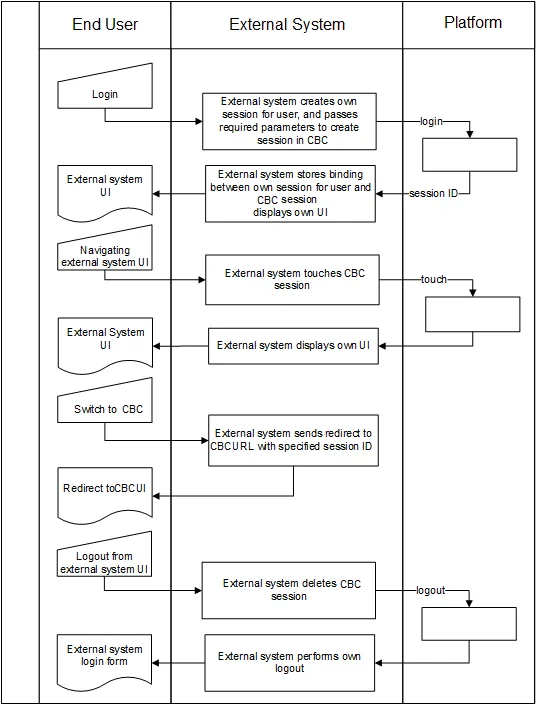
The next step is handling authentication flows intelligently, ensuring that your system can respond to 2FA prompts when they occur, either through integration with authentication methods or structured workflows.
However, the reliability of this approach depends heavily on the environment in which automation runs, because unstable environments trigger more frequent authentication challenges.
This is where using a stable execution layer becomes important, and platforms like Appilot help by running automation on real devices, which reduces suspicious activity signals and lowers the frequency of 2FA interruptions.
By combining stable environments with structured authentication handling, you create a system where 2FA remains enabled but does not constantly interrupt your workflows.
Monitoring also plays a key role, allowing you to detect when authentication is required and respond efficiently without constant supervision.
How to Prevent 2FA Issues From Returning
Prevention starts with maintaining stable sessions and minimizing actions that trigger re-authentication.
By ensuring that your automation operates within consistent environments, you reduce the likelihood of unexpected 2FA prompts.
Regular monitoring helps you identify patterns and adjust your setup accordingly.
Common Mistakes That Make 2FA Problems Worse
One of the most common mistakes is disabling 2FA entirely, which reduces security and increases risk.
Another is ignoring session stability, which leads to frequent re-authentication.
There is also a tendency to rely on fixed automation flows that cannot adapt to dynamic conditions.
Real Success Stories: Before and After
A user running automation workflows found that 2FA interruptions caused frequent failures and required constant manual intervention.
After restructuring their system and using Appilot for more stable execution, they were able to reduce interruptions and maintain both security and reliability.
Another example involved a team that struggled with authentication issues, but after improving session management, they achieved more consistent performance.
Frequently Asked Questions
One common question is whether 2FA can be fully automated, and while some aspects can be handled, it is generally designed to require human verification.
Another question is whether disabling 2FA is a viable solution, and while it may improve automation reliability, it significantly increases security risks.
There is also the concern about complexity, and while handling authentication properly requires effort, it ultimately leads to a more stable system.
Conclusion: Security and Automation Can Coexist
If two-factor authentication is breaking your automation, it is not because the two are incompatible, but because your system is not designed to handle authentication flows effectively.
Once you shift to a more stable and adaptive approach, you can maintain security while ensuring that your automation runs reliably.
If you are facing this issue right now, the best step forward is not to remove security measures, but to design your system around them, because once you do, you will no longer have to choose between security and automation.