Why Your Automation Worked Yesterday But Broke Today
Everything Was Fine Yesterday
One of the most frustrating parts of automation is how quickly things can break. Yesterday the workflow was running perfectly, the browser profiles were opening, the content was posting, the DMs were sending, the scraping jobs were working, and the accounts looked healthy. Then suddenly today everything is failing. Buttons are missing, pages are loading differently, a login flow changed, a selector no longer works, a platform added a new verification step, an API response changed, or a browser update broke a script. That is one of the hardest parts of running automation at scale because the system is always changing underneath you. The issue is usually not that your automation was bad. The problem is that most platforms, tools, browsers, and websites are constantly changing.
Why Automation Breaks So Easily
Most automation systems are built around assumptions. The script assumes the button will stay in the same place, the scraper assumes the page structure will stay the same, the workflow assumes the login process will not change, and the browser profile assumes the site will keep accepting the same fingerprint. Those assumptions usually work for a while, but eventually the platform changes something small. That small change can break the entire workflow. For example, a website may change a CSS selector, rename a button, add a popup, add a CAPTCHA, move a form field, or require a different browser version. Even though the change looks minor to a human, it can completely break an automated system.
The Biggest Mistake: Building Fragile Automation
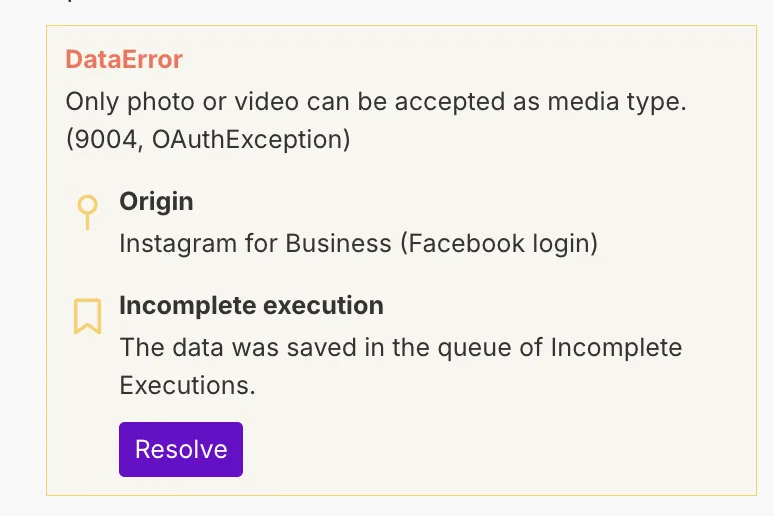
One of the biggest reasons workflows break so often is because they are too fragile. People build scripts that depend on very specific selectors, exact page layouts, exact timing, or exact workflows. That makes the automation fast, but it also makes it very easy to break. If the automation depends on a button with one exact class name, the script may fail the moment that class changes. If the automation depends on a page loading within three seconds, it may fail when the website becomes slower. If the workflow depends on one exact path through the website, it may fail the moment the platform introduces a popup or an extra step. The stronger approach is building more flexible systems by using more reliable selectors, adding fallback logic, adding retries, checking whether elements exist before interacting with them, and creating alternate paths when something changes.
Why Platform Updates Cause So Many Problems
Most platforms are constantly changing because they are improving design, testing new layouts, adding security features, fighting spam, or trying to block automation. That means every update creates new risk. Social media platforms may add new verification steps. E-commerce platforms may redesign their dashboards. Browser providers may change how profiles work. Antidetect browsers may update fingerprint logic. Even browser updates themselves can break scripts if versions stop matching. That is why stable automation requires ongoing maintenance. Automation is not something you build once and never touch again. It is something that needs regular testing, updates, and monitoring.
The System That Makes Automation More Stable
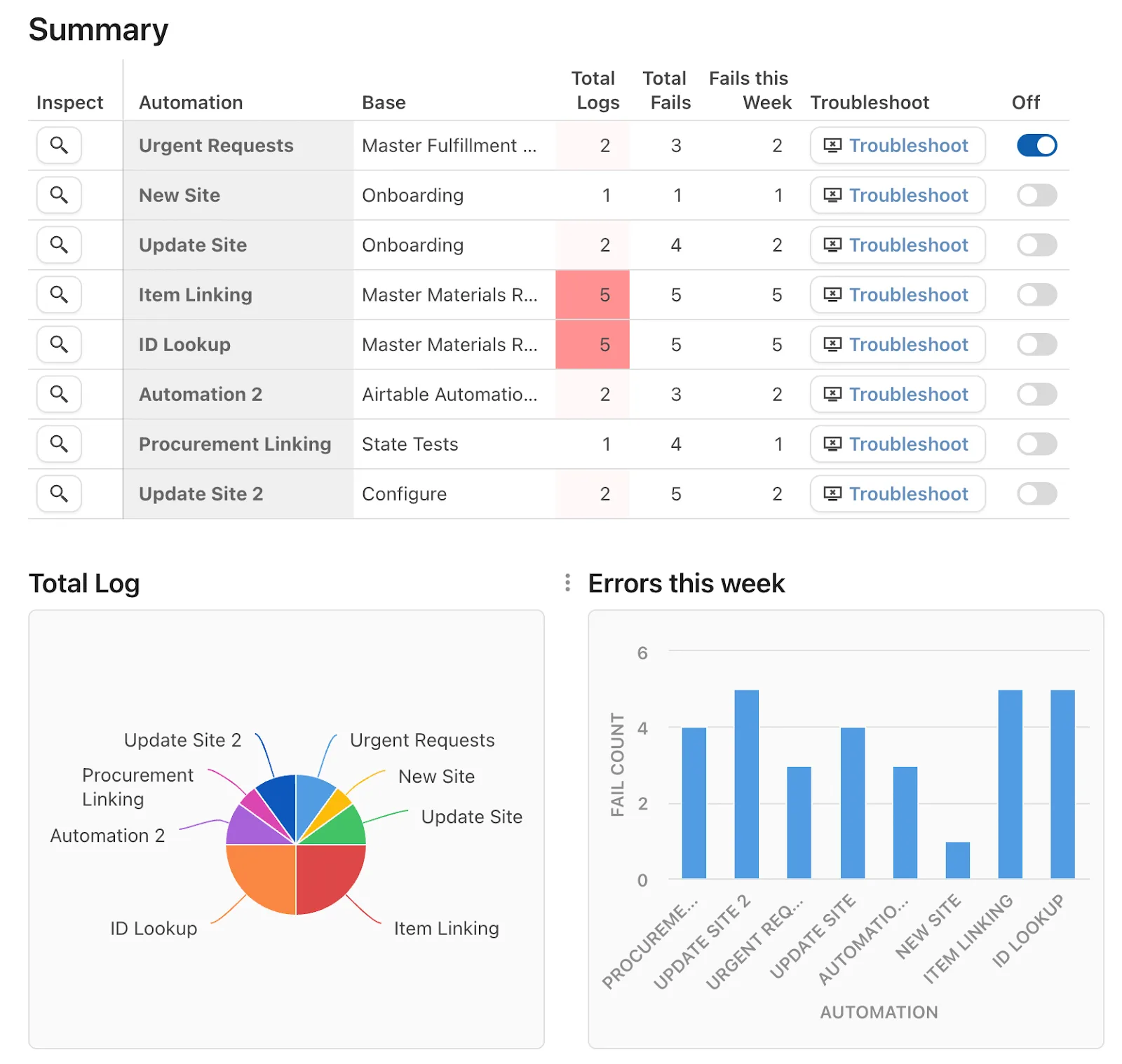
The easiest way to make automation more reliable is to expect breakage before it happens. You should build alerts when workflows fail, log where scripts stop working, test workflows regularly, keep browser versions consistent, and create fallback logic for common failures. Another important step is separating workflows into smaller pieces. A long automation with twenty steps is much harder to debug than several smaller workflows connected together. If one small step fails, you can isolate it quickly instead of losing the entire process. You should also document your workflows properly. If a script breaks six months later, it is much easier to fix when you know how it was originally built.
Why Centralization Makes This Easier
Automation failures become much harder to diagnose when browser profiles, Android workflows, logs, account notes, schedules, and error reports are spread across different systems. You may have one platform for browser automation, another for scheduling, another for account management, and another for logs. That makes it difficult to understand what failed and why. This is one of the reasons Appilot becomes useful when automation starts scaling. Instead of keeping browser profiles, Android workflows, task history, schedules, account notes, and error tracking spread across multiple systems, everything can stay visible from one dashboard. That makes it easier to spot failing workflows, identify patterns, compare browser setups, and fix problems faster before they affect larger parts of the system.
Conclusion: Automation Breaks When The System Around It Changes
If your automation worked yesterday but broke today, the issue is usually not that the original workflow was completely wrong. The problem is that websites, platforms, browsers, APIs, and verification systems are constantly changing. Once you build more flexible workflows, add better monitoring, create fallback logic, and keep everything documented, it becomes much easier to recover when something breaks. That is what allows you to keep automation running longer without rebuilding the entire system every time a platform changes something.