Why Your Google Ads Conversion Tracking Stopped Working
The Campaign Is Running But The Conversions Suddenly Vanish
One of the most frustrating things in Google Ads is when campaigns are still running, clicks are still coming in, and leads or sales are still happening, but the conversion numbers suddenly disappear from the dashboard.
This becomes dangerous very quickly because once the tracking breaks, it becomes much harder to know which campaigns are actually working. You may start cutting spend on profitable campaigns, increasing budget on the wrong keywords, or assuming the landing page is failing when the real problem is simply that Google is no longer recording conversions properly.
The important thing to understand is that conversion tracking usually does not stop working randomly. In most cases, something changed in the website, the tag setup, the thank-you page, the browser environment, or the conversion flow.
Why Google Ads Conversion Tracking Breaks
Most conversion tracking problems happen because the Google tag was removed, the conversion event is no longer firing, the thank-you page changed, or the website update accidentally broke the existing setup.
For example, if the conversion action depends on a thank-you page URL and that page changes after a redesign, Google may stop recording conversions completely because the original trigger no longer exists.
Another common issue is when developers update the website and remove the conversion script without realizing it. Even small changes to page structure, checkout flow, form behavior, or button actions can stop the conversion tag from firing.
There are also cases where the tracking code is still installed, but the conversion fires too early, too late, or more than once. That creates inaccurate reporting because Google may count duplicate conversions or fail to count them at all.
The Biggest Mistake: Assuming The Tracking Code Is Fine Because It Still Exists
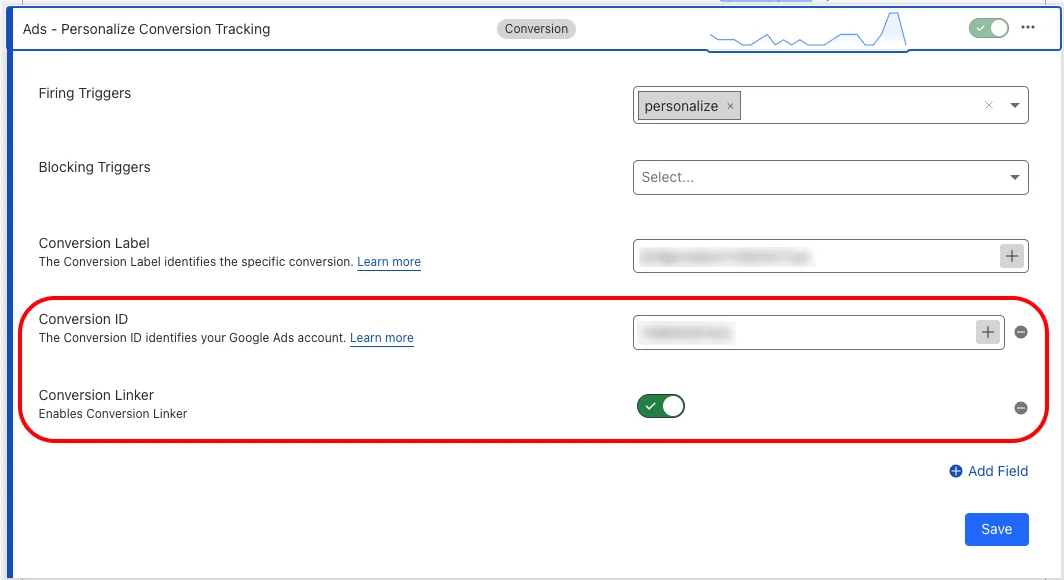
One of the biggest mistakes advertisers make is assuming that if the Google tag still appears on the website, then the conversion tracking must be working correctly.
That is not always true.
The tag may exist on the site, but the actual conversion trigger may no longer work.
For example, a purchase event may only fire after the order confirmation page loads. If the user closes the browser before that page fully loads, Google may never receive the conversion. The same thing can happen if the thank-you page redirects too quickly or if the form submits without opening the page where the conversion normally fires.
A working tracking setup is not just about having the code installed. It is about making sure the right conversion fires at the right moment with the right value.
Why Browser Privacy Changes Make Tracking Worse
Modern browser privacy rules have made conversion tracking less reliable than before.
Safari, Firefox, ad blockers, cookie restrictions, privacy extensions, and iOS tracking limitations can all reduce the number of conversions that Google receives.
This becomes especially common with mobile traffic because many mobile browsers block tracking scripts more aggressively.
That means the campaign may still be generating conversions in real life, but Google may only see part of them.
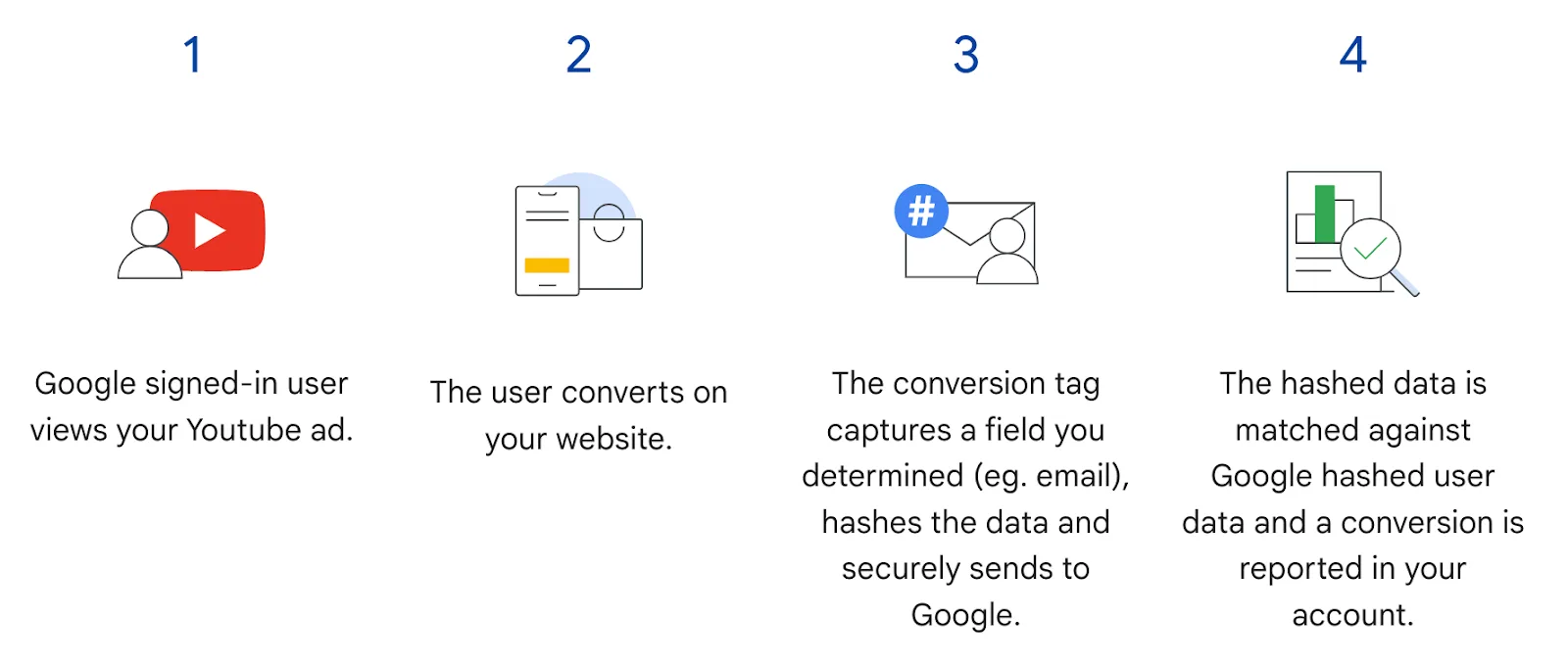
This is one of the reasons enhanced conversions, server-side tracking, and stronger first-party data collection have become much more important.
Why Google Tag Manager Often Causes Hidden Problems
A lot of conversion tracking issues happen inside Google Tag Manager.
For example, the trigger conditions may change, the variables may stop matching correctly, the form submission event may fail, or the container may publish incorrectly.
This is especially common when multiple people are working on the same account.
One person may update the website, another may edit Tag Manager, another may change the thank-you page, and another may adjust the Google Ads account. That makes it easy for the conversion flow to break without anyone noticing immediately.
That is why testing is so important.
You should regularly verify that the conversion still fires correctly after every website change, landing page update, checkout update, or CRM integration change.
Why Attribution Windows Create Confusion
Sometimes the conversions are still being tracked, but the reporting delay makes it look like the tracking stopped.
For example, a lead may come in today but not appear in Google Ads until later because of attribution delays, imported CRM data, or cross-device activity.
This often creates confusion because the business sees leads in the CRM or sales dashboard but Google Ads still shows zero conversions.
That is why it is important to compare Google Ads data with CRM data, backend sales systems, form submissions, and analytics tools instead of relying only on one dashboard.
Why Better Tracking Systems Matter
Conversion tracking problems become much harder to diagnose when landing pages, tag managers, CRM systems, Google Ads accounts, and analytics tools are spread across different systems. You may have one place for the website, another for Google Tag Manager, another for CRM tracking, and another for reporting. That makes it difficult to see where the conversion path is breaking.
This is one of the reasons Appilot becomes useful when advertising operations start scaling. Instead of keeping browser workflows, Android automations, landing page notes, event tracking, campaign history, CRM updates, and task logs spread across different systems, everything can stay visible from one dashboard. That makes it easier to monitor conversion paths, compare tracking consistency, review broken events, and spot missing conversion data faster.
Conclusion: Missing Conversions Usually Mean The Tracking Path Broke Somewhere
If your Google Ads conversion tracking stopped working, the issue is usually not that the campaign itself failed. The problem is that the tag, trigger, thank-you page, browser behavior, or attribution flow broke somewhere between the click and the final conversion.
Once you verify the conversion flow, test the tags, improve browser-side reliability, and compare Google Ads data with your own backend reporting, it becomes much easier to trust the numbers and optimize campaigns properly.