Why Your Headless Browser Gets Detected (And How to Fix It)

You spin up your automation script, everything runs smoothly for a few minutes, and then suddenly your requests start failing. Sometimes it’s a soft block where elements don’t load correctly, sometimes it’s a hard block with a 403 error, and in worse cases your IP gets flagged entirely. You restart the script, change a proxy, maybe even switch user agents, and it works again—for a while. Then the same thing happens again.
What makes this frustrating is that you’re not doing anything obviously wrong. You’re using modern tools like Puppeteer or Playwright, you’ve followed tutorials, and your logic is clean. Yet your headless browser gets detected almost every time you scale beyond a few requests.
You’re not alone in this. Detection systems have evolved far beyond simple IP checks, and most developers are unknowingly triggering multiple detection signals at once. The real issue is not your code—it’s how your automation environment appears to the system you’re interacting with.
Here’s the good news: this problem is completely solvable once you understand what’s actually happening under the hood. In this guide, you’ll learn why your headless browser gets detected, why common fixes fail, and how to implement a solution that holds up even at scale.
Why Headless Browsers Keep Getting Detected
Most people assume that detection happens because of IP reputation or request volume, but the reality is much more layered and much more systematic than that.
The fingerprint mismatch problem
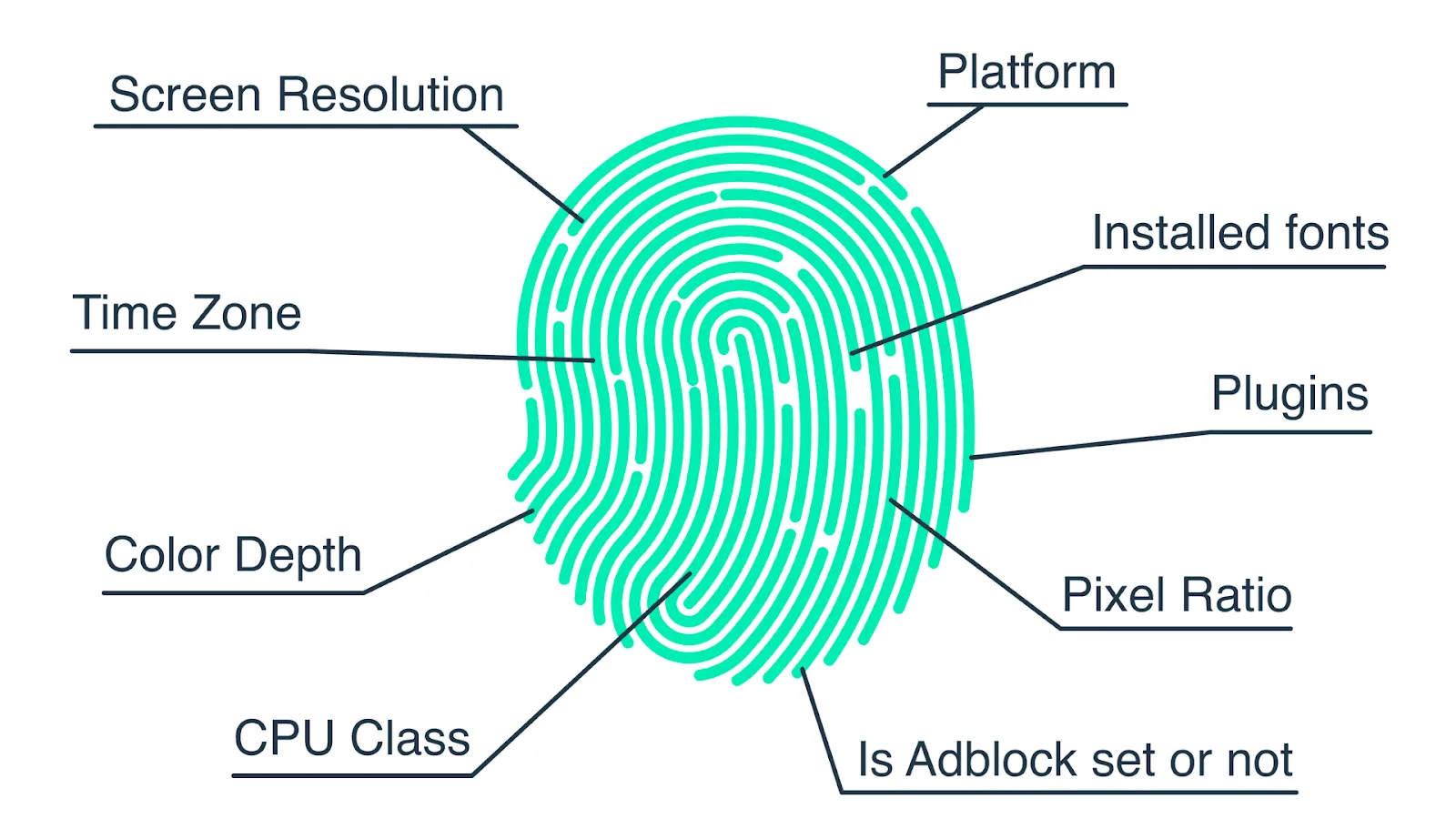
When you run a headless browser, even with tools like Selenium, your environment exposes subtle inconsistencies that normal users simply do not have. These inconsistencies exist across dozens of parameters, including WebGL rendering, installed fonts, screen resolution, timezone alignment, and even how audio contexts are processed.
What happens is that the system builds a composite fingerprint of your browser session, and when that fingerprint does not match known real-world patterns, it gets flagged. Even if each individual signal looks harmless, the combination creates a profile that stands out immediately.
Behavioral patterns that don’t look human
Even if you fix fingerprinting issues, your interaction patterns can still betray you. Headless scripts often move too fast, click too precisely, and navigate in perfectly linear paths. Real users hesitate, scroll unpredictably, and make small mistakes.
Detection systems track timing intervals, cursor movement entropy, and interaction randomness. When your script executes actions in perfectly consistent intervals, it becomes obvious that it is not human-driven.
Headless-specific flags and properties
Browsers running in headless mode expose certain flags and missing properties that are easy to detect. For example, the navigator.webdriver property is one of the most well-known signals, but it is far from the only one. Missing plugins, disabled GPU acceleration, and inconsistent rendering behaviors all contribute to detection.
Even when you try to mask these signals, incomplete masking often creates new inconsistencies, which can be even easier to detect.
Infrastructure-level signals
Your setup itself can also give you away. If you are running multiple sessions from the same IP range, using datacenter proxies, or reusing identical configurations across sessions, the system begins to correlate activity across accounts or requests.
This is why simply rotating proxies or changing user agents rarely solves the problem completely.
The Hidden Cost of Ignoring This Problem
At first glance, detection might seem like a minor inconvenience, something you can work around with retries or proxy changes. But over time, the cost compounds in ways that are easy to underestimate.
Every time your automation fails, you lose time debugging issues that are not clearly documented. You start adding patches on top of patches, which increases complexity without actually solving the root problem. Eventually, your system becomes fragile, where even small changes can break the entire workflow.
There is also a financial cost. Proxies, infrastructure, and failed runs all add up, especially when your success rate drops below a reliable threshold. More importantly, there is a growth ceiling. You cannot scale a system that gets detected consistently, which means your automation remains limited to small, unstable workloads.
Perhaps the most frustrating cost is psychological. You begin to lose confidence in your setup, constantly wondering when it will fail next, and avoiding scaling decisions because the foundation is not stable.
The Complete Solution: How to Stop Headless Detection
Fixing this problem requires a shift in approach. Instead of trying to patch individual issues, you need to make your automation environment indistinguishable from a real user environment across three layers: fingerprint, behavior, and infrastructure.
Step 1: Stabilize your environment immediately
If your scripts are currently failing, the first step is to stop aggressive execution. Slow down your request rate, introduce random delays, and avoid running multiple sessions from the same IP simultaneously. This does not solve the problem permanently, but it prevents further escalation while you implement a proper fix.
Step 2: Normalize your browser fingerprint
You need to ensure that your browser environment matches real-world distributions. This means aligning user agent, screen resolution, timezone, language settings, and hardware characteristics in a consistent way.
Instead of manually patching each parameter, the more reliable approach is to use environments that already emulate real user profiles. This reduces the risk of creating mismatched signals.
Step 3: Introduce human-like interaction patterns
Your automation logic must mimic real user behavior. This includes adding variability in timing, introducing small delays between actions, simulating scrolling behavior, and avoiding perfectly linear navigation paths.
The goal is not to perfectly replicate a human, but to avoid patterns that are obviously non-human.
Step 4: Fix your infrastructure layer
This is where most setups fail. Even with perfect fingerprinting and behavior, poor infrastructure can still get you detected. You need high-quality IPs, proper session isolation, and unique environments for each workflow.
This is also where many developers face a trade-off between complexity and reliability. Building this infrastructure manually requires significant effort and ongoing maintenance.
The Automation Approach That Actually Works
At this point, you have two options. You can build everything from scratch using tools like Appium or browser-based stacks, managing fingerprints, proxies, and behavior logic yourself. This gives you full control, but also introduces significant complexity.
The alternative is to use a mobile-first automation approach, where workflows run on real Android environments instead of simulated browser contexts. This dramatically reduces detection risk because you are no longer trying to mimic a real user—you are operating within a real user environment.
This is exactly the problem I ran into while building automation systems, which is why I ended up building Appilot. Instead of relying on headless browsers, it runs automation directly on Android devices without requiring ADB setup, which means the behavior, fingerprints, and environment are inherently aligned with real-world usage.
The key difference is that you are no longer fighting detection systems at every layer. You are working within an environment that naturally passes most detection checks.

How to Prevent Detection From Coming Back
Once your system is stable, the next step is to ensure it stays that way. Prevention is not about adding more patches, but about maintaining consistency across your setup.
You need to standardize your environments so that each session behaves predictably without introducing anomalies. Monitoring becomes important here, not just for failures, but for early warning signs such as increased latency, partial page loads, or unexpected UI changes.
Automation should also include feedback loops, where the system can adjust behavior dynamically instead of following rigid scripts.
Common Mistakes That Make Detection Worse
One of the most common mistakes is over-optimizing for speed. Developers often try to make scripts run as fast as possible, which immediately creates unnatural patterns. Another mistake is stacking multiple “stealth” plugins without understanding how they interact, which often results in conflicting signals rather than improved stealth.
There is also a tendency to rely too heavily on proxies as a solution, when in reality they are only one part of the system. Without fixing fingerprinting and behavior, proxies alone cannot prevent detection.
Real Outcomes After Fixing This Properly
Once you implement a proper solution, the difference is immediate and noticeable. Scripts run longer without interruption, success rates increase significantly, and the need for constant debugging drops dramatically.
More importantly, you regain the ability to scale. Instead of worrying about detection thresholds, you can focus on optimizing workflows and expanding use cases.
Conclusion: You’re Not the Problem—Your Setup Is
Headless browser detection is not a random issue, and it is not something you have to accept as part of automation. It is a direct result of how your environment, behavior, and infrastructure interact with modern detection systems.
Once you understand this, the path forward becomes clear. You either invest time in building a fully optimized system from scratch, or you shift to an approach that naturally avoids these issues by design.
If you are tired of constantly patching scripts and dealing with unpredictable failures, the second approach is usually the more sustainable one.
The goal is not just to fix detection once, but to build a system where detection is no longer a recurring problem.