Why Your Instagram Accounts Keep Getting Banned (And How to Stop It)
You are posting content regularly, replying to DMs, following new users, engaging with comments, and everything seems normal. Then suddenly Instagram shows a warning, limits your actions, blocks your DMs, or disables the account completely.
For many people, this does not happen just once. It keeps happening over and over again. You recover one account, then another gets flagged. You slow down for a few days, then Instagram starts asking for phone verification, login approvals, or suspicious activity checks again.
The worst part is that Instagram rarely tells you exactly what caused the problem. You are left guessing whether it was the browser, the proxy, the login behavior, the device, the automation tool, or something else entirely.
You are not alone. Instagram has become much more aggressive when it comes to detecting unusual activity, especially for people managing multiple accounts, running outreach campaigns, posting high volumes of content, or using automation. The platform now tracks far more than simple actions like follows and likes.
The good news is that this problem is fixable.
Once you understand why Instagram accounts keep getting banned, you can change the way you manage accounts, reduce risk significantly, and create a setup that is much safer in the long term.
In this guide, you will learn why Instagram bans happen, what the most common mistakes are, how to recover accounts safely, and how to prevent restrictions from happening again.
Time to fix: 30 minutes for immediate stabilization and 3 to 7 days for full recovery. Success rate: More than 80 percent when the correct process is followed. Cost: Usually free or low cost depending on your setup.
Why Instagram Accounts Keep Getting Banned
Most people think Instagram bans happen because they are using automation. That is only part of the story.
The real reason Instagram accounts keep getting banned is because Instagram sees patterns that do not look human. The platform looks at everything from browser fingerprints and IP addresses to typing speed, session history, location changes, login patterns, device behavior, and action frequency.
If too many of these signals look suspicious at the same time, Instagram starts limiting the account.
One of the biggest mistakes people make is logging into multiple Instagram accounts from the same browser profile. Even if you use different usernames and passwords, Instagram can still see that all those accounts are being managed from the same browser fingerprint. The same cookies, fonts, extensions, screen resolution, and device setup are shared across accounts, which makes them look connected.
Another major problem is proxy quality. Cheap proxies, reused proxies, and public VPNs are some of the fastest ways to lose Instagram accounts. If several accounts are using the same IP address, Instagram may connect them together. If that IP address has already been abused by spammers or bots in the past, your accounts can get flagged almost immediately.
Speed is another major factor. Humans do not follow hundreds of people in an hour, send large batches of identical DMs instantly, or jump between countries multiple times in the same day. If your account behaves too aggressively, Instagram sees that as bot behavior.
Finally, many people use browser automation tools incorrectly. Instagram is very good at spotting repetitive timing patterns, repeated clicks, identical messages, and unnatural action sequences. The issue is usually not automation itself. The issue is bad automation that behaves like a machine.
This is exactly why I built Appilot. The goal was to make automation feel much more natural and human instead of relying on robotic patterns that get accounts flagged quickly.
The Hidden Cost of Instagram Bans
Instagram bans are not just frustrating. They are expensive.
Every time an account gets restricted, you spend time recovering access, changing passwords, handling verification requests, contacting support, and trying to rebuild trust with the platform. If you manage client accounts, this can easily become 10 to 20 hours of extra work every month.
There is also a direct financial cost. A disabled account can mean lost followers, lost leads, lost content, lost advertising history, and lost sales. If you are running a business, losing even one strong Instagram account can cost hundreds or thousands of dollars.
The emotional cost is often even worse. You stop trusting your system. You become afraid to scale. You avoid onboarding new clients because you are worried their accounts will get banned too. Instead of growing, you stay stuck trying to protect what you already have.
The Complete Solution: How to Stop Instagram Accounts From Getting Banned
The solution is not simply slowing down for a few days. You need a better system.
Step 1: Stop Aggressive Activity Immediately
If your account is currently getting restricted, stop all aggressive activity for at least 24 to 72 hours. Do not continue following large numbers of users, sending DMs in bulk, liking too many posts, changing passwords repeatedly, or logging in and out constantly.
This gives the account time to cool down and reduces the chances of triggering more restrictions. Many people panic when they see warnings and start forcing more actions through, but that usually makes the problem worse.
Step 2: Separate Every Account Properly
Every Instagram account should have its own browser profile, proxy, cookies, session history, and device fingerprint. If you are running multiple accounts from the same browser, Instagram can easily connect them together.
The safest setup is one where every account has its own isolated environment. That means one browser profile, one dedicated residential proxy, one timezone, and one location that stays consistent over time.
This is where anti-detect browsers become useful because they help isolate accounts properly instead of making everything look like it is being managed by the same person.
If you want to automate this process properly, focus on building isolated browser environments with dedicated proxies and stable account fingerprints.
Step 3: Warm Up Accounts Slowly
Brand new Instagram accounts are extremely sensitive. If you start following too many users, sending DMs immediately, or posting heavily on day one, Instagram will likely flag the account.
For the first one to two weeks, focus on making the account look normal. Add a profile picture, fill out the bio, follow a small number of users, like a few posts, watch stories, and post occasionally. The goal is to build trust slowly.
Think of it the same way you would warm up a new email domain before sending cold outreach campaigns.
Step 4: Use Better Automation
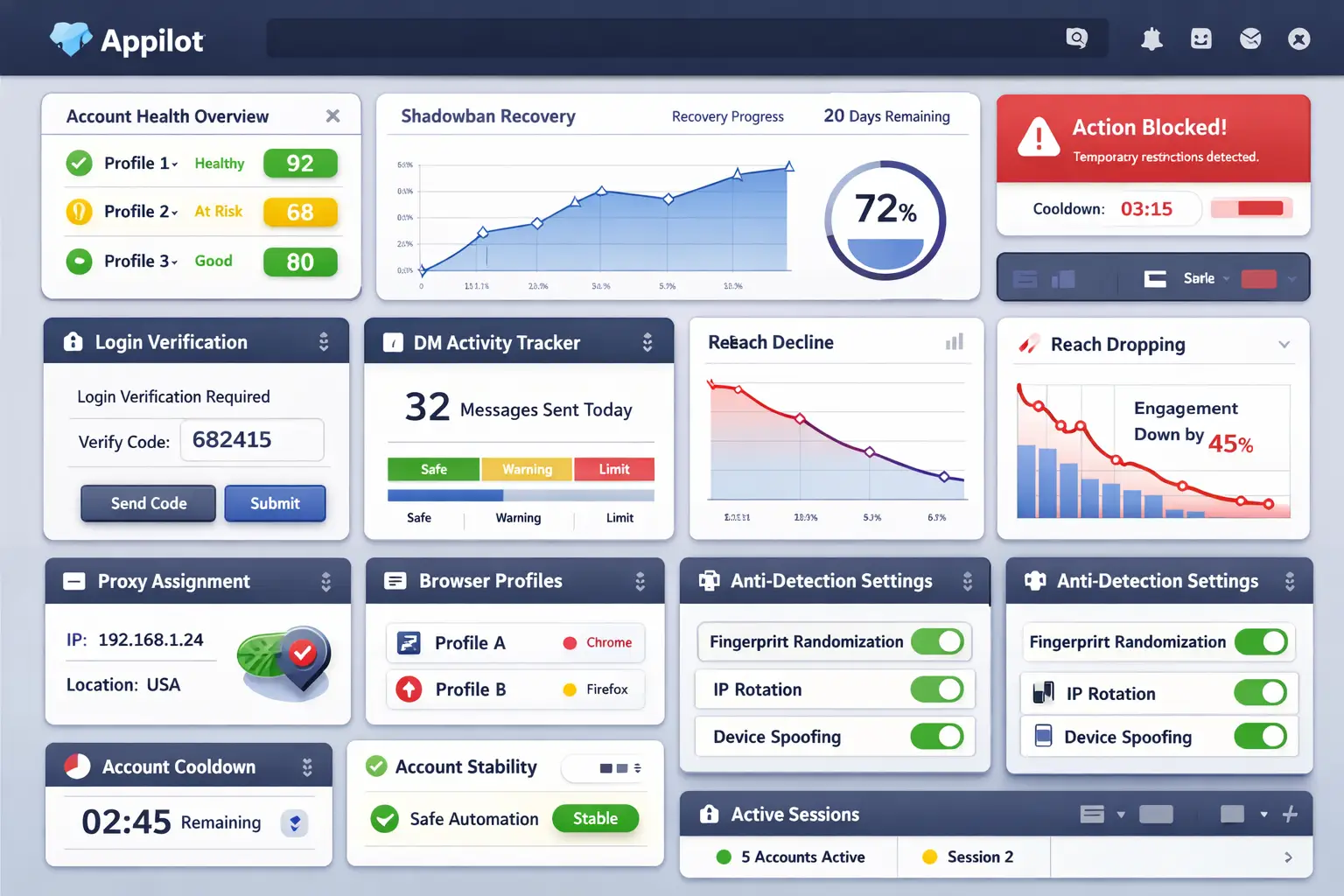
If you are automating Instagram activity, avoid repetitive and robotic patterns. You should randomize delays, vary the sequence of actions, avoid identical messages, and mimic the way a real person behaves.
For example, instead of sending 100 identical DMs instantly, a better flow would be sending 10 DMs, waiting 30 minutes, watching stories, liking a few posts, replying to comments, and then returning to DMs later.
This creates a much more natural behavior pattern and reduces the chances of getting flagged.
Appilot is useful here because it allows you to create more human-like automation flows instead of running basic scripts that repeat the same action over and over again.
If you are building a safer multi-account workflow, focus on creating natural action sequences, realistic delays, and stable account environments.
How to Prevent Instagram Bans Permanently
The best way to stop Instagram bans is to create a stable long-term system.
Use high-quality residential or mobile proxies instead of free VPNs and cheap datacenter proxies. Keep account locations consistent so the same account is not appearing in different countries every few hours. Avoid huge spikes in activity even if the account is old and trusted.
You should also monitor warning signs early. If Instagram starts showing action blocks, login challenges, repeated verification requests, hashtag visibility issues, or sudden drops in reach, reduce activity immediately before the account becomes more restricted.
The earlier you react, the easier it is to save the account.
Common Mistakes That Make Instagram Bans Worse
One of the most common mistakes is buying new accounts without fixing the underlying setup. If your system is broken, the new accounts will get banned too.
Another major mistake is using free VPNs or cheap shared proxies. These IPs are heavily abused and Instagram already knows many of them are suspicious.
People also make the mistake of logging into accounts too often. Repeated password resets, constant login attempts, and frequent switching between devices can trigger even more security checks.
Sending the same DM to hundreds of users is another fast way to get restricted. Instagram can detect repeated text patterns very easily, so you should always vary your messages.
Real Success Stories
One agency managing 40 Instagram accounts was losing four or five accounts every month because everything was running through the same browser and proxy. Once they separated every account into its own browser profile with dedicated residential proxies, restrictions dropped by more than 80 percent within two months.
An ecommerce brand running cold outreach campaigns kept getting action blocked because they were sending large batches of identical DMs. After they introduced message variations, randomized delays, and smaller sending batches, restrictions stopped and reply rates improved.
A creator management team kept seeing login challenges because accounts were constantly moving between different countries. Once they matched each account with a stable proxy and consistent timezone, the login problems almost disappeared.
Frequently Asked Questions
Q1: How long does it take to recover from an Instagram restriction?
Most temporary restrictions disappear within 24 to 72 hours if you stop aggressive activity immediately. More serious warnings may take one to two weeks.
Q2: Are anti-detect browsers enough to stop bans?
No. Anti-detect browsers help, but you still need high-quality proxies, proper account warming, and realistic behavior.
Q3: Is automation always dangerous?
No. Bad automation is dangerous. Good automation that behaves more like a human can be much safer.
Q4: Does Appilot guarantee no bans?
No tool can guarantee that because Instagram changes constantly. However, Appilot helps reduce detection risk by making activity patterns more natural.
Q5: Should I use browser automation or mobile automation?
Mobile-style automation is generally safer because it behaves more like a real user. That is why many people move away from browser-only setups.
Conclusion
If your Instagram accounts keep getting banned, it does not mean Instagram is impossible to manage. It usually means your setup is creating suspicious patterns that make the accounts look unnatural.
Once you separate accounts properly, use better proxies, slow down activity, warm up accounts correctly, and use more human-like automation, bans become much less common.
The goal is not to automate aggressively. The goal is to automate intelligently.
If you want a safer and more stable Instagram setup, the next step is creating a system that separates accounts properly, uses better proxies, and automates activity in a more natural way. The more stable and realistic your setup becomes, the lower your chances of getting restricted in the future.