Why Your Pinterest Pins Stopped Getting Impressions
Your Pins Are Still Being Posted But Nobody Seems To See Them
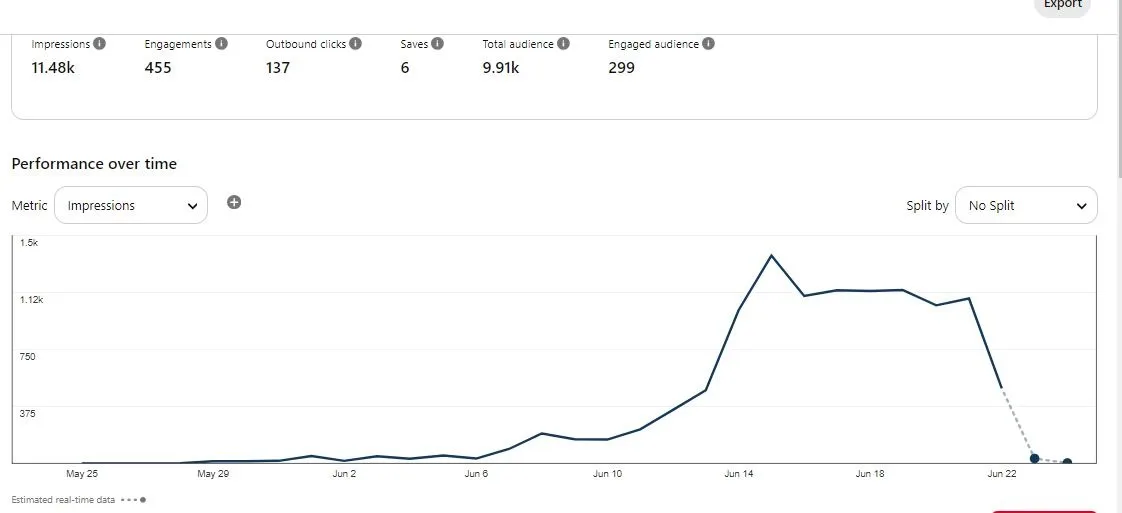
One of the most frustrating things on Pinterest is when your pins suddenly stop getting impressions. The account may still be active, new pins may still be going live, and the content may still look good, but the traffic disappears.
This becomes especially confusing because Pinterest reach often feels unpredictable. One week a board gets steady impressions and clicks, and then suddenly everything slows down without any obvious explanation.
The important thing to understand is that Pinterest usually does not stop showing pins randomly. In most cases, the platform sees weaker engagement, repetitive content, lower quality pins, or account behavior that looks less useful to users.
Why Pinterest Stops Showing Your Pins
Most impression drops happen because users stop interacting with the pins.
Pinterest pays close attention to saves, clicks, outbound traffic, closeups, engagement rate, and how long users stay interested in the content.
If people scroll past the pins without saving or clicking, Pinterest often reduces distribution because the platform sees weaker value.
The same thing happens if the pins become repetitive, use the same design style too often, or link to low-quality pages.
Pinterest wants to show users fresh content that feels useful, visually interesting, and worth saving.
The Biggest Mistake: Posting The Same Style Of Pin Repeatedly
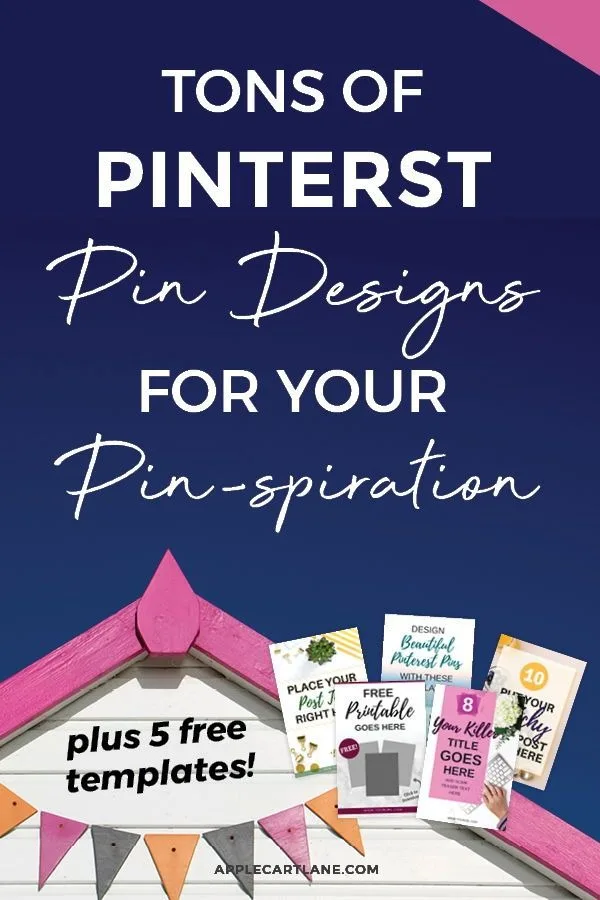
One of the biggest reasons Pinterest impressions fall is because the account keeps posting very similar pins.
For example, using the same image style, the same text layout, the same headline format, or the same colors repeatedly can make the account feel repetitive.
Pinterest wants variety.
If every pin looks almost identical, the platform may decide there is less reason to keep showing the content.
The stronger approach is testing more formats.
Different colors, fonts, layouts, headlines, image styles, and board placements can help the account feel fresher and more interesting.
Why Weak Keywords Hurt Pinterest Reach
Pinterest works a lot like a search engine.
If the titles, descriptions, board names, and pin text do not contain strong keywords, Pinterest may struggle to understand who should see the content.
This becomes especially important if the niche is competitive.
For example, a pin with a vague title like “Amazing Tips” will usually perform much worse than a pin with a more specific keyword-rich title like “Pinterest Marketing Tips for Small Business.”
The stronger approach is using clearer keywords naturally throughout the pin title, description, and board organization.
Why Low-Quality Landing Pages Reduce Impressions
Pinterest also pays attention to where the pin sends users.
If the landing page is slow, low quality, difficult to use on mobile, or unrelated to the pin, Pinterest may reduce distribution because users are having a poor experience after the click.
This is especially common when the landing page has too many popups, misleading headlines, broken pages, or slow loading speed.
Even if the pin itself looks good, a weak landing page can hurt impressions over time.
Why Inconsistent Posting Makes Growth Harder
A lot of Pinterest accounts lose impressions because posting becomes inconsistent.
If the account disappears for weeks and then suddenly posts dozens of pins in one day, Pinterest may struggle to understand the account activity.
The stronger approach is keeping a more regular posting schedule.
Consistent posting helps Pinterest see the account as active and useful.
That does not mean posting aggressively every day. It means maintaining a more stable rhythm.
Why Better Content Systems Matter
Pinterest impression problems become much harder to manage when graphics, descriptions, keywords, board notes, posting schedules, and analytics are spread across different systems. You may have one place for images, another for descriptions, another for keyword research, and another for analytics. That makes it difficult to see which pin formats are working and which ones are losing reach.
This is one of the reasons Appilot becomes useful when Pinterest operations start scaling. Instead of keeping browser workflows, Android automations, content calendars, pin variations, keyword notes, posting schedules, analytics reviews, and task history spread across different systems, everything can stay visible from one dashboard. That makes it easier to compare pin performance, organize content experiments, review keyword patterns, and improve Pinterest reach across multiple accounts.
Conclusion: Pinterest Usually Stops Showing Pins When Engagement And Freshness Drop
If your Pinterest pins stopped getting impressions, the issue is usually not that Pinterest randomly decided to ignore the account. The problem is often that the content became repetitive, the keywords became weaker, the landing page quality dropped, or the posting schedule became inconsistent.
Once you improve pin variety, strengthen keywords, refresh designs, and keep posting more consistently, it becomes much easier to recover impressions and start growing again.