YouTube Tag Research and Implementation Automation

YouTube tags can help videos appear in related searches, suggested video sections, niche keyword clusters, and broader content categories. While tags are not as important as titles, thumbnails, descriptions, and watch time, they still help YouTube understand what a video is about and where it belongs.
The challenge is that researching and updating tags manually becomes difficult when you are managing multiple YouTube channels, different content categories, and large video libraries at the same time. One channel may focus on SaaS tutorials, another may focus on ecommerce content, another may focus on affiliate marketing, and another may focus on startup growth or local business education. Each one needs different keywords, different search patterns, and different tag combinations.
This is where automation becomes valuable. Instead of manually opening every video, researching keyword variations, checking competitor tags, adding new tags, and removing outdated ones one by one, you can build workflows that research, assign, and update tags automatically across large groups of videos.
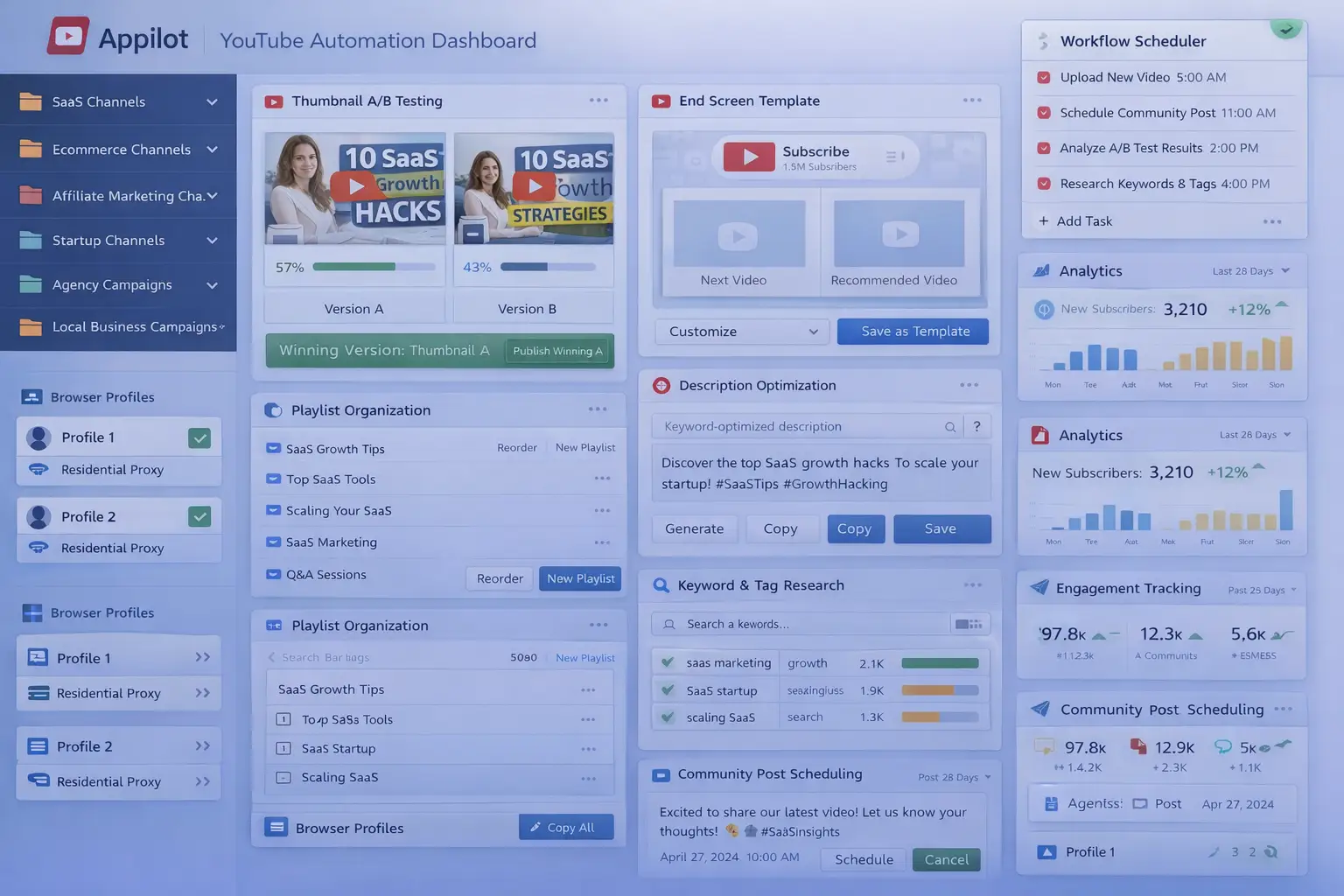
For this guide, I will use Appilot as the main workflow platform. Appilot helps automate browser workflows and Android actions from one dashboard, making it easier to manage YouTube optimization across multiple browser profiles and content campaigns.
In this guide, you will learn why YouTube tag automation matters, how to organize tag libraries, how to connect YouTube channels with Appilot, and how to automate tag research and implementation safely at scale.
Setup Time: Around 30 to 45 minutes
Difficulty: Beginner to Intermediate
Estimated Time Saved: 5 to 10 hours weekly
Why YouTube Tag Automation Matters
YouTube tags work best when they are relevant, updated consistently, and aligned with the video topic. Good tags can help videos appear in related searches, improve visibility for long-tail keywords, and strengthen content categorization.
For example, a SaaS channel may want to include tags related to software tutorials, automation tools, CRM workflows, and product comparisons. An ecommerce channel may want to include tags related to dropshipping, paid ads, store optimization, and product sourcing. An affiliate marketing channel may want to include tags related to funnels, traffic, landing pages, and monetization.
If you are managing multiple channels manually, it becomes difficult to keep track of which videos have outdated tags, which keyword groups are performing best, and which channels need updated research.
Without a system, it becomes easy to:
Forget to update old tags
Miss long-tail keyword opportunities
Use inconsistent tag structures
Waste time on repetitive research work
Delay channel optimization
Miss related search traffic
Automation helps solve these problems by turning tag management into a repeatable workflow.
The manual approach may work for smaller YouTube operations, but it becomes difficult once you are managing multiple channels and hundreds of videos.
With automation, you can create workflows that research keywords, assign tags, remove outdated terms, and standardize tag structures automatically.
The biggest advantage is not only saving time. It is making sure every channel has a reliable keyword optimization process.
What You Need to Get Started
To automate YouTube tag research and implementation, you need a few tools working together. The first requirement is an antidetect browser such as GoLogin, AdsPower, Multilogin, or Dolphin Anty. These browsers help manage multiple YouTube channels separately while keeping cookies, browser fingerprints, and proxies isolated.
The second requirement is residential or mobile proxies. Proxies help make account activity look more natural and reduce the risk of multiple channels appearing from the same IP address.
The third requirement is Appilot. Appilot helps connect browser profiles, organize YouTube campaigns, automate tag updates, and manage repetitive optimization tasks from one dashboard.
You should also prepare a tag library before building workflows. This can include primary keywords, secondary keywords, long-tail phrases, competitor tags, seasonal keywords, and channel-specific terms.
A typical setup for YouTube automation usually costs between $150 and $400 per month depending on the number of channels, browser profiles, and workflows involved.
Step-by-Step: Setting Up YouTube Tag Research Automation
Step 1: Organize Your Channel Categories
Before creating workflows, organize your channels into categories.
For example, you may have SaaS channels, ecommerce channels, affiliate marketing channels, startup channels, local business channels, and agency channels.
Different channel types usually require different keyword groups.
A SaaS channel may need software-related tags and workflow keywords, while an ecommerce channel may need shopping keywords and product-related terms.
The more organized your channel groups become, the easier it becomes to create useful tag workflows.
Step 2: Build a Tag Library
Once your channel groups are ready, prepare a library of tags.
For example, you may want to organize tags based on:
Channel type
Video category
Primary keywords
Secondary keywords
Long-tail phrases
Competitor terms
You may also want to separate tags into categories such as tutorial tags, product review tags, comparison tags, webinar tags, and affiliate tags.
The goal is to keep keyword information organized so the automation can quickly assign the right variation to the right video.
Step 3: Connect Browser Profiles to Appilot
Once your browser profiles are ready, connect them to Appilot using your browser API key.
Inside Appilot, you can organize profile groups such as:
saas-channels
ecommerce-channels
affiliate-channels
startup-channels
agency-channels
This makes it easier to assign different optimization workflows to different channel types.
Step 4: Create a Tag Research Workflow
Once everything is connected, you can create a workflow that handles tag updates automatically.
For example, you may want the workflow to:
Select video library
Match video to keyword category
Research related search terms
Update primary and secondary tags
Remove outdated tags
Save optimization history
const workflow = {
  name: "YouTube Tag Research Automation",
  campaigns: "startup-channels",
  actions: [
    "Select video library",
    "Match video to keyword category",
    "Research related search terms",
    "Update primary and secondary tags",
    "Remove outdated tags"
  ],
  schedule: "Monthly"
};
The strongest workflows are usually simple and focused. Instead of adding too many tags at once, it is usually better to use smaller groups of highly relevant keywords.
Step 5: Test Before Scaling
Before applying automation to every channel, test the workflow on a small group first.
Choose one channel and monitor how the update process performs.
Check whether the correct tags are being applied, keywords are relevant, and search visibility is improving.
Once everything works correctly, you can gradually expand to more channels and more video categories.
This helps reduce mistakes and gives you time to improve the workflow before scaling further.
Best Practices for YouTube Tag Research
The best tag workflows focus on relevance, consistency, and search intent.
It is important to use tags that closely match the topic of the video because unrelated tags can confuse YouTube and reduce performance.
You should also keep tag structures aligned with the audience. A SaaS audience usually searches differently than an ecommerce or affiliate marketing audience.
Another important practice is reviewing competitor videos regularly. Competitor keyword patterns can reveal valuable search opportunities.
It is also useful to create reusable tag libraries for top-performing video categories.
Real Example: Managing Tags Across 20 YouTube Channels
One agency managed YouTube channels across SaaS, ecommerce, startup, and affiliate marketing niches.
At first, tag research was handled manually. Team members had to research keywords, compare competitor videos, and update tags one by one.
As the number of channels grew, the process became slower and more repetitive.
The agency eventually switched to a workflow using GoLogin, residential proxies, and Appilot. Channels were grouped by niche, keyword libraries were standardized, and automated tag workflows were created for each channel type.
After 60 days, the agency reduced manual SEO work by more than 70 percent while improving search visibility and related traffic across every channel.
The biggest improvement was not just saving time. It was making sure every channel had a reliable keyword optimization process.
Common Mistakes to Avoid
One common mistake is using too many unrelated tags. This can confuse YouTube and reduce relevance.
Another mistake is copying the exact same tags across every niche. Different audiences usually search differently.
Some teams also forget to update keyword libraries regularly. Search behavior changes over time.
It is also important not to rely only on tags. Strong titles, thumbnails, descriptions, watch time, and retention also affect channel performance.
FAQ
Q1: How many YouTube channels can I manage with automated tag research?
Most users can comfortably manage 10 to 50 YouTube channels with structured workflows. Larger teams can support even more by organizing channels into groups.
Q2: What types of tags usually perform best on YouTube?
Primary keywords, long-tail keywords, competitor terms, tutorial phrases, and niche-specific tags usually perform well.
Q3: Should every YouTube channel use the same tag strategy?
No. Different audiences and channel types usually require different keyword groups and search patterns.
Q4: How often should tag libraries be updated?
Most users benefit from reviewing and updating tag libraries every few weeks because search behavior and trends change.
Q5: Which browser is best for YouTube automation?
GoLogin is usually best for smaller operations, AdsPower works well for larger profile groups, and Multilogin is useful for enterprise teams.
Conclusion
YouTube tag research and implementation automation helps businesses, agencies, and creators save time while improving search visibility and content discoverability.
Instead of manually researching and updating tags one by one, you can create workflows that organize keyword libraries, assign relevant terms, remove outdated tags, and keep optimization active automatically.
The key is to organize channels carefully, prepare strong keyword libraries, test workflows gradually, and review search performance regularly.
For SaaS companies, agencies, affiliate marketers, ecommerce brands, and startup founders, tag automation can become one of the most useful systems for improving YouTube growth at scale.